

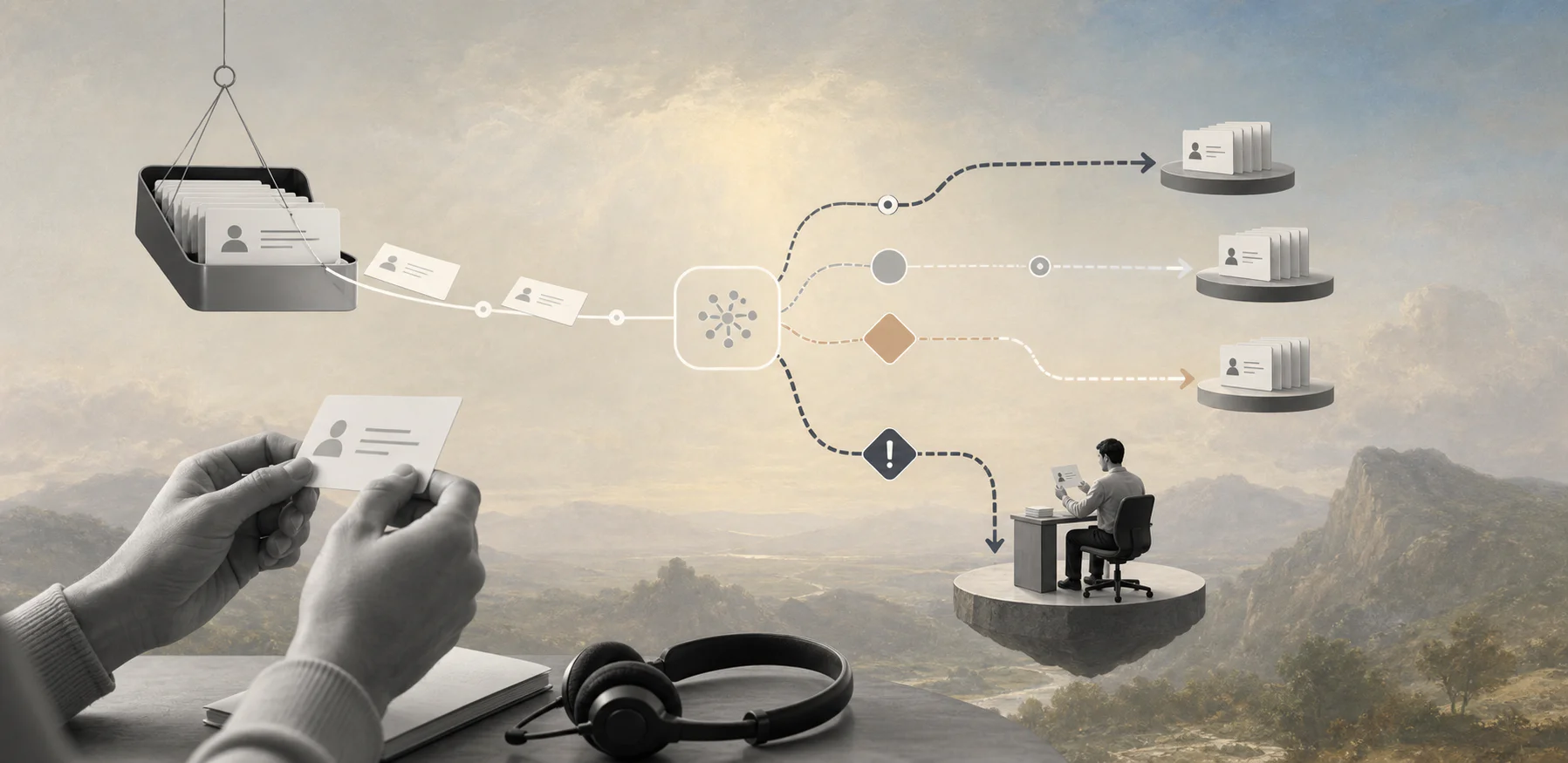
Use AI ticket triage to route support work faster without letting urgent customer issues disappear into automation.
An AI ticket triage workflow uses AI to classify, prioritize, route, and escalate incoming support requests before an agent starts work. The goal is to remove the manual sorting that slows response time, buries high-risk customers, and fills queues with unclear ownership.
For business teams, the practical question is where AI should decide and where the workflow should pause for a person. A good triage system can read the ticket, detect intent, suggest a priority, find the right queue, and attach useful context. The workflow still needs ownership, fallback paths, audit records, and a way to correct the model.
What’s in this article?
- What an AI ticket triage workflow should do.
- A step-by-step workflow support teams can adapt.
- A triage rules table for priority, routing, and escalation.
- Common mistakes that create customer risk.
- Where Workhint fits when support work crosses teams and systems.
Why AI ticket triage workflow matters
Support queues break when every request enters the same line. A billing dispute, product bug, renewal risk, angry enterprise customer, password reset, and feature question may arrive through the same channel, but they should not move through the same path.
AI helps because tickets are usually unstructured. Customers write in their own words, include history, attach screenshots, and mix several issues in one message. Zendesk describes intelligent triage as AI that can classify support tickets by topic, sentiment, language, and entities such as product names, then use those classifications in workflows. HubSpot similarly frames AI customer service automation as analyzing content, intent, and sentiment before sending the ticket to the right team or agent.
The value is operational, not just technical. Better triage reduces queue clutter, shortens first response time, protects urgent accounts, and helps agents start with context instead of spending the first few minutes deciding what the ticket is.
What AI should classify before routing
Start with the minimum classification set that changes the workflow. If a tag does not affect routing, reporting, escalation, staffing, or automation, it may only create noise.
| Classification | Why it matters | Example workflow action |
|---|---|---|
| Intent | Identifies what the customer needs | Route billing, bug, onboarding, access, or cancellation requests to the right queue |
| Priority | Separates urgent work from routine work | Escalate outages, blocked users, payment failures, or VIP accounts |
| Sentiment | Flags frustration and churn risk | Notify a manager when a high-value customer sounds angry or at risk |
| Customer tier | Matches service level to account commitment | Apply enterprise SLA rules or dedicated account-owner routing |
| Confidence | Shows whether the AI is likely right | Auto-route high-confidence tickets and send low-confidence tickets to human triage |
A practical AI ticket triage workflow
The best workflow is simple enough to run daily and controlled enough to improve over time.
- Capture the request. Bring tickets from email, chat, forms, help desk, customer portal, or internal channels into one intake record.
- Normalize the context. Attach customer name, account tier, product area, contract status, open incidents, language, channel, and previous ticket history where available.
- Run AI classification. Ask the model or triage tool to predict intent, topic, sentiment, urgency, affected product, likely owner, and confidence.
- Apply routing rules. Send the ticket to a queue, agent, pod, engineering team, finance owner, onboarding specialist, or account manager based on the classification and customer record.
- Pause risky decisions. Send low-confidence, high-value, legal, billing, security, health, employment, or cancellation-risk cases to a human reviewer before action.
- Attach suggested next steps. Provide relevant macros, knowledge articles, past resolutions, internal notes, or data fields so the agent does not start from scratch.
- Track outcomes. Record whether the classification was accepted, corrected, escalated, or resolved. Use that feedback to improve rules and training data.
This is where many implementations fail: they automate classification but leave ownership unclear. The workflow still needs to know who owns the next action, when the SLA timer starts, what happens when the owner is unavailable, and how exceptions get escalated.
Where humans should stay in the loop
Human review should be based on business risk, not fear of AI in general. NIST’s AI Risk Management Framework emphasizes managing AI risks in context, which is useful because the same model behavior can be low-risk in one workflow and high-risk in another.
Let AI auto-route routine, high-confidence requests such as password help, known bug reports, standard billing questions, shipping updates, and help-center questions. Require human triage for low-confidence classifications, angry enterprise customers, legal threats, security incidents, refund disputes, health or safety issues, payroll or payment problems, and any workflow where the next action could affect access, money, eligibility, or a contractual commitment.
Microsoft’s responsible AI guidance highlights reliability, safety, privacy, security, transparency, and accountability. For ticket triage, those principles become practical controls: approved data sources, confidence thresholds, reviewer ownership, audit logs, and escalation rules.
Common implementation mistakes
- Automating before cleaning categories. If the support taxonomy is messy, AI will inherit the confusion.
- Using sentiment as the only urgency signal. A calm enterprise admin reporting an outage may be more urgent than an angry user with a routine question.
- Skipping confidence thresholds. Low-confidence tickets should not move through the same path as obvious requests.
- Letting AI close the loop too early. Start with classification, routing, summaries, and suggested replies before allowing autonomous resolution.
- Failing to measure correction rate. If agents constantly fix AI tags, the workflow needs better rules, examples, or model selection.
Metrics to track
Measure whether the workflow improves customer operations, not whether the AI sounds impressive. Track first response time, time to assignment, misroute rate, escalation rate, agent correction rate, SLA breach rate, backlog age, reopened tickets, and customer satisfaction by ticket type.
A useful weekly review asks which tickets were misrouted, which classifications agents corrected, which urgent cases waited too long, and which customer issues should become self-service or product fixes.
Where Workhint fits
Workhint fits when AI ticket triage needs to become a connected workflow across support, operations, product, finance, account management, and external providers. The AI can classify the request. Workhint can structure the intake record, roles, permissions, assignments, approvals, escalation paths, documents, reporting, and automation around what happens next.
For example, a support ticket about a vendor payment issue may need finance review, customer communication, document collection, and payment-status tracking. A product bug may need engineering assignment, customer updates, and manager escalation if the SLA is at risk.
FAQ
What is an AI ticket triage workflow?
It is a support workflow where AI classifies incoming tickets by intent, priority, sentiment, customer context, and confidence, then routes or escalates the work according to business rules.
Should AI automatically resolve support tickets?
Not at first. Most teams should begin with classification, routing, summaries, and suggested replies. Autonomous resolution should come later for narrow, well-tested, low-risk requests.
What tickets should always get human review?
Use human review for low-confidence classifications, angry high-value customers, legal or security issues, refunds, payment disputes, cancellation risk, sensitive data, and any action that affects access, money, eligibility, or contractual commitments.
How do you measure AI ticket triage quality?
Track misroute rate, agent correction rate, first response time, time to assignment, escalation rate, SLA breaches, backlog age, reopened tickets, and customer satisfaction by ticket type.
Can small support teams use AI triage?
Yes, if they keep the workflow narrow. Start with one or two high-volume ticket types, simple routing rules, clear confidence thresholds, and a weekly review of corrections.
Conclusion
An AI ticket triage workflow works when AI classification is connected to real operating rules. Define the categories that matter, route by ownership and risk, keep humans in the loop for sensitive cases, and measure whether the workflow improves response time and customer outcomes. The result is a support operation that knows what each request is, who owns it, and when the business needs to intervene.
Leave a Reply