

Use this agenda template to turn meeting time into decisions, owners, and next actions instead of loose discussion.
A meeting agenda template gives a business meeting a clear job before anyone joins the call. It defines why the meeting exists, what needs to be prepared, which topics will be covered, who owns each item, what decisions are needed, and what follow-up should happen after the meeting.
This resource is built for operators, founders, managers, project leads, client teams, and cross-functional groups that need a simple agenda format they can reuse. It works for weekly team meetings, project reviews, client updates, leadership check-ins, working sessions, and decision meetings. The goal is not to make meetings more formal. The goal is to make them easier to prepare for, easier to run, and harder to leave without clarity.
What’s included
This meeting agenda template includes the core fields most business meetings need:
- Meeting purpose, owner, date, attendees, and required pre-work
- Timed agenda items with discussion owner and expected output
- Decision items, open questions, blockers, and escalation needs
- Action items with owner, due date, dependency, and status
- A short follow-up format for decisions, notes, and next steps
MIT Human Resources notes that a meeting agenda helps participants prepare and guides the group through the items that need discussion. Asana’s meeting agenda guide similarly frames the agenda as a way to clarify purpose, preparation, and flow before the meeting starts. Those basics matter, but the practical value comes from making every agenda item produce an output.
How to use this meeting agenda template
Use the template in three passes. First, set the meeting purpose in one sentence. If you cannot name the purpose, the meeting is probably too vague. Second, convert each topic into an expected output: decision, update, risk review, blocker removal, plan approval, or assigned next action. Third, send the agenda early enough for attendees to prepare. For routine meetings, a few hours may be enough. For decision-heavy meetings, send it at least one business day before the meeting.
The agenda owner should treat the document as the operating record for the meeting. During the meeting, update the action items and decisions directly in the same structure. After the meeting, send a short recap that uses the same language: decisions made, owners assigned, due dates, unresolved questions, and the next review point.
Meeting Agenda Template
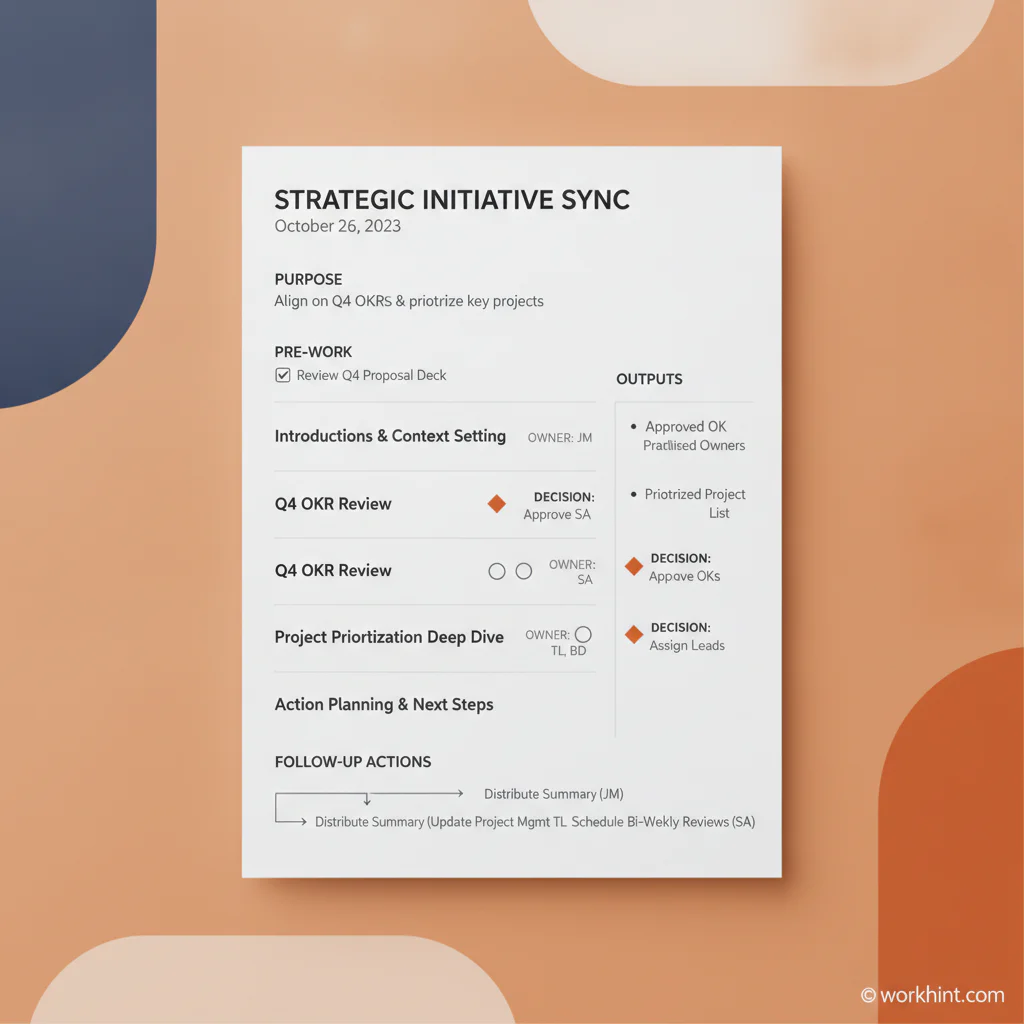
Copy this structure into a document, calendar invite, project workspace, or team operating system. Customize the fields for the meeting type, but keep the owner, output, and follow-up columns intact.
| Section | What to capture | Example |
|---|---|---|
| Meeting purpose | The one business reason this meeting exists. | Approve the vendor onboarding workflow before pilot launch. |
| Meeting owner | The person accountable for preparation, facilitation, and follow-up. | Operations lead. |
| Required pre-work | Documents, metrics, proposals, or decisions attendees must review first. | Read the draft workflow and mark approval risks. |
| Agenda item | The topic, time box, owner, and expected output. | 10 minutes: review payment approval risks; owner: finance; output: approve or revise. |
| Decision needed | The specific decision that must be made, who decides, and what criteria apply. | Choose whether legal review is required for all vendors or only high-risk vendors. |
| Open questions | Questions that need answers before work can continue. | Who owns vendor tax form follow-up if documents are incomplete? |
| Action items | Task, owner, due date, dependency, and status. | Update onboarding form fields; owner: ops; due: Friday; dependency: legal approval. |
| Follow-up | Where the recap will live and when progress will be reviewed. | Post recap in project workspace; review blockers in next Tuesday’s ops meeting. |
Sample 45-minute business meeting agenda
Use this format when the meeting needs discussion and decisions, not just updates.
- 5 minutes: Confirm purpose, desired output, and any changes to the agenda.
- 7 minutes: Review pre-work, key metrics, or background context.
- 10 minutes: Discuss the highest-risk topic and define the decision needed.
- 10 minutes: Review options, tradeoffs, dependencies, and objections.
- 5 minutes: Confirm the decision, decision owner, and rationale.
- 5 minutes: Assign action items, owners, due dates, and escalation path.
- 3 minutes: Confirm recap owner and next review point.
Zoom’s meeting agenda examples and Microsoft Word’s agenda templates both show how common meeting types need different formats. That is useful, but the same discipline applies across all formats: each meeting item should have a purpose, time box, and output.
Example application
Imagine a company planning a client implementation meeting. A weak agenda might list: “timeline, roles, integrations, risks.” That tells people the topics, but it does not tell them what to prepare or what the meeting should produce.
A stronger agenda would say: “Approve launch timeline, confirm integration owner, decide escalation path for blocked client data, and assign next steps before Friday.” Now every participant knows what is expected. The implementation lead brings the timeline. The technical lead brings integration constraints. The account owner brings client dependencies. The meeting ends with decisions and assigned work instead of a general sense that the team talked about the project.
Common mistakes
- Listing topics instead of outputs. “Budget” is a topic. “Approve revised budget cap” is an output.
- Skipping pre-work. If people first see the material during the meeting, the meeting becomes a reading session.
- Inviting people without roles. Every attendee should know whether they are deciding, advising, reporting, or executing.
- Letting updates consume decision time. Move status updates into written pre-reads whenever possible.
- Ending without owners. A good discussion still fails if the next action has no accountable person.
Where Workhint fits
Workhint helps teams turn a meeting agenda template into a live work system. Instead of leaving the agenda in a calendar invite or static document, a team can map the meeting into roles, permissions, pre-work collection, agenda items, approval steps, assigned actions, due dates, reminders, status updates, and reporting.
That is especially useful when meetings coordinate work across departments, clients, vendors, contractors, or field teams. The template still creates the discipline: purpose, outputs, owners, and follow-up. Workhint helps operationalize that discipline so decisions become assigned work and recurring meetings keep a reliable record of what changed.
FAQ
What is a meeting agenda template?
A meeting agenda template is a reusable structure for planning and running meetings. It usually includes the meeting purpose, attendees, topics, time boxes, discussion owners, decisions needed, action items, and follow-up plan.
What should every meeting agenda include?
Every meeting agenda should include a purpose, required preparation, timed agenda items, an owner for each item, the expected output, decisions needed, action items, and a recap owner. For business meetings, the expected output is the most important field.
How far in advance should an agenda be sent?
For routine team meetings, send the agenda at least a few hours in advance. For decision-heavy meetings, client meetings, leadership reviews, or meetings requiring analysis, send it at least one business day in advance so participants can prepare.
What is the difference between a meeting agenda and meeting minutes?
A meeting agenda is the plan before the meeting. Meeting minutes or notes are the record after the meeting. A strong template can support both by starting with agenda items and then adding decisions, owners, due dates, and follow-up notes during the meeting.
Who should own the meeting agenda?
The person accountable for the meeting outcome should own the agenda. That may be a project manager, operations lead, team manager, client owner, or executive sponsor. Administrative support can help format and distribute it, but ownership should sit with the person responsible for the result.
Conclusion
A meeting agenda template is valuable because it forces clarity before people spend time together. Use it to define the purpose, prepare the right inputs, guide discussion, make decisions, and assign next actions. The best agendas do not just organize conversation. They turn meeting time into visible work.
Leave a Reply