

Approval workflows scale when decisions move by rule, not by whoever follows up.
An approval workflow process is the repeatable path a request follows from submission to decision, including who reviews it, what criteria they use, how exceptions are handled, and what record is kept. The goal is not to add bureaucracy. The goal is to make decisions faster, clearer, and easier to audit.
Most approval problems are caused by unclear authority, missing information, too many handoffs, no time limits, and decisions happening outside the system. A strong workflow fixes those issues before automation is added.
What’s in this article?
- Why approval design matters for scalable operations
- The core components every approval process needs
- A step-by-step workflow for designing approvals
- A practical approval workflow table
- Common failure points that create delays
- Where Workhint fits when approvals need to become a live work system
Why approval workflow process design matters
Approvals sit inside many business systems: purchasing, hiring, contractor onboarding, customer discounts, legal review, access requests, finance exceptions, and operational change control. When approvals happen through email, chat, or private spreadsheets, the organization loses visibility into status, accountability, and cycle time.
Search results for approval workflow process, approval process workflow, and enterprise approval workflow design show consistent demand for practical answers. Current competing guides explain routing, approver levels, automation, notifications, audit trails, and examples. The missing piece is operating design: how much review is enough and how to keep approvals from becoming bottlenecks.
APQC’s Process Classification Framework guidance emphasizes common language for defining work processes. That matters here because approvals break down when each department uses different names, handoff rules, and decision criteria for the same kind of work.
Approval workflow process: the core components
Before choosing software, define the operating model.
- Trigger: What event starts the approval?
- Requester: Who can submit the request, and what information must they provide?
- Decision criteria: What makes the request approvable, rejectable, or incomplete?
- Approver authority: Who can decide, and where do spending, risk, or policy thresholds change the path?
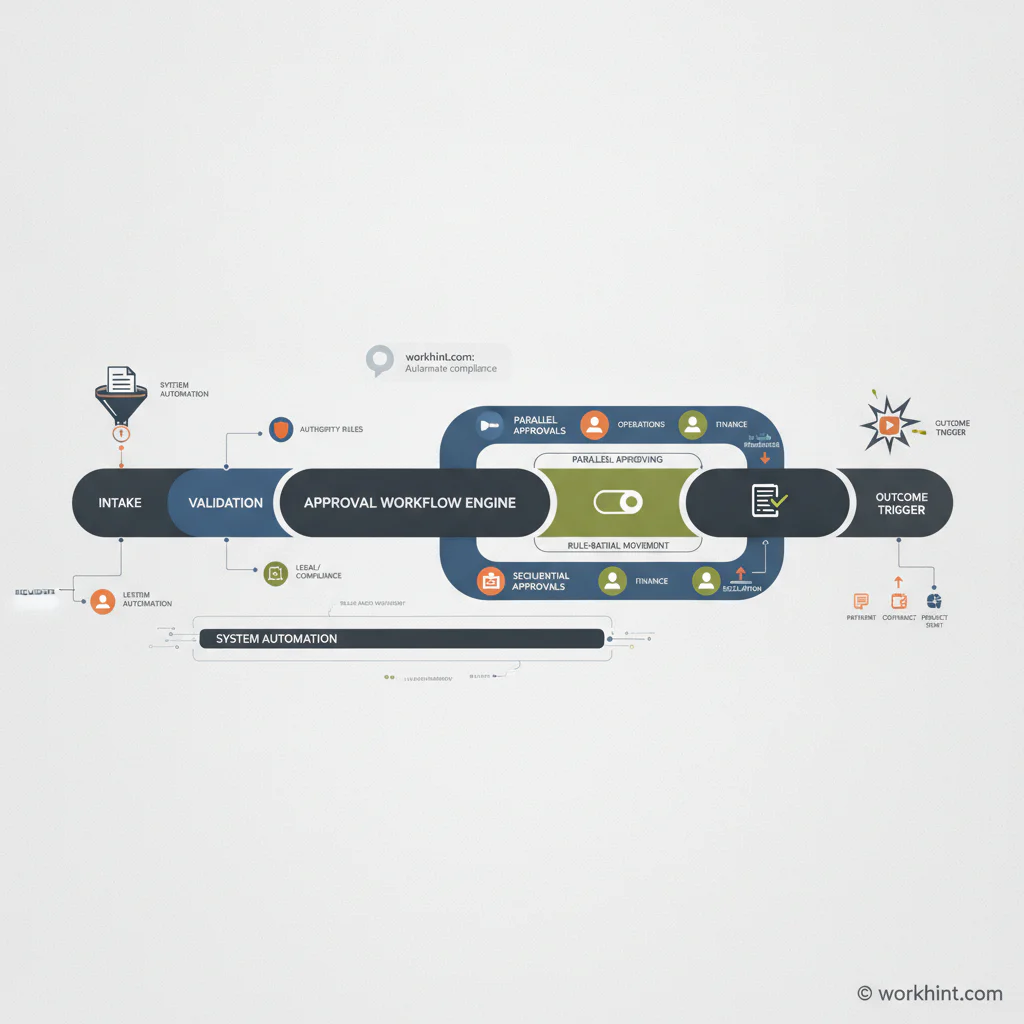
- Routing logic: Is the approval sequential, parallel, conditional, or delegated?
- Time limits: How long should each step take before reminders or escalation begin?
- Decision record: What evidence, timestamp, and actor information must be captured?
- Outcome: What happens after approval, rejection, or request for changes?
Atlassian’s overview of an approval process workflow frames approvals as a systematic sequence for reviewing and authorizing business activities. Operators need to go further and design the workflow as a measurable system.
How to design an approval workflow process
Use this workflow when approvals are frequent, risky, or slow enough to deserve a system.
- Pick one approval category. Start with a focused process such as purchase approvals, contractor requests, access requests, customer discounts, or contract exceptions. Do not try to redesign every approval at once.
- Map the current path. Document how requests actually move today, including side conversations, missing forms, duplicate reviews, skipped steps, and manual follow-ups.
- Define the decision object. Clarify what is being approved: a budget, vendor, scope of work, role, exception, document, access level, campaign, or operational change.
- Set authority rules. Decide which roles approve by amount, risk, department, data sensitivity, or policy exception.
- Choose the routing pattern. Use sequential approvals when order matters, parallel approvals when independent reviews can happen together, and conditional approvals when thresholds change the path.
- Add time controls. Define response expectations, decision windows, reminders, backup approvers, and escalation owners.
- Design the decision record. Capture enough evidence to explain who decided, what changed, when it happened, and why.
- Connect the outcome. Approval should trigger the next operational step: purchase order creation, onboarding, access provisioning, payment release, contract routing, customer notification, or task assignment.
- Measure cycle time and exceptions. Track where requests wait, which criteria are unclear, which approvers are overloaded, and which request types are often returned for missing information.
Approval workflow design table
This table gives operators a practical structure for building one approval workflow without overcomplicating it.
| Design area | Question to answer | Good operating rule | Metric to track |
|---|---|---|---|
| Intake | What must be submitted? | Require only fields needed for decision quality | Return rate for missing information |
| Authority | Who can approve? | Use role-based authority instead of named-person dependency | Approvals reassigned or delayed |
| Routing | Which path applies? | Route by threshold, risk, department, and request type | Average approval cycle time |
| Escalation | What happens when no one acts? | Set reminders, backup approvers, and escalation owners | Requests breaching SLA |
| Audit trail | What proof is retained? | Capture actor, timestamp, status, rationale, and supporting evidence | Decisions without complete records |
| Outcome | What does approval trigger? | Connect approval to the next task, system, or handoff | Approved requests waiting for execution |
What should the approval record include?
Approvals become useful when they leave a structured record. NIST defines an audit record as an individual entry related to an audited event, and NIST SP 800-53 includes an Audit and Accountability control family. Most business approvals do not need security-control complexity, but important decisions need traceable event records.
At minimum, capture the request ID, requester, approver, decision, timestamp, prior status, new status, comments, required evidence, policy or threshold applied, and any delegation or override. For compliance, legal, finance, or customer-impacting approvals, confirm record requirements with the right internal owner.
Common approval workflow mistakes
- Adding approvers instead of criteria. More reviewers rarely fix unclear decision rules.
- Routing everything sequentially. Parallel review can reduce cycle time when finance, legal, security, or operations can evaluate independently.
- Depending on specific people. Role-based approvals and backup approvers prevent delays when someone is out.
- Skipping escalation design. A workflow without time limits simply digitizes waiting.
- Approving without execution ownership. The process is incomplete if no one owns what happens after approval.
- Letting decisions happen outside the workflow. Side approvals in chat or email create gaps in the record and make reporting unreliable.
Where Workhint fits
Workhint fits when an approval workflow needs to become part of a broader work system. A team can use Workhint to turn an approval model into intake forms, role-based permissions, routing rules, decision steps, escalation paths, assignments, documents, dashboards, and reporting.
That matters because approvals rarely exist alone. A vendor approval may need onboarding, insurance documents, budget checks, contract routing, access permissions, and payment status. A project approval may need intake, ownership, milestones, dependencies, updates, and handoffs. Workhint helps connect the approval decision to the operational system around it.
FAQ
What is an approval workflow process?
An approval workflow process is a structured sequence that moves a request from submission to review, decision, documentation, and the next operational action. It defines who approves, what criteria apply, how routing works, and what record is kept.
What is the difference between an approval process and an approval workflow?
An approval process defines the business rules and decision model. An approval workflow is the operational path that routes requests, notifies approvers, tracks status, handles exceptions, and records decisions.
How many approval levels should a workflow have?
Use the fewest levels that still control risk. Add levels only when authority, financial exposure, compliance, customer impact, or operational risk changes enough to require another review.
What approvals should be automated first?
Start with approvals that are frequent, delayed, high-risk, or easy to standardize. Good candidates include purchase requests, vendor approvals, access requests, contractor onboarding, discount approvals, and policy exceptions.
How do you measure approval workflow performance?
Track cycle time, time in each step, SLA breaches, return rate for missing information, exception rate, escalation frequency, approval volume by type, and the number of approved requests waiting for execution.
Conclusion
A good approval workflow process is not just a chain of approvers. It is a decision system with clear triggers, criteria, authority, routing, timing, records, escalation, and outcomes. When those pieces are designed well, approvals stop being a hidden drag on operations and become a reliable way to move work forward with control.
Leave a Reply