


A practical continuity plan helps your team know what to do before a disruption becomes a company-wide scramble.
A business continuity plan template gives operations, HR, IT, finance, and customer-facing teams a shared playbook for keeping essential work running during disruption. The goal is not to predict every emergency. The goal is to define critical functions, owners, communication paths, recovery priorities, and decision rights before people are under pressure.
This guide is written for growing teams that need a usable resource, not a 60-page binder. Use it to build a first version of your plan, then test it with the people who will actually execute it.
What’s included
This business continuity plan template covers the sections most teams need to coordinate a disruption without losing track of customers, employees, vendors, systems, or cash-sensitive work.
- Critical business functions and recovery priorities
- Continuity team roles and escalation contacts
- Business impact analysis fields
- Communication plan for employees, customers, vendors, and partners
- Recovery procedures for people, systems, locations, and suppliers
- Testing, review, and update cadence
For official planning depth, Ready.gov recommends organizing a business continuity team and compiling a plan to manage disruptions, and its business continuity plan PDF provides a more detailed worksheet format. Regulated firms may also need industry-specific requirements, such as FINRA’s small firm business continuity plan template.
How to use this business continuity plan template
Start with one operating unit, location, program, or customer-facing workflow. A continuity plan becomes weak when it tries to cover the entire company at once without enough detail to guide action. Build one usable plan, test it, then expand.
- Define the disruption scenarios. Include the realistic events your team could face: system outage, payment failure, building closure, vendor interruption, severe weather, key-person absence, cyber incident, or sudden staffing gap.
- Rank critical functions. Identify what must continue first, what can pause for a day, and what can wait a week.
- Assign owners. Every critical function needs a primary owner, backup owner, and escalation contact.
- Document recovery steps. Write the minimum steps required to keep the function operating at an acceptable level.
- Test the plan. Run a tabletop exercise and update the plan based on what breaks, stalls, or depends on one person.
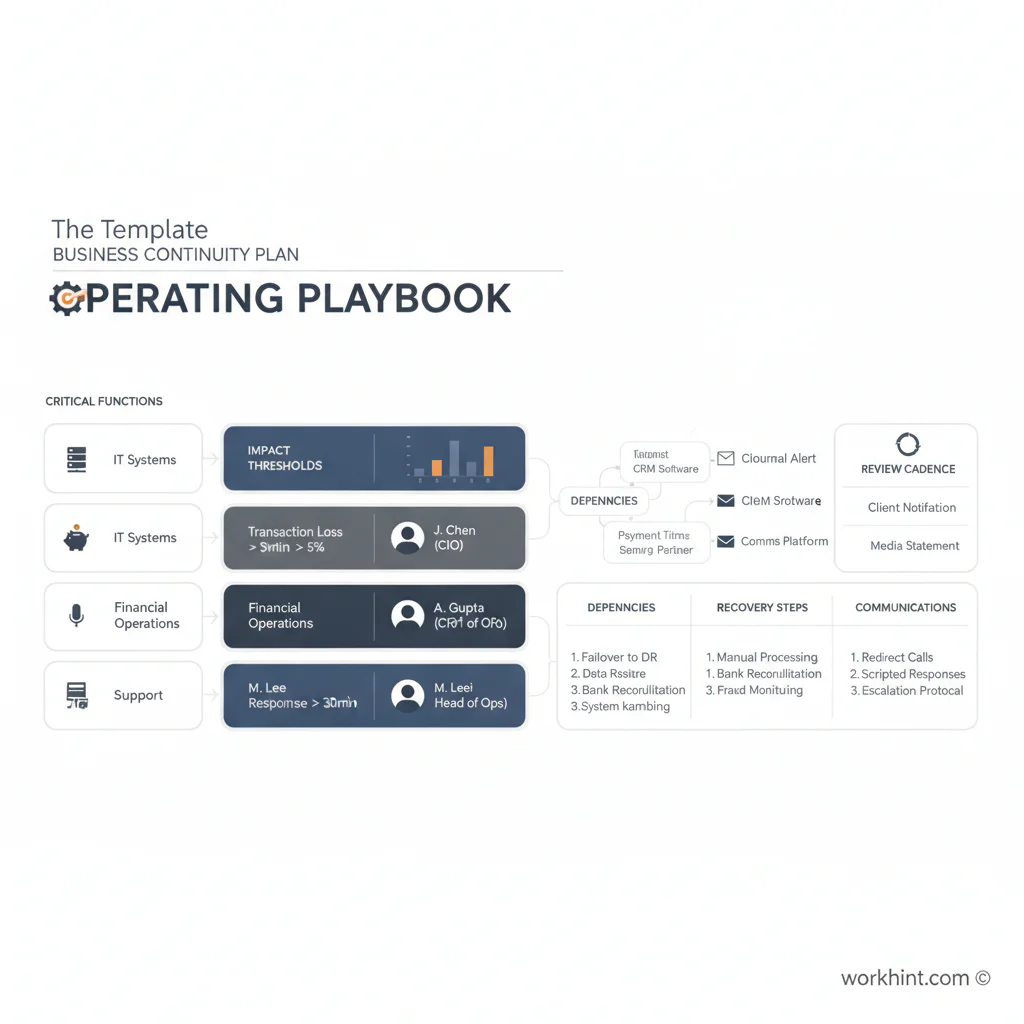
The template
Copy this structure into a document, spreadsheet, or operating system. Keep the first version simple enough that teams will maintain it.
| Section | What to capture | Example |
|---|---|---|
| Critical function | The process, service, or workflow that must continue | Customer support triage, contractor payroll, order fulfillment |
| Impact threshold | How long the function can be down before serious harm occurs | 4 hours, 1 business day, 3 days |
| Minimum service level | The reduced version of the function that is acceptable during disruption | Manual intake form plus twice-daily response queue |
| Owner and backup | The people accountable for response and recovery | Ops lead primary, finance lead backup |
| Dependencies | Systems, vendors, people, locations, files, credentials, and approvals needed | CRM, payment provider, shared inbox, vendor contact list |
| Recovery steps | The action sequence for restoring the function | Notify team, switch to backup process, log exceptions, reconcile later |
| Communication | Who must be notified, by whom, through which channel, and when | Employees in Slack within 30 minutes; customers by email if delay exceeds 4 hours |
| Review date | When the section was last tested or updated | Quarterly review after systems, vendor, or team changes |
Example application
Imagine a company that coordinates field contractors for customer appointments. If its scheduling system goes down, the continuity plan should not say “restore scheduling.” It should spell out the fallback operating model.
The critical function is appointment coverage. The impact threshold might be two hours because missed jobs create customer churn and contractor payment disputes. The minimum service level could be a shared dispatch spreadsheet, manual SMS confirmation, and an end-of-day reconciliation step. The owner is the operations manager, with a team lead as backup. Dependencies include contractor contact details, customer appointment data, job status, payment rules, and escalation authority for rescheduling.
That level of detail gives the team something to execute. It also reveals hidden risks: one person may control vendor credentials, customer contacts may live in a tool no one can access during an outage, or finance may not know which completed jobs require manual payment approval.
Common mistakes
- Writing the plan for auditors instead of operators. A continuity plan should be readable during stress. Put the detailed appendix elsewhere if needed.
- Skipping backup owners. If the primary owner is unavailable, the plan should still work.
- Ignoring vendors. Supplier, software, banking, and logistics dependencies often create the real bottleneck.
- Failing to define minimum service levels. The team needs to know what “good enough for now” means.
- Never testing the plan. Ready.gov emphasizes planning and testing; an untested continuity document is mostly a guess.
Where Workhint fits
Workhint helps organizations turn a continuity template into a live operating workflow. Instead of leaving the plan as a static document, teams can structure roles, backup owners, approvals, escalation paths, vendor records, task assignments, communication steps, and recovery checklists around the actual work that must continue.
That matters when continuity depends on more than one department. For example, a disruption may require operations to reroute assignments, finance to approve manual payments, HR to update staffing coverage, and customer teams to send status updates. Workhint can help connect those steps into one managed work system so the plan is visible, assigned, and easier to update after each test or real incident.
FAQ
What should a business continuity plan include?
It should include critical functions, business impact thresholds, owners and backups, dependencies, recovery procedures, communication rules, vendor contacts, testing cadence, and version history.
Is a business continuity plan the same as a disaster recovery plan?
No. A business continuity plan focuses on keeping essential operations running during disruption. A disaster recovery plan usually focuses on restoring systems, data, infrastructure, and technical services after an incident.
How often should a business continuity plan be reviewed?
Review it at least annually and whenever major systems, vendors, locations, team structures, or critical workflows change. High-risk functions should be tested more often.
Who owns the business continuity plan?
Ownership often sits with operations, risk, security, or executive leadership, but each critical function should have a named business owner and backup owner. The plan fails if ownership is only centralized.
Do small businesses need a continuity plan?
Yes. Small businesses may not need a complex program, but they still need a clear plan for customer communication, staff coverage, system outages, vendor interruptions, payments, and essential service delivery.
Conclusion
A good business continuity plan template helps teams make decisions before disruption hits. Keep it practical: define critical work, assign owners, map dependencies, write recovery steps, and test the plan with real people. The best continuity plans are living operating tools, not documents that only get opened after something breaks.
Leave a Reply