


A salary benchmark is only useful when it turns market data into a documented pay decision.
A salary benchmarking template helps HR, finance, and operators compare a role against market pay data, review internal pay, and decide whether compensation needs to change. The point is not to chase every public salary number. The point is to create a repeatable worksheet that shows which role was benchmarked, which sources were used, how confident the match was, and what decision the business made.
This resource is designed for small and mid-sized teams that need a practical compensation review process without building a full compensation department. It is not legal, tax, or HR compliance advice. For sensitive pay equity, employment law, or jurisdiction-specific questions, involve qualified counsel or a compensation specialist.
What’s included
- A salary benchmarking template you can copy into a spreadsheet or HR system.
- A simple method for matching jobs to market data.
- A worksheet structure for market percentiles, internal pay, compa-ratio, and gap decisions.
- Common mistakes to avoid when using public salary data.
- A workflow for approvals, updates, and documentation.
How to use this resource
Use the template whenever you create a new role, review compensation for an existing role, prepare an offer range, update pay bands, or investigate retention risk. Start with the job, not the person. A benchmark should compare the work being performed against relevant market roles before it becomes a conversation about one employee’s pay.
Use more than one source when possible. The U.S. Bureau of Labor Statistics says its wage data are available by occupation for the nation, regions, states, and many metro and nonmetro areas through its wage data resources. Its Occupational Employment and Wage Statistics program produces employment and wage estimates for roughly 830 occupations. Commercial salary guides, such as the Robert Half 2026 Salary Guide, can add current hiring-market context for specific professional fields.
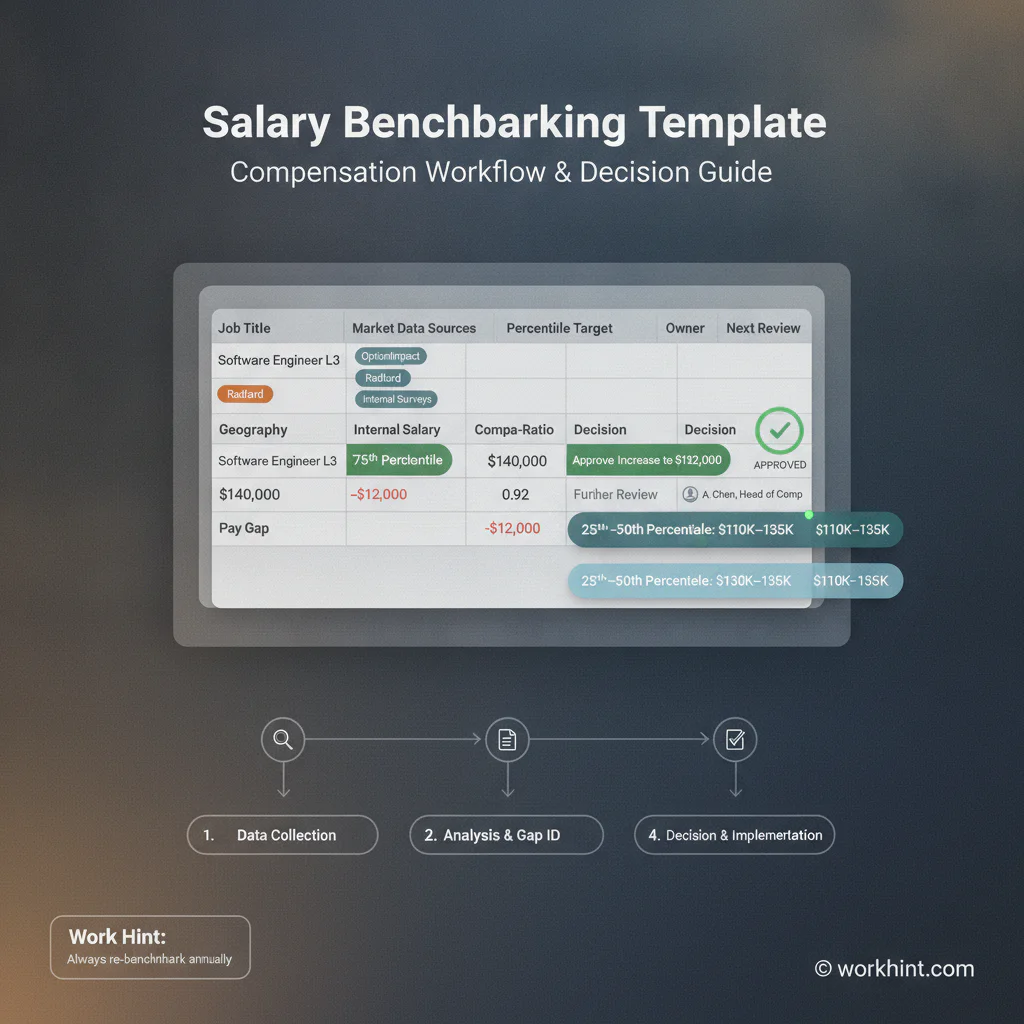
Salary benchmarking template
| Field | What to enter | Why it matters |
|---|---|---|
| Role title | Internal job title and department | Keeps the review tied to a real business role. |
| Job match | External benchmark title, level, and match confidence | Prevents weak matches from driving pay decisions. |
| Location | Country, state, metro, remote zone, or pay market | Compensation varies heavily by geography and labor market. |
| Market source | BLS, salary guide, survey, vendor data, or peer benchmark | Shows where the number came from. |
| Market range | 25th, 50th, and 75th percentile or low, midpoint, high | Gives the team a range instead of a single fragile number. |
| Internal pay | Current salary, target salary, bonus, equity, or total cash | Shows the actual gap against market. |
| Compa-ratio | Current pay divided by range midpoint | Helps compare pay position across roles. |
| Decision | No change, adjust range, make offer, review later, or escalate | Turns the worksheet into action. |
| Owner and date | Reviewer, approver, decision date, next review date | Creates an audit trail and update cadence. |
Step-by-step salary benchmarking workflow
- Define the role clearly. Confirm responsibilities, seniority, scope, reporting line, location, and whether the role is employee, contractor, full-time, part-time, or temporary.
- Choose benchmark sources. Use official wage data, reputable salary guides, compensation surveys, and paid benchmarking tools where available. Payscale’s benchmarking resources describe the process of comparing jobs against market salary data to build competitive ranges.
- Match the job carefully. Do not match by title alone. Match by duties, level, skill requirements, industry, and location.
- Select a target percentile. Decide whether the business wants to pay below market, at market, or above market for the role. Document why.
- Compare internal pay. Review current compensation, pay band, bonus eligibility, equity, benefits, and any known internal equity concerns.
- Make the decision. Record whether to adjust the range, change an offer, flag a retention risk, approve an exception, or schedule a later review.
- Set the review cadence. Update benchmarks at least annually, and sooner for hard-to-fill roles, fast-moving markets, major reorganizations, or new pay transparency requirements.
Example application
Suppose an operations team wants to hire a customer operations manager in Chicago. The internal title sounds broad, so the reviewer compares the job description against external benchmarks for operations manager, customer success operations manager, and business operations manager. The strongest match is customer operations manager at a mid-level scope, with a regional salary guide and BLS occupational data used as source context.
The worksheet shows the proposed offer is below the selected market midpoint, but the role has unusually broad scheduling, vendor, and reporting responsibilities. The hiring manager recommends raising the offer range, finance approves the new range, and HR records the next review date. That trail matters. Without it, the team only remembers that someone “checked the market,” which is not enough for consistent compensation decisions.
Common mistakes
- Using one public number as truth. Salary data depends on source, date, geography, job match, and sample quality.
- Benchmarking the person instead of the role. Start with role scope, then review the employee or candidate context.
- Ignoring internal equity. A market adjustment can create new fairness problems if nearby roles are not reviewed.
- Mixing base salary and total compensation. Keep base pay, bonus, commission, equity, benefits, and contractor rates separate.
- Skipping approvals. Compensation exceptions should have an owner, reason, approver, and review date.
Where Workhint fits
Workhint can turn this salary benchmarking template into a live compensation workflow. Instead of leaving the worksheet in a static spreadsheet, a team can define the role intake form, required benchmark fields, source attachments, reviewer permissions, finance approval steps, exception routing, decision records, and next-review reminders in one operating system.
That matters when compensation work crosses HR, finance, hiring managers, executives, and external data sources. Workhint helps organizations digitize the handoff from role request to benchmark review to approval, while keeping the template useful as an operating asset rather than a one-time document.
FAQ
What is salary benchmarking?
Salary benchmarking is the process of comparing an internal role against external market pay data so the business can make informed compensation decisions.
What should a salary benchmarking template include?
It should include the internal role, benchmark match, location, data source, market range, internal pay, compa-ratio, recommendation, approver, and next review date.
How many salary sources should we use?
Use at least two when possible. One official or broad labor-market source plus one role-specific salary guide or compensation survey is often more reliable than a single public number.
What is a salary range?
SHRM describes a salary range as the span between the minimum and maximum base salary an organization will pay for a job or job group in its salary range structure guidance.
How often should salary benchmarks be updated?
Annual review is a reasonable baseline. Review sooner for critical roles, high-turnover positions, fast-changing markets, or when hiring data shows offers are missing the market.
Conclusion
A salary benchmarking template gives compensation decisions a structure: role, market, source, range, gap, decision, owner, and next review. The more disciplined the worksheet, the less the business depends on guesses, outdated numbers, or one-off exceptions. Start with the template above, keep the source trail visible, and treat each benchmark as part of a repeatable compensation operating process.
Leave a Reply