


A migration is ready when every source, mapping, validation step, and rollback decision has an owner.
A data migration checklist template helps business and technical teams move data without losing accuracy, ownership, or operational trust. Use it when moving data between CRMs, ERPs, finance systems, HR tools, spreadsheets, databases, analytics platforms, customer portals, or internal operations systems.
The risk is not only that records fail to import. The bigger risk is that the wrong data moves, fields are mapped incorrectly, reports stop reconciling, users lose access to the history they need, or the team discovers too late that no one can safely roll back.
What’s included
- A copy-ready data migration checklist template.
- A phase-by-phase structure for inventory, mapping, cleansing, testing, cutover, rollback, and hypercare.
- A simple evidence table business owners can review before go-live.
- An example for a CRM-to-operations-system migration.
- FAQ for operations, IT, finance, RevOps, and project teams.
How to use this data migration checklist template
Start with the business outcome, not the import tool. Define what system will become the source of truth, which teams depend on the data, what historical records matter, what must reconcile, and what work would break if the migration is wrong.
Then assign owners. Every dataset needs a business owner who can confirm meaning and a technical owner who can confirm structure. For example, finance may own invoice balances, sales may own account and opportunity fields, operations may own assignment records, and IT may own integrations, permissions, and backups.
AWS Prescriptive Guidance describes migration work in phases such as planning, discovery, build, test, and cutover in its migration checklist. Even when you are moving SaaS data rather than cloud workloads, the same operating discipline applies: discover the source, test the process, validate the target, and control the switch.
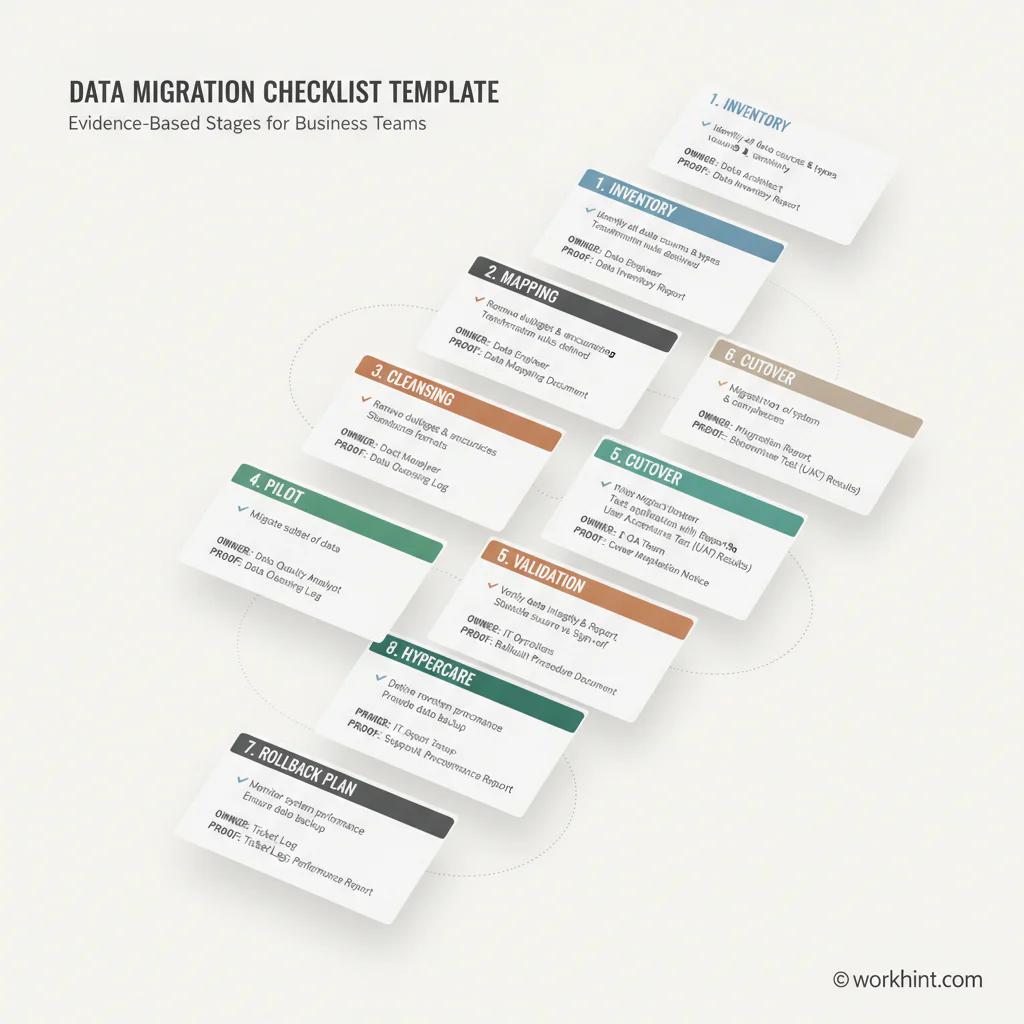
Data migration checklist template
| Phase | Checklist item | Evidence to capture |
|---|---|---|
| Inventory | List source systems, datasets, owners, volumes, dependencies, and sensitive fields | Source catalog, owner map, data profile, dependency list |
| Scope | Decide what will migrate, archive, transform, merge, or be excluded | Scope matrix, exclusion log, retention decision |
| Mapping | Map source fields to target fields, accepted values, defaults, and transform rules | Approved mapping workbook, field dictionary, open question log |
| Cleansing | Resolve duplicate, stale, missing, invalid, or conflicting records before trial load | Data quality report, cleansing rules, steward signoff |
| Pilot | Run a test migration with realistic records and the hardest edge cases | Test import log, error report, corrected defects |
| Validation | Compare counts, totals, relationships, reports, permissions, and workflows | Reconciliation report, sample review, UAT evidence |
| Cutover | Define freeze window, final sync, smoke tests, decision owner, and communications | Cutover runbook, go/no-go checklist, execution log |
| Rollback | Define rollback triggers, backup proof, restore steps, and latest decision point | Rollback plan, backup validation, recovery test |
| Hypercare | Monitor defects, failed jobs, user issues, reports, and downstream integrations | Support rota, issue queue, daily review notes |
What to validate before go-live
Validation should be defined before the first serious test load. Record counts are useful, but they are not enough. A migration can preserve the number of records and still break account ownership, invoice balances, customer status, consent fields, worker assignments, reporting filters, or workflow rules.
Microsoft Learn recommends test-run migration before production in its Azure DevOps migration guidance, including validation steps that identify issues before a production import. For business teams, the lesson is simple: test the full path with realistic data, then fix the process before the final move.
Use three validation layers. Technical validation checks counts, data types, required fields, relationships, attachments, and import errors. Business validation checks whether records mean the right thing to the teams that use them. Operational validation checks whether workflows, reports, permissions, automations, and downstream systems still work.
Example data migration checklist
Here is a short example for a company moving customer onboarding records from spreadsheets and a CRM into a new operations system.
| Area | Owner | Ready when |
|---|---|---|
| Customer accounts | RevOps | Account IDs, names, status, owner, and lifecycle stage reconcile with CRM |
| Onboarding tasks | Customer operations | Open tasks, due dates, assignees, and completion history appear correctly |
| Documents | Implementation lead | Required files are attached, named consistently, and visible to the right roles |
| Reports | Operations analyst | Pipeline, status, overdue, and workload reports match approved test totals |
| Rollback | IT owner | Backup, restore steps, communication plan, and decision owner are confirmed |
Plan cutover and rollback together
Cutover is the moment the business starts relying on the target system. Treat it as an operating event, not a final upload. The team should know when source-system edits freeze, how final changes are captured, who runs smoke tests, who can approve go-live, what gets communicated to users, and what happens during the first support window.
Microsoft’s Cloud Adoption Framework advises teams to plan migration sequencing, test rollback procedures, define success criteria, and secure stakeholder approval in its migration planning guidance. Put those decisions directly into the checklist so they are visible before pressure rises.
Common mistakes
- Starting without source ownership. If no one owns a dataset, no one can approve its meaning in the target system.
- Mapping only obvious fields. Statuses, permissions, calculated fields, attachments, IDs, and historical notes often cause the hardest failures.
- Testing clean sample data only. Pilot with messy records, old records, duplicates, edge cases, and high-value accounts.
- Defining validation after import. Agree on pass/fail evidence before the trial run.
- Skipping rollback decisions. Decide what failure requires rollback before the cutover window begins.
Where Workhint fits
Workhint fits when a data migration checklist needs to become a managed workflow across operations, IT, finance, HR, RevOps, vendors, and business owners. A team can turn the checklist into assigned tasks, approval gates, field-mapping reviews, validation evidence, cutover ownership, hypercare queues, and reporting.
That is useful when data migration is part of a larger work-system change. Workhint can help show which owners have signed off, which validation checks remain open, what blocks go-live, which users need support, and whether the new system is ready to run the work after the data moves.
FAQ
What is a data migration checklist?
A data migration checklist is a structured list of tasks, owners, and evidence used to move data from one system to another while controlling accuracy, access, validation, cutover, and rollback risk.
What should a data migration checklist include?
It should include source inventory, ownership, scope, field mapping, cleansing rules, test migration, validation evidence, security checks, cutover plan, rollback triggers, hypercare, and business signoff.
Who owns data migration validation?
Technical teams validate structure and import results, but business owners should validate meaning. Finance, operations, sales, HR, or customer teams should sign off on the data they rely on.
How many test migrations should a team run?
Run enough test migrations to prove the process works with realistic data and known edge cases. Complex migrations usually need more than one rehearsal before production cutover.
When should rollback planning happen?
Rollback planning should happen before the production migration. Define triggers, owners, restore steps, communications, and the latest decision point before the target system becomes the source of truth.
Conclusion
A useful data migration checklist template gives the team more than tasks. It creates an evidence trail for source ownership, field mapping, data quality, validation, cutover, rollback, and post-go-live support. If every phase has an owner and proof, the business can move data with less confusion and a better chance of trusting the new system on day one.
Leave a Reply