


SLAs only work when the promise is connected to the workflow that has to keep it.
SLA management is the discipline of defining service promises, assigning owners, monitoring performance, escalating risk, and improving the workflow when promises are missed. A service level agreement can live in a contract, policy, or internal service catalog. SLA management is what makes the promise real in daily work.
That distinction matters. Many teams write SLAs as if the hard part is choosing response times. The harder part is designing the system that receives requests, routes work to the right owner, exposes aging work, handles exceptions, and reviews whether the promise still matches capacity.
What’s in this article?
- Why SLA management matters for operational teams
- The core components of a practical SLA workflow
- A seven-rule model for managing SLAs without creating bureaucracy
- A table you can use to design SLA rules by service type
- Common SLA management mistakes
- Where Workhint fits when SLAs need to become a live work system
Why SLA management matters
Atlassian describes SLAs as a way to define response and resolution expectations, responsibilities, and performance measures. IBM’s overview of service level agreements also emphasizes that an SLA defines the service, expected performance level, how performance is measured, and what happens when levels are not met.
For operations teams, the practical lesson is simple: the SLA is a design constraint for the entire workflow. If the business promises a same-day response but requests arrive through email, chat, forms, and hallway conversations, the SLA is already at risk. If every request uses the same priority rule, urgent work gets buried. If nobody owns exceptions, breached SLAs become a reporting problem instead of an operating signal.
Good SLA management makes service delivery measurable. It clarifies what is promised, who owns the work, which clock is running, what counts as completion, and when the system should escalate. It also prevents teams from treating every request as equally urgent.
The core components of SLA management
A useful SLA management system has six parts.
- Service definition. Name the service clearly enough that requesters know what is covered.
- Request intake. Capture the fields needed to classify urgency, assign ownership, and start the clock.
- Priority rules. Define how urgency, impact, customer tier, risk, value, and dependency affect response and resolution targets.
- Ownership model. Assign one accountable owner for each stage, even when multiple teams contribute.
- Monitoring and escalation. Show aging work, upcoming breaches, breached items, and exception paths before failure becomes invisible.
- Review rhythm. Use SLA data to improve the service model, not just report missed targets.
CIO’s guidance on SLAs points to measurement standards, reporting processes, dispute resolution, and update mechanisms as important management elements. Operating conditions change. A good SLA from last year may be unrealistic after volume doubles, a new region opens, or a service starts depending on a new approval step.
SLA management workflow: seven operating rules
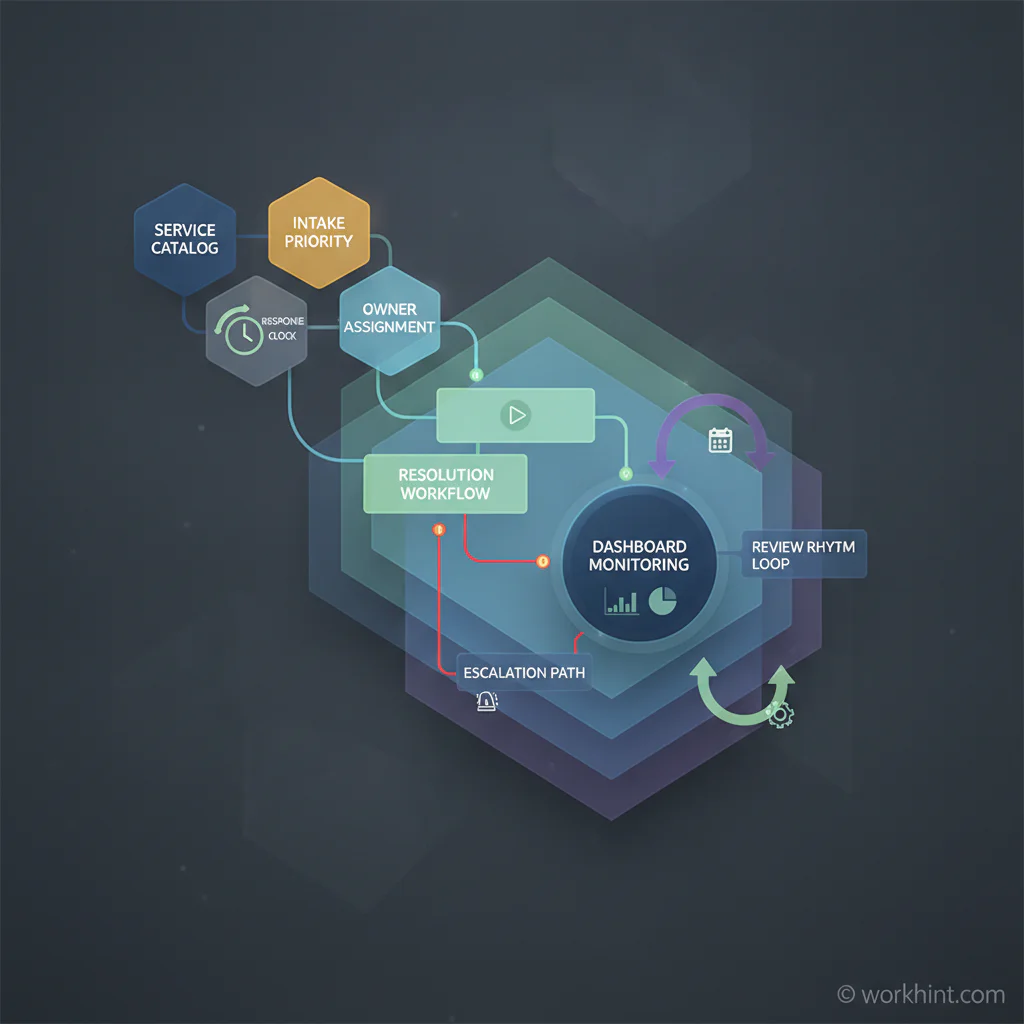
Use these rules to turn SLA management into a workflow the business can run.
- Start with the service catalog. Do not create SLAs for vague work. Define the service, requester, output, boundaries, and exclusions first.
- Separate response from resolution. A response target confirms ownership and next steps. A resolution target measures completion. Confusing the two creates false confidence.
- Set targets by service type. BMC recommends creating separate SLAs for specific services instead of one blanket promise. Different workflows have different complexity and capacity limits.
- Design the intake form around the SLA. Required fields should support routing, priority, risk, dependency, and completion criteria. If the owner has to chase basic details, the SLA clock is measuring avoidable rework.
- Make escalation rule-based. Escalation should trigger when risk is visible, not only after someone complains. Use thresholds such as time remaining, blocked status, missing approval, or customer impact.
- Monitor work in motion. Track items approaching breach, items waiting on another team, reopen rate, exception count, and recurring causes of delay.
- Review and revise the system. Hold a monthly or quarterly SLA review. Look for patterns, not blame: bad intake, wrong owner, unrealistic target, missing automation, dependency delay, or too much variation between teams.
SLA design table for operations teams
This table gives operators a practical way to define SLA rules without creating a legal document.
| Design area | Question to answer | Example rule |
|---|---|---|
| Service | What work is covered? | New vendor setup after approval |
| Requester | Who can submit the request? | Department owner or procurement lead |
| Intake fields | What information starts the clock? | Vendor name, risk tier, contract status, payment details |
| Response target | How quickly must ownership be confirmed? | One business day |
| Resolution target | What counts as completed? | Vendor profile active, documents stored, payment workflow ready |
| Escalation | When does the system raise risk? | Missing legal review after two business days |
| Metric | How will the workflow improve? | Cycle time, breach rate, rework rate, blocked items |
Common SLA management mistakes
- Writing promises the workflow cannot support. Ambitious targets fail when intake, capacity, approvals, and dependencies are not designed around them.
- Using one SLA for every service. A password reset, vendor setup, contract review, and field issue should not share the same response and resolution model.
- Tracking only breaches. Breaches are lagging indicators. Teams also need early warning signals such as aging work, blocked stages, missing approvals, and repeated reopens.
- Ignoring internal SLAs. Internal teams often rely on each other as service providers. Finance, legal, HR, operations, IT, and procurement need clear service expectations too.
- Letting SLA reviews become blame sessions. The point is to improve the system: better routing, clearer fields, adjusted capacity, cleaner escalation, or a more realistic promise.
Where Workhint fits
Workhint fits when SLA management needs to move from policy into execution. A team can use Workhint to turn a service promise into intake forms, roles, permissions, assignment rules, approval steps, escalation paths, dashboards, reminders, documents, and reporting.
That is useful when SLAs cross departments or include external contributors. For example, a client onboarding SLA may involve sales handoff, operations setup, legal review, finance checks, kickoff scheduling, access provisioning, and customer success ownership. Workhint helps structure those steps so the SLA clock is tied to the actual work, not a spreadsheet someone updates later.
The goal is not to make every SLA more rigid. It is to make promises visible, measurable, and operationally fair. Teams should know what is owed, what is blocked, who owns the next action, and what needs to change.
FAQ
What is SLA management?
SLA management is the process of defining, monitoring, enforcing, and improving service level agreements. In operations, it includes intake rules, ownership, response targets, resolution targets, escalation paths, dashboards, and review rhythms.
What is the difference between an SLA and SLA management?
An SLA defines the service promise. SLA management is the operating system that keeps the promise: routing requests, tracking clocks, assigning owners, escalating risk, measuring performance, and improving the workflow over time.
What metrics should teams track for SLA management?
Useful SLA metrics include first response time, resolution time, breach rate, blocked items, reopen rate, exception volume, aging work, customer impact, and recurring delay causes.
How often should SLAs be reviewed?
High-volume or customer-facing SLAs should be reviewed monthly. Lower-volume internal SLAs can often be reviewed quarterly. Review them sooner after major volume changes, team changes, process changes, or repeated breaches.
Conclusion
SLA management works when service promises are designed into the workflow. The business needs more than a target written in a policy. It needs clear intake, realistic priority rules, accountable owners, visible clocks, escalation paths, useful dashboards, and a review rhythm that improves the system.
Start with one important service. Define the promise, map how work moves, assign ownership, build early warning signals, and review performance regularly. That is how SLAs become a practical work system instead of a number teams explain after it has been missed.
Leave a Reply