


A project is not closed when the work stops; it is closed when ownership, evidence, money, records, and follow-up are settled.
A project closure checklist template helps a team finish work without leaving unresolved approvals, unpaid invoices, missing files, unclear ownership, or lessons learned trapped in meeting notes. It gives the project owner a repeatable way to confirm what was delivered, who accepted it, what remains open, and how the work moves into normal operations.
Use this for internal projects, client work, vendor implementations, or system launches.
What’s included
- A project closure checklist template you can copy into a document, spreadsheet, or workflow
- A closeout process for deliverables, approvals, contracts, budget, lessons learned, and records
- A simple example for an operations software rollout
- Common mistakes that cause projects to reopen after they were declared complete
- FAQ for project managers, operations leaders, and PMO teams
How to use this project closure checklist template
Start closure before the final day, once the remaining work is visible. That gives the team time to resolve open deliverables, confirm acceptance criteria, collect missing documentation, and warn finance, legal, IT, or operations about handoffs.
Assign one accountable closeout owner. They must keep the checklist current, chase missing evidence, escalate blocked approvals, and confirm that nothing important is left in email or chat. The Asana project closure template highlights common areas such as deliverable verification, stakeholder sign-off, contract closeout, budget reconciliation, lessons learned, documentation archive, and resource release.
For formal PMO environments, compare this checklist with required templates. Carleton University’s ITS PMO publishes separate project closure templates for closeout checklists, final reports, and lessons learned.
Project closure checklist template
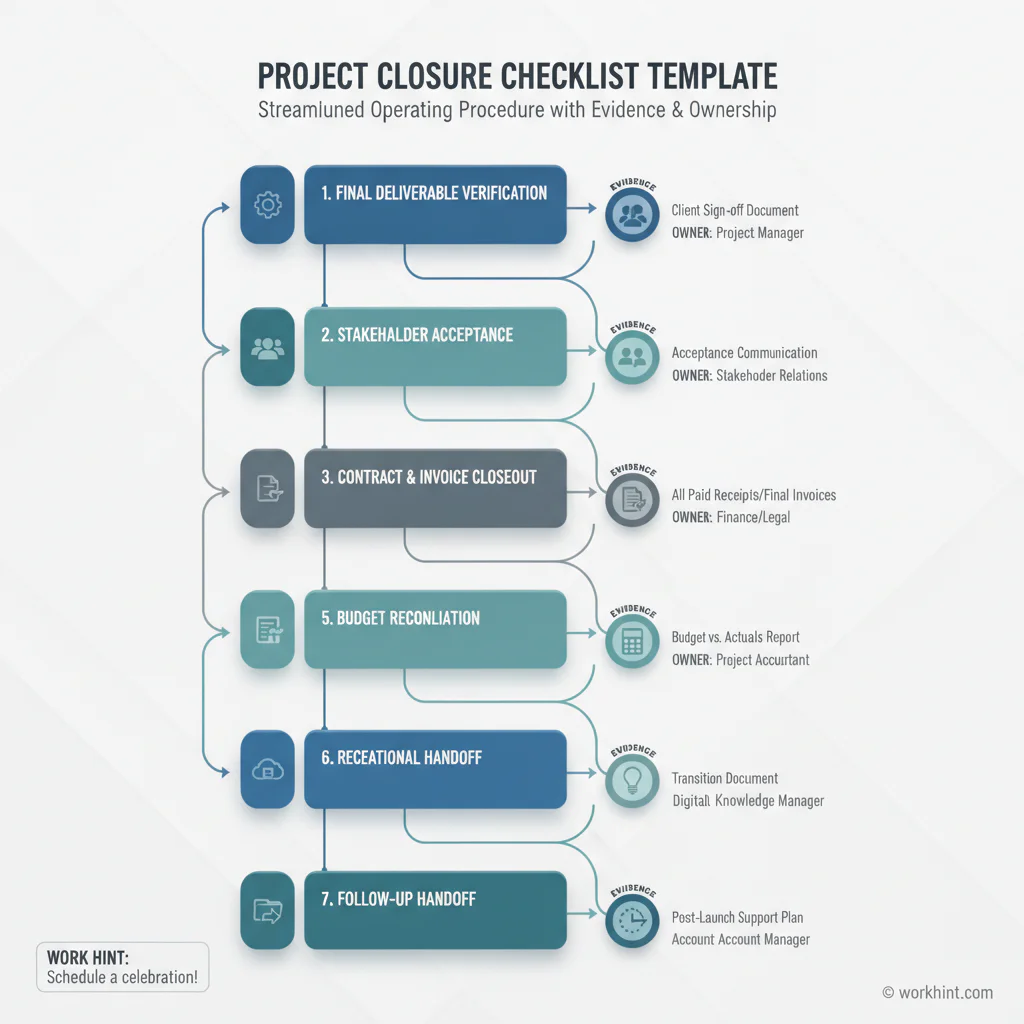
| Closeout area | Checklist item | Owner | Evidence | Status |
|---|---|---|---|---|
| Scope | Confirm all agreed deliverables are complete or formally excluded | Project owner | Final scope tracker, acceptance notes | Open / Done |
| Acceptance | Collect stakeholder, client, sponsor, or business owner sign-off | Project owner | Approval email, signed form, workflow approval | Open / Done |
| Open items | List defects, deferred work, risks, and follow-up tasks | Delivery lead | Issue log, backlog, owner list | Open / Done |
| Contracts | Confirm vendor, contractor, agency, or client obligations are closed | Procurement or legal | Contract review, SOW status, change orders | Open / Done |
| Finance | Reconcile budget, final invoices, retainers, refunds, and accruals | Finance | Budget report, invoice approvals, PO status | Open / Done |
| Access | Remove temporary system, data, workspace, and vendor access | IT or operations | Access removal log | Open / Done |
| Documentation | Archive final files, decisions, approvals, specifications, and reports | Project coordinator | Folder link, document register | Open / Done |
| Handoff | Assign ongoing ownership for support, maintenance, reporting, or next phase | Operations owner | Handoff note, operating owner, review date | Open / Done |
| Lessons learned | Capture what worked, what failed, and what should change next time | Project owner | Retrospective summary, improvement actions | Open / Done |
| Closure approval | Confirm the project can be marked closed | Sponsor | Final closure approval | Open / Done |
Step-by-step project closeout process
- Confirm the closure trigger. Define why the project is ready to close: final delivery, sponsor decision, cancellation, phase completion, contract end, or transition to operations.
- Review scope against the latest approved baseline. Compare final deliverables with the approved scope, statement of work, requirements document, change orders, or plan.
- Resolve or assign every open item. A project can close with deferred work, but not with mystery work. Every remaining issue needs an owner, due date, priority, and destination.
- Get acceptance in writing. Capture final approval from the sponsor, client, business owner, or authorized approver. If approval is conditional, document the condition and owner.
- Close contracts and payments. Confirm final invoices, purchase orders, vendor obligations, contractor deliverables, license transfers, retainers, and termination notices. ProjectManagement.com’s project closeout checklist spans scope, cost, quality, HR, communications, risk, and procurement.
- Archive the operating record. Save final files, approvals, reports, contracts, decision logs, change records, credentials handoff, training materials, and support notes.
- Transfer ownership. Name the person or team responsible after closure: customer success, operations, IT, finance, procurement, a product owner, or a client team.
- Capture lessons learned. Keep this practical. Record the issue, the operational cause, the impact, the change recommended, and the owner of the improvement.
- Send the closure summary. Share what was delivered, what was accepted, what remains open, where records live, and who owns the next phase.
Example project closure checklist
Imagine an operations team has finished rolling out a field service scheduling workflow. The checklist should confirm that dispatch rules were tested, provider roles were assigned, notifications were approved, dashboards work, access permissions were reviewed, training records were saved, defects were assigned, and vendor invoices were approved.
The project owner should close the project only after operations accepts the workflow, IT confirms access cleanup, finance confirms the implementation invoice, and support owns the first 30 days of post-launch issues.
Common project closure mistakes
- Closing without acceptance evidence. Verbal approval is easy to forget and hard to defend. Capture the approval record.
- Leaving invoices and contracts behind. Finance and procurement closeout should be part of the project checklist, not a separate scramble weeks later.
- Confusing lessons learned with complaints. A useful lesson has an owner and a process change, not just a frustration.
- Skipping access cleanup. Temporary vendor, contractor, test, and project access should expire or be deliberately transferred.
- Archiving only the final deliverable. Decisions, approvals, exceptions, and handoff notes matter when questions come back later.
- Failing to name the operating owner. If nobody owns the result after closure, the project will reopen informally through support requests and side messages.
Where Workhint fits
Workhint fits when a project closure checklist needs to become a live closeout workflow instead of a static document. A team can turn this template into role-based steps for project owners, sponsors, finance, procurement, IT, operations, vendors, and clients. Each item can have an owner, deadline, evidence, approval path, and status. For project execution resources, project management software can connect intake, milestones, deliverables, approvals, handoffs, and status reporting.
That matters when projects involve external contributors, client approvals, system access, payments, document collection, or post-launch handoffs. Workhint can help digitize the closeout process so final deliverables, acceptance records, invoice approvals, access removal, lessons learned, and operating ownership are tracked in one place.
FAQ
What is a project closure checklist?
A project closure checklist is a structured list of tasks used to formally finish a project. It usually covers deliverable verification, approval, open items, contracts, budget, documentation, lessons learned, handoff, and final closure approval.
When should project closure start?
Project closure should start before the final delivery date, often when the remaining work is clear enough to inspect. Starting early gives the team time to gather approvals, resolve missing documentation, close vendor obligations, and prepare the handoff.
Who owns the project closure checklist?
The project manager or project owner usually owns the checklist. Finance, legal, procurement, IT, operations, vendors, and sponsors may own individual items, but one person should be accountable for coordinating closeout.
What documents are needed for project closure?
Common documents include the final project plan, scope record, deliverable acceptance, issue log, change log, contract or SOW status, final budget report, invoice records, lessons learned summary, documentation archive, handoff notes, and closure approval. The Texas Department of Information Resources project closure template is one formal public-sector example.
Is project closure the same as project closeout?
The terms are often used together. Project closure usually refers to formally ending the project, while project closeout often emphasizes the administrative, contractual, financial, and documentation steps needed to complete that ending.
Conclusion
A strong project closure checklist template protects the business from loose ends. It confirms what was delivered, who accepted it, what remains open, how contracts and payments were handled, where records live, what the team learned, and who owns the work next. Use it as a practical closeout control, then turn it into a repeatable workflow when projects become too important to close from memory.
Leave a Reply