


A SIPOC diagram gives messy work a clean boundary before teams document, automate, or improve the wrong process.
A SIPOC diagram defines a business process before you redesign it. SIPOC stands for suppliers, inputs, process, outputs, and customers. The point is to agree on where work starts, what it needs, what it produces, who receives the result, and which handoffs matter.
That makes SIPOC useful when a workflow feels chaotic. One team may blame approvals, another incomplete requests, and a third unclear customer expectations. A SIPOC diagram forces those assumptions into one view.
What’s in this article?
- What a SIPOC diagram is and when to use one
- How to create a SIPOC diagram
- A practical SIPOC table for operations teams
- Common mistakes that make SIPOC workshops weak
- How to turn the diagram into a live work system
Why a SIPOC diagram matters
Teams often jump into process mapping, automation, or tool selection before defining the process boundary. That creates rework. If intake is unclear, automation routes bad inputs faster. If customers are undefined, teams optimize for the wrong output. If suppliers are missing, work waits on information nobody owns.
The Iowa Department of Management describes SIPOC as a high-level visual tool for documenting relevant process elements, including suppliers, inputs, outputs, and customers (https://dom.iowa.gov/state-government/lean-enterprise/tools/sipoc-template). That high-level view helps leaders see the system before debating individual steps.
When to use a SIPOC diagram
Use a SIPOC diagram when the team needs shared clarity before deeper design work. It is useful before process analysis, documentation, automation, service redesign, onboarding, vendor approval, finance requests, support escalation, or internal request management.
It is also useful when work crosses functions. Cross-functional workflows fail at the edges: sales hands work to operations, operations waits on finance, finance needs legal, and nobody knows which input is required next. SIPOC makes those edges visible.
How to create a SIPOC diagram
Build the diagram with people who touch the work. A clean SIPOC usually takes 45 to 90 minutes when the scope is tight.
- Name the process: Use plain language, such as “approve a new vendor” or “open a customer implementation.”
- Set the boundary: Decide where the process starts and ends.
- List the outputs: Identify what the process produces: approvals, services, reports, decisions, payments, access, or deliverables.
- Identify customers: Name who receives or depends on each output. Customers can be external buyers, internal teams, workers, vendors, partners, or regulators.
- Define inputs: List the information, approvals, documents, context, or resources required.
- Name suppliers: Identify who provides each input. Suppliers may be people, systems, teams, customers, vendors, or data sources.
- Summarize process steps: Keep this high level. Five to seven steps are enough.
- Add owners and controls: For each major step, clarify the accountable owner, acceptance criteria, risk control, and metric.
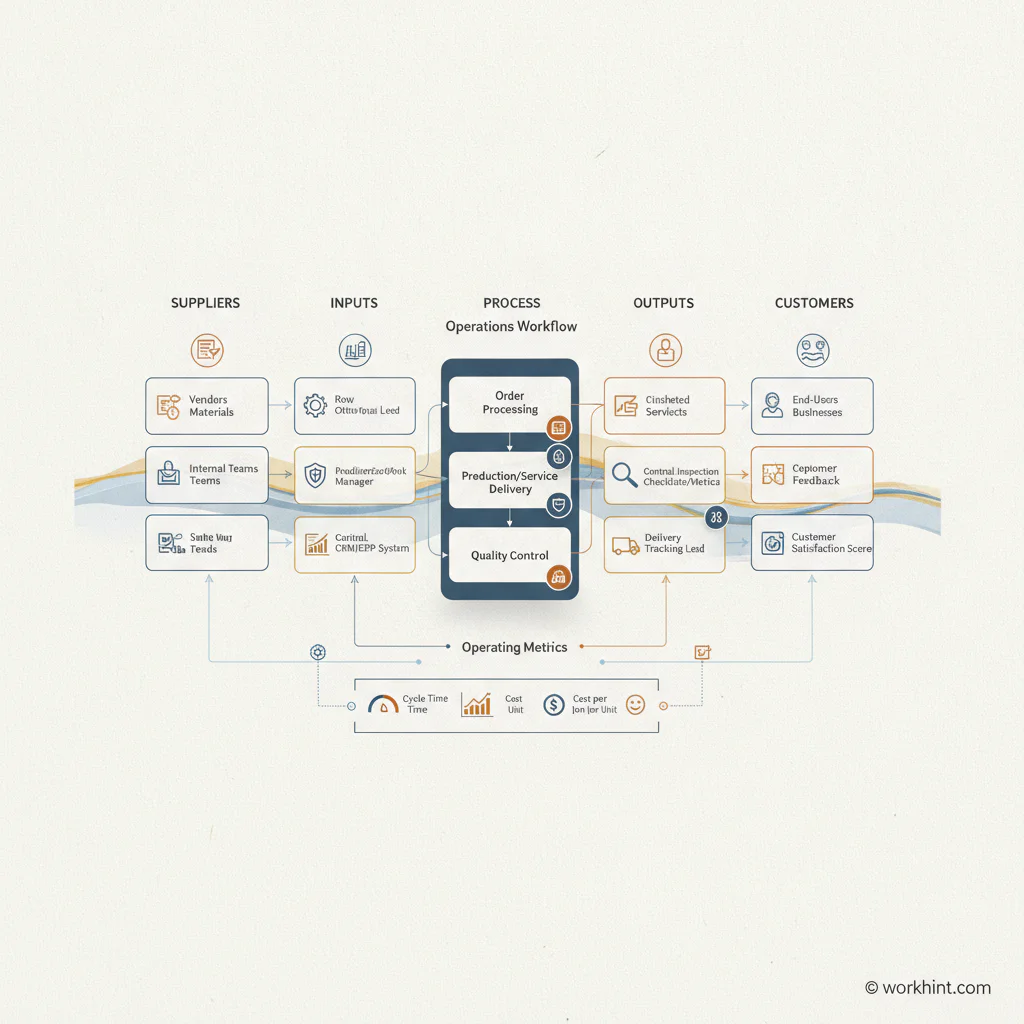
SIPOC diagram example for an operations workflow
Here is a practical SIPOC structure for a vendor approval workflow. The same format works for hiring, onboarding, support, finance, field operations, project intake, or compliance-heavy work.
| SIPOC element | Vendor approval example | Design question |
|---|---|---|
| Suppliers | Requesting manager, vendor, legal, finance, security | Who provides required information or approval? |
| Inputs | Business need, vendor profile, tax form, contract, security review, budget code | What must exist before work can move? |
| Process | Submit request, screen vendor, review risk, approve budget, sign agreement, activate vendor | What are the high-level steps? |
| Outputs | Approved vendor record, signed contract, payment setup, access status | What does the process produce? |
| Customers | Operations, finance, procurement, vendor, delivery team | Who uses or depends on the output? |
The value is the conversation it creates: Which inputs are missing most often? Which supplier delays the process? Which output is ambiguous? Which customer needs a different result?
What to add beyond the five SIPOC columns
Classic SIPOC is useful, but operations teams usually need a few extra fields to turn the diagram into a scalable work system. Add these after the first pass.
- Accountable owner: One role responsible for the process outcome.
- Entry criteria: What must be true before the process starts.
- Exit criteria: What counts as complete.
- Controls: Required approvals, compliance checks, risk gates, or quality reviews.
- Metrics: Cycle time, rework rate, missing-input rate, approval time, backlog age, or customer satisfaction.
- System of record: Where the request, status, documents, and output live.
APQC’s process frameworks emphasize common ways to organize and manage process work across the enterprise (https://www.apqc.org/process-frameworks). A stronger SIPOC supports that by making ownership and boundaries easier to compare across teams.
Turn the SIPOC into a workflow
A SIPOC diagram should not die in a document. Once the boundary is clear, convert it into an operating workflow.
- Build intake from the inputs: Every required input becomes an intake field, upload, checkbox, or system lookup.
- Route work from suppliers: Each supplier becomes a role, queue, integration, or notification rule.
- Create workflow steps: Each high-level stage becomes a workflow state with an owner and due date.
- Define completion from the outputs: Outputs become deliverables, records, approvals, documents, or status changes.
- Design reporting from customers: Customers shape the dashboard because they need visibility or action.
IBM describes business process management as a discipline for analyzing, modeling, optimizing, and monitoring processes (https://www.ibm.com/think/topics/business-process-management). SIPOC is not the whole BPM cycle, but it is a strong starting point before measurement or automation.
Common SIPOC mistakes
- Making the scope too large: “Customer onboarding” may need several SIPOCs: sales handoff, contract setup, implementation, access, training, and first value milestone.
- Skipping the customer column: If you do not know who receives the output, you cannot define quality.
- Listing departments instead of roles: “Finance” is vague. “Accounts payable reviewer” is actionable.
- Confusing inputs with process steps: “Manager approval” may be a step. “Approved budget code” may be an input.
- Ignoring controls: Financial, HR, security, and compliance workflows need controls designed in, not added afterward.
- Never operationalizing the result: A SIPOC not connected to intake, ownership, routing, metrics, and improvement becomes another static artifact.
Where Workhint fits
Workhint fits after the SIPOC clarifies the operating model. Instead of leaving the diagram as a workshop output, teams can use Workhint to turn it into a live work system with roles, intake forms, permissions, assignments, approvals, dashboards, and reporting.
That matters because SIPOC defines the shape of work, but execution needs structure. Suppliers become users or systems. Inputs become required fields. Process steps become workflow states. Outputs become records. Customers become visibility rules or dashboards.
FAQ
What does SIPOC stand for?
SIPOC stands for suppliers, inputs, process, outputs, and customers. It defines the key parts of a business process before detailed mapping or improvement work begins.
What is the difference between SIPOC and a process map?
A SIPOC defines the process boundary and major elements. A process map shows detailed steps, decisions, handoffs, and exceptions. SIPOC usually comes first.
Who should participate in a SIPOC workshop?
Include the process owner, input suppliers, people who perform the work, approvers or control owners, and customers who depend on the output.
How detailed should a SIPOC diagram be?
Keep it high level. Five to seven process steps are usually enough. If it becomes a detailed flowchart, create a separate process map after the SIPOC is agreed.
Can SIPOC be used outside Six Sigma?
Yes. SIPOC is common in Lean and Six Sigma, but operations, HR, finance, procurement, support, and delivery teams can use it to define workflow boundaries.
Conclusion
A SIPOC diagram is valuable because it slows the team down before expensive process work begins. It asks simple questions: who supplies the work, what inputs are required, how the process moves, what output should exist, and who depends on it. Once those answers are clear, the team can document, automate, measure, and improve with less guesswork.
References: Iowa Department of Management SIPOC template (https://dom.iowa.gov/state-government/lean-enterprise/tools/sipoc-template), APQC process frameworks (https://www.apqc.org/process-frameworks), IBM on business process management (https://www.ibm.com/think/topics/business-process-management), and ASQ SIPOC example guidance (https://asqasktheexperts.org/2013/04/09/sipoc/).
Leave a Reply