


Use this template to turn meeting discussion into decisions, owners, deadlines, and a record people can actually trust.
A meeting minutes template gives business teams a consistent way to capture what happened in a meeting without writing a transcript. Good minutes record the purpose, attendees, decisions, action items, unresolved questions, and follow-up. They help people who missed the meeting understand what changed, and they give the team a source of truth when memories drift.
This resource is designed for operating meetings, project meetings, client meetings, leadership check-ins, and recurring cross-functional reviews. Formal board minutes, shareholder records, and regulated governance meetings may require legal review or a specific format. For example, the Association of Corporate Counsel provides a board meeting minutes template, and Propel Nonprofits publishes board minutes guidance for nonprofit governance. Use the structure below as a practical business starting point, not legal advice.
What’s included
- A copy-ready meeting minutes template for business meetings
- A simple format for decisions, action items, blockers, and follow-up
- A meeting minutes example showing how much detail to capture
- A checklist for making minutes useful after the meeting ends
- Common mistakes that make minutes vague, political, or hard to act on
How to use this meeting minutes template
Use the template during the meeting, not three days later. Start with the agenda or meeting purpose, then capture only the information that changes what people need to do. Microsoft’s meeting minutes templates show the same basic pattern: meeting details, attendees, discussion items, decisions, and tasks. The difference in a business setting is discipline. Every important point should become either a decision, an action item, an open question, or a risk.
Before the meeting, assign one minutes owner. During the meeting, that owner should listen for commitments and confirm wording out loud when needed. After the meeting, send the minutes within 24 hours while the details are still fresh. Store the final record somewhere searchable and link it to the project, customer, vendor, employee, or workflow it affects.
Meeting Minutes Template
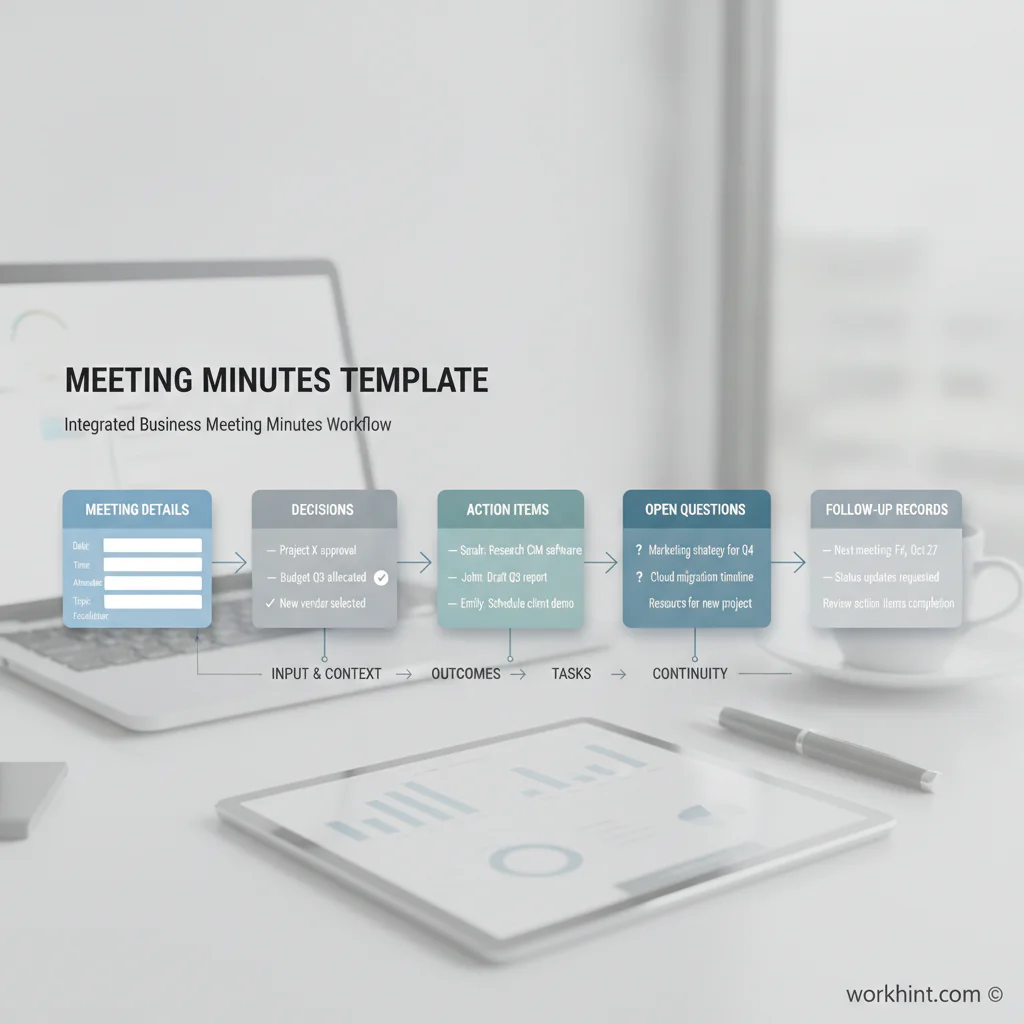
Copy this structure into a document, workspace, CRM, project system, or operations platform.
| Section | What to capture | Example |
|---|---|---|
| Meeting details | Meeting name, date, time, owner, recorder, location or link | Weekly implementation review, July 20, owner: Operations Lead |
| Purpose | The business reason for the meeting | Review launch readiness and resolve open customer onboarding blockers |
| Attendees | Present, absent, optional attendees, and required reviewers | Present: Ops, Success, Finance. Absent: Legal, to review contract item |
| Decisions made | Final decisions, approver, and decision date | Approved phased launch for Team A on August 5 |
| Action items | Task, owner, due date, dependency, and status | Finance to confirm billing setup by July 24 |
| Open questions | Questions not resolved and who will answer them | Legal to confirm whether the vendor addendum is required |
| Risks or blockers | Anything that could delay, increase cost, or create compliance exposure | Customer data import still missing final file validation |
| Follow-up | Next meeting, review owner, and where the record is stored | Next review July 27; minutes stored in customer launch folder |
Meeting minutes example
Meeting: Customer onboarding launch review. Date: July 20. Purpose: Confirm readiness for the first customer rollout. Decision: Launch will start with the operations team only, then expand to finance after two successful cycles. Action item: Success lead will send the customer role list by July 22. Open question: Finance needs to confirm whether payment approvals require one or two reviewers. Risk: Training attendance is incomplete for two team leads. Follow-up: Launch readiness will be reviewed again on July 24.
Notice what this example does not include: every opinion, every tangent, or every sentence people said. Atlassian’s meeting notes guidance also emphasizes action items and decisions because the record should help the team move work forward. Minutes should be accurate enough to rely on and short enough that people will read them.
Checklist before sending meeting minutes
- Is the meeting purpose clear?
- Are all decisions written as final decisions, not vague discussion notes?
- Does every action item have one owner?
- Does every action item have a due date or next review date?
- Are open questions assigned to someone?
- Are risks or blockers visible enough for escalation?
- Is sensitive information removed or limited to the right audience?
- Is the record stored where future team members can find it?
Common mistakes
The first mistake is writing a transcript. That creates too much noise and can make the record harder to use. The second mistake is skipping ownership. An action item without an owner is only a note. The third mistake is hiding disagreement. If the team made a decision despite an unresolved risk, record the risk and the review plan. The fourth mistake is treating minutes as an administrative document instead of an operating record.
Another common issue is separating minutes from the work they create. If decisions live in a document but tasks live somewhere else, the team quickly loses traceability. The minutes should link to follow-up work, customer records, approval workflows, files, and dashboards where possible.
Where Workhint fits
Workhint helps teams turn meeting minutes from a static document into a live workflow. A team can use the template to capture decisions, then route action items to the right owners, connect approvals to the relevant project or customer record, set reminders for due dates, and keep open questions visible until they are resolved. That matters when meetings involve operations, finance, vendors, contractors, customers, or cross-functional teams where follow-through cannot depend on someone remembering a note.
The template remains useful on its own. Workhint becomes relevant when the minutes need to trigger assignments, permissions, approval steps, document collection, status tracking, or reporting across the business.
FAQ
What is a meeting minutes template?
A meeting minutes template is a reusable format for recording meeting details, attendees, decisions, action items, open questions, risks, and follow-up. It helps teams document the meeting consistently.
What should business meeting minutes include?
Business meeting minutes should include the meeting purpose, date, owner, attendees, decisions made, action items, owners, due dates, unresolved questions, blockers, and next steps. The most important fields are decisions and action items.
Are meeting minutes the same as a meeting agenda?
No. A meeting agenda plans the meeting before it happens. Meeting minutes record what happened during the meeting and what needs to happen next. The agenda can be used as the starting structure for the minutes.
How detailed should meeting minutes be?
Meeting minutes should be detailed enough to make decisions and follow-up clear, but they should not be a transcript. Capture outcomes, commitments, risks, and context that people will need later.
Who should take meeting minutes?
Assign one recorder before the meeting starts. The recorder can be the meeting owner, an operations coordinator, a project manager, or a rotating team member. For formal governance meetings, use the role required by your organization’s rules.
Conclusion
A meeting minutes template is valuable because it protects the team from vague follow-up. Use it to capture decisions, assign owners, preserve context, and make the next step obvious. The best minutes are not long. They are clear, searchable, and connected to the work they create.
Leave a Reply