


Knowledge becomes operational only when teams can find it, trust it, and use it at the moment work is moving.
A knowledge management process is the operating system for capturing what a team knows, turning it into usable guidance, and keeping that guidance current as the business changes. It is not just a wiki, shared drive, or search tool. Those are storage layers. The process is what decides which knowledge matters, who owns it, when it gets captured, how it is reviewed, and where it appears inside day-to-day work.
Operations teams need this because scaling work creates knowledge gaps. A support team learns the real fix for a recurring issue. A project manager discovers the approval shortcut that prevents rework. A field team learns which handoff detail keeps a service visit from failing. If that knowledge stays in chat, memory, or one person’s notebook, the organization keeps paying for the same lesson.
What’s in this article?
- What a knowledge management process should control.
- How to decide what knowledge is worth managing.
- A practical process model operations teams can use.
- Metrics and review rules that keep knowledge trusted.
- How Workhint can turn knowledge into a live work system.
Why knowledge management matters in operations
APQC describes knowledge management as systematic approaches that help knowledge flow to the right people at the right time. That phrase matters for operations. The goal is not to document everything. The goal is to make critical knowledge available when it changes a decision, prevents an error, or helps someone complete work without unnecessary escalation.
The ISO 30401 knowledge management systems standard also frames knowledge management as something that should be established, implemented, maintained, reviewed, and improved. That is the right mindset. A knowledge base that is launched once and abandoned becomes another place to search. A knowledge management process creates a maintenance rhythm so people know which guidance is approved, current, and usable.
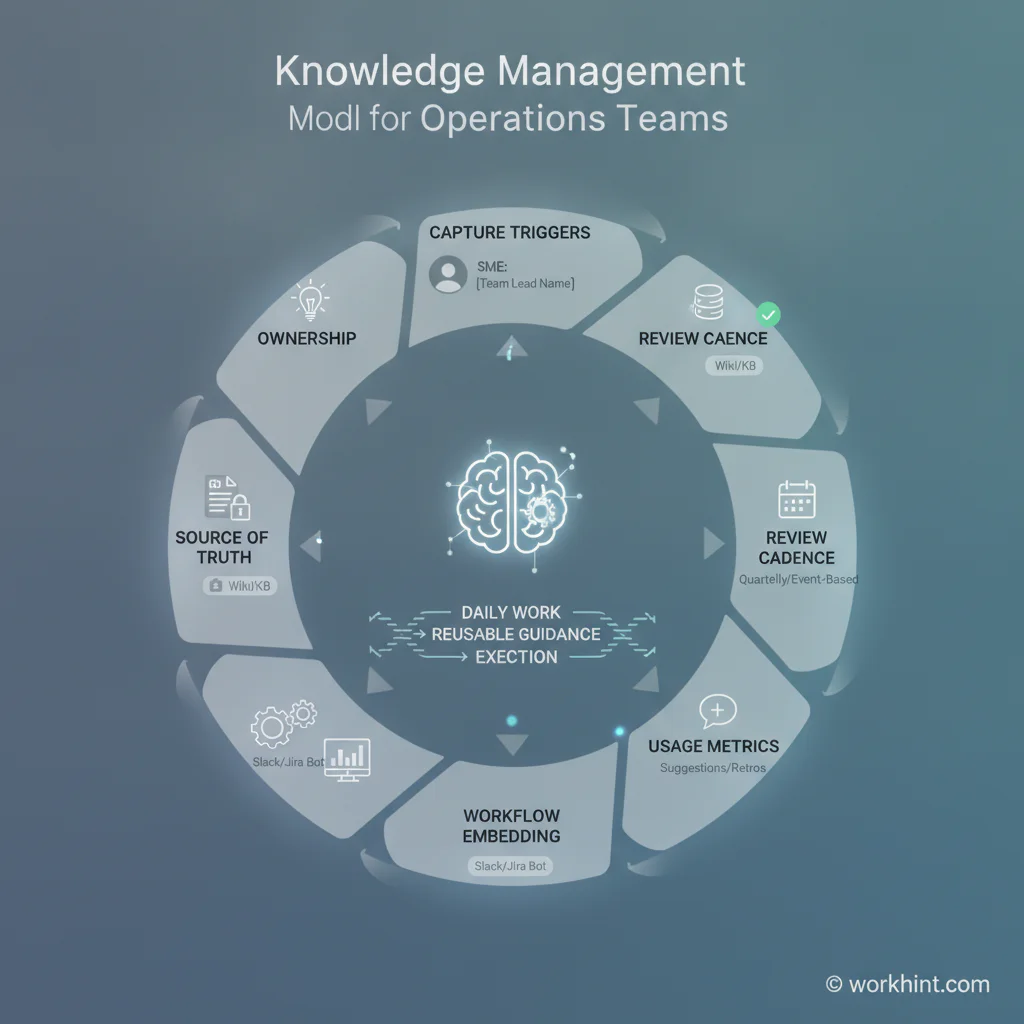
Knowledge management process model
Build the process around seven controls. Each one answers a practical operating question.
| Control | Operating question | Example rule |
|---|---|---|
| Scope | Which knowledge is important enough to manage? | Capture knowledge tied to revenue, compliance, customer experience, safety, onboarding, or recurring rework. |
| Trigger | When should new knowledge be captured? | Create or update an article after an escalation, failed handoff, policy change, customer pattern, or process improvement. |
| Owner | Who is accountable for accuracy? | Every knowledge area has one accountable owner and named reviewers. |
| Format | What should the guidance look like? | Use concise task guides, decision rules, checklists, FAQs, examples, and exception notes. |
| Review | How does stale knowledge get removed? | Review high-risk articles every quarter and operational articles after major workflow changes. |
| Embedding | Where should knowledge appear in the workflow? | Link the right guidance inside intake forms, approval steps, onboarding tasks, escalation paths, and dashboards. |
| Measurement | How do we know the process works? | Track usage, failed searches, repeated questions, rework, escalation volume, and time to resolution. |
How to create a knowledge management process
1. Start with recurring operational pain
Do not begin by asking every team to document everything they know. Start with expensive repetition. Look for recurring support questions, onboarding gaps, slow approvals, inconsistent handoffs, avoidable escalations, repeated rework, and decisions that depend on one experienced person. These are the places where knowledge management creates measurable value.
2. Map the knowledge lifecycle
For each priority area, map how knowledge moves from discovery to daily use. A simple lifecycle is: identify, capture, validate, publish, embed, use, review, improve, and retire. The World Bank describes knowledge management around making project knowledge faster and more effective to access. That same idea applies inside a company: knowledge should move from experience into a system that improves future execution.
3. Assign ownership before choosing tools
A tool without ownership becomes a dumping ground. Assign one accountable owner for each knowledge domain, such as customer onboarding, billing exceptions, vendor approvals, implementation delivery, safety procedures, or internal support. The owner does not have to write every article. They are responsible for accuracy, approval, review cadence, and retirement decisions.
4. Design for use, not storage
People rarely use long manuals during active work. A Harvard Business Review summary on knowledge sharing points to the tradeoff between comprehensive instructions and guidance that people can absorb and adapt. For operations, that means articles should be modular: what this is, when to use it, required inputs, steps, decision rules, examples, exceptions, and owner. Keep long background material separate from the guidance people need during execution.
5. Put knowledge inside the workflow
The most important step is embedding. If a customer success manager has to leave the onboarding workflow and search a wiki, usage drops. Instead, place guidance where the work happens: intake fields, approval screens, task instructions, exception paths, escalation forms, and performance dashboards. Knowledge should behave like part of the operating system, not a separate reference library.
Common failure points
- Documenting too broadly: Teams waste effort capturing low-value information while high-risk process knowledge remains tribal.
- No accountable owner: Everyone can edit, but nobody is responsible for trust.
- No review cadence: Old policies, outdated links, and changed processes stay live.
- Weak search language: Articles use internal labels instead of the words employees actually search for.
- No workflow connection: Knowledge exists, but it is not surfaced during intake, handoffs, approvals, or exceptions.
Where Workhint fits
Workhint fits when a team wants knowledge management to become part of how work runs. A company can use Workhint to turn knowledge capture into a workflow with intake triggers, article owners, approval paths, review schedules, role-based permissions, linked documents, onboarding tasks, escalation guidance, dashboards, and automation. For example, a failed handoff can trigger a knowledge update request, route it to the process owner, attach the updated guide to the relevant workflow step, and track whether the same failure declines over time.
The value is not replacing the team’s knowledge base. The value is connecting knowledge to the operating system around the work: who needs it, when they need it, who approves changes, and how the business knows whether the knowledge is improving execution.
FAQ
What is a knowledge management process?
A knowledge management process is the set of rules, roles, workflows, and review cycles a company uses to capture, organize, share, apply, and improve important knowledge.
Who should own knowledge management in a business team?
Ownership should sit with the function that depends on the knowledge, not only with IT or operations. For cross-functional knowledge, assign a process owner and named reviewers from the teams that create or use the guidance.
How often should knowledge be reviewed?
Review high-risk or customer-facing knowledge quarterly, and review any article after a policy change, system change, recurring exception, failed handoff, or major process update.
What metrics show whether knowledge management is working?
Useful metrics include article usage, failed searches, repeated questions, time to resolution, onboarding time, rework rate, escalation volume, and the number of stale articles retired or updated.
Conclusion
A useful knowledge management process does more than store information. It captures operational learning, assigns accountability, keeps guidance current, and places that guidance inside the workflows where teams make decisions. Start with recurring pain, define ownership, design concise guidance, embed it into daily work, and measure whether execution improves. That is how knowledge becomes a scalable work system instead of another folder people forget to open.
Leave a Reply