


Vendor credentialing works when every document, approval, expiration, and exception has an owner before work begins.
A vendor credentialing process is the operating workflow a company uses to verify that outside vendors, contractors, suppliers, agencies, or service providers meet the requirements for the work they will perform. It connects vendor approval, insurance, licenses, tax records, safety expectations, access, and renewal tracking before the vendor is allowed to start.
This is especially important when vendors enter customer locations, handle sensitive data, perform regulated work, or affect safety, service quality, brand trust, or payment obligations. A weak process looks harmless at first: a certificate in one inbox, a W-9 in another, a license in a shared drive, and a manager who assumes procurement checked everything. The risk appears when an expired certificate blocks a project, an unapproved subcontractor shows up, or finance cannot confirm payment readiness.
What’s in this article?
- What vendor credentialing should verify before work starts
- How to design a risk-tiered vendor credentialing process
- A workflow table for owners, evidence, and decisions
- Common mistakes that slow approvals or create risk
- Where Workhint fits when credentialing needs to become repeatable
Why vendor credentialing matters
Vendor credentialing matters because external work crosses company boundaries. A vendor often enters through a purchase request, operations request, project need, or local manager relationship. Unless the business creates a consistent path, every team invents its own version of readiness.
The requirements vary by role and industry. A software implementation partner may need data terms, role-based access, and security review. A facilities vendor may need insurance, licenses, safety training, and site rules. Match requirements to the risk of the work.
Public guidance shows why this has to be more than a checklist. The New York State Comptroller reminds business units to verify vendor licenses, certifications, registrations, insurance, and qualifications before payment when those requirements apply. The Philadelphia Department of Licenses and Inspections notes that contractors named on construction permits must have current insurance on file. Credentialing should be tied to the work, not handled as generic paperwork.
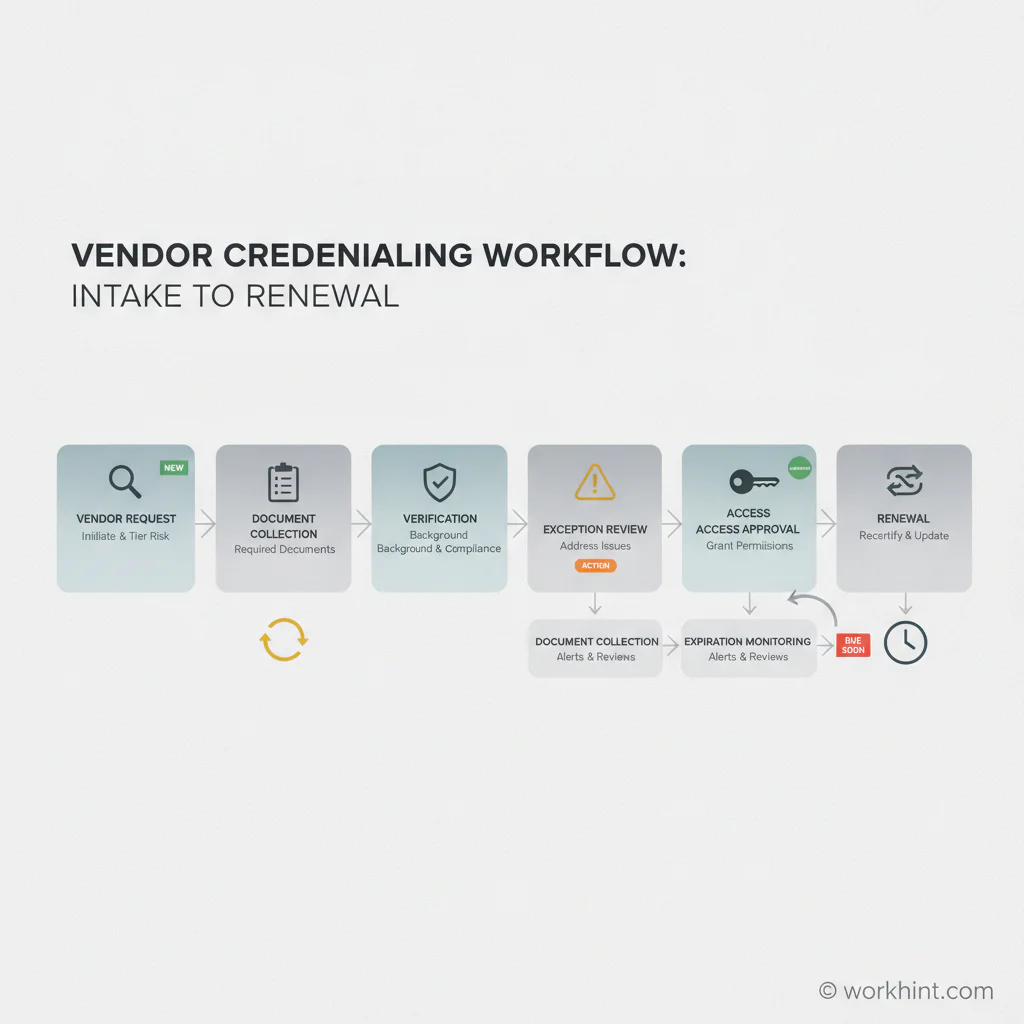
Vendor credentialing workflow from intake to renewal
A practical process starts before approval and continues after the first project. Separate the business reason for the vendor from the evidence needed to clear them.
| Stage | Owner | Evidence or decision |
|---|---|---|
| Vendor request | Business sponsor | Work type, location, data access, customer exposure, budget owner |
| Risk tiering | Operations or procurement | Low, medium, or high-risk classification based on work conditions |
| Document collection | Vendor coordinator | Insurance, licenses, certifications, tax form, safety records, policies |
| Verification | Legal, finance, safety, IT, or compliance | Approved, rejected, expired, missing, or exception needed |
| Access approval | Operations and IT | Site access, system access, badges, project permissions, start date |
| Renewal monitoring | Credential owner | Expiration dates, reminders, suspension rules, revalidation cadence |
The workflow should make one thing obvious: no vendor is “approved” forever. Approval is tied to a scope, risk tier, location, document set, and time period. If services, locations, data access, subcontractors, or insurance status change, the status should change too.
What to collect from vendors
Start with the work, then define the evidence. Most vendor credentialing programs combine several categories:
- Business identity: legal name, business address, ownership information where needed, tax identification details, and primary contacts.
- Tax and payment records: for U.S. vendors, the IRS Form W-9 is commonly used to request a taxpayer identification number from a U.S. person when information return reporting may apply.
- Insurance: general liability, professional liability, workers’ compensation, commercial auto, cyber, or other coverage based on the work.
- Licenses and certifications: trade licenses, professional credentials, permits, training records, or industry-specific certificates.
- Safety and site readiness: required training, safety acknowledgments, incident reporting process, PPE requirements, and named site contacts.
- Security and data access: confidentiality terms, data handling rules, system permissions, device requirements, and access expiration.
- Contract controls: agreement, statement of work, service levels, change process, subcontractor rules, and termination terms.
Do not collect sensitive documents just because they are available. Ask for what is necessary, limit who can see it, and define how long it is retained. Credentialing should reduce risk without creating a new privacy or security problem.
How to tier vendor requirements
Risk tiering keeps the process from becoming too loose or too heavy. A low-risk remote advisor may need a signed agreement, tax record, confidentiality terms, and payment setup. A medium-risk vendor that visits offices may need insurance, site rules, and access approval. A high-risk vendor working around customers, regulated equipment, hazardous environments, financial data, or production systems may need deeper review by legal, safety, IT, or compliance.
Safety-sensitive environments deserve special attention. OSHA’s Multi-Employer Citation Policy explains that more than one employer may be citable for a hazardous condition on a multi-employer worksite depending on role. That does not mean every business needs a construction-style program. It means operations teams should know when external work creates shared safety responsibilities and document who reviewed the requirements.
Common vendor credentialing mistakes
The first mistake is treating credentialing as a one-time onboarding task. Insurance expires. Licenses lapse. Scope changes. A vendor that was low risk for one project may become high risk when the next assignment involves customer data, site access, or subcontracted labor.
The second mistake is approving vendors without assigning owners. Procurement may collect documents, operations may understand the work, finance may own tax records, IT may own access, and safety may own site readiness. If ownership is unclear, everyone assumes someone else checked the file.
The third mistake is disconnecting credentialing from payment and access. A vendor should not receive system access before required review is complete. Finance should not chase basic tax or insurance records after invoices arrive. Credentialing is most useful when it blocks the right things, releases the right things, and keeps a visible record of both.
Where Workhint fits
Workhint fits when vendor credentialing needs to become a live workflow instead of a spreadsheet, inbox search, or disconnected procurement note. A team can use Workhint to create vendor intake, assign risk tiers, collect documents, route approvals, block activation until requirements are complete, and track expirations after the vendor starts work.
That matters because credentialing is connected to the rest of external workforce operations. The vendor record should sit beside scope, assignments, permissions, documents, approvals, invoices, payment status, and reporting. When those pieces are connected, operations teams can see who is ready, who is blocked, what is expiring, and which vendors need follow-up before work or payment is delayed.
FAQ
What is vendor credentialing?
Vendor credentialing is the process of verifying that a vendor, contractor, supplier, agency, or service provider meets the business, compliance, insurance, license, safety, tax, and access requirements needed for a specific type of work.
Who should own the vendor credentialing process?
Operations or procurement often owns the workflow, but the decisions are shared. Finance may review tax and payment records, legal may review agreements and risk exceptions, IT may review system access, and safety or compliance may review role-specific requirements.
How often should vendor credentials be reviewed?
Review credentials before work starts, whenever scope changes, before renewal, and before any expiring document creates risk. High-risk vendors may need periodic revalidation even when documents have not expired.
What is the difference between vendor onboarding and vendor credentialing?
Vendor onboarding sets up the relationship so the vendor can work with the business. Vendor credentialing verifies the evidence required to approve that vendor for a specific scope, location, access level, or risk tier.
Conclusion
A vendor credentialing process protects the business only when it is specific, owned, and connected to real work. Start with the vendor request, assign a risk tier, collect the right evidence, route reviews to the right owners, connect approval to access and payment, and monitor renewals after work begins. That turns credentialing from a document chase into an operating control your team can actually rely on.
Leave a Reply