


A strong run of show keeps event day calm because every cue, owner, and fallback is already visible.
An event run of show template is the operating document for a live, virtual, or hybrid event. It turns the agenda into a minute-by-minute execution plan that shows what happens, who owns it, what assets are needed, which cues matter, and what the team should do when timing changes.
Use this resource as a copy-ready starting point for webinars, customer events, executive briefings, internal kickoffs, workshops, recruiting events, demos, launches, or partner sessions.
What is included
- A practical event run of show template you can copy into a document, spreadsheet, or workflow system.
- A field-by-field guide for timing, owners, cues, assets, vendors, approvals, and contingencies.
- A sample timeline for a business event.
- A pre-event workflow for keeping the run of show current.
- Common mistakes that make event-day coordination harder than it needs to be.
How to use this event run of show template
Start with the event outcome, not the calendar. A run of show should help the team deliver a specific experience: a board update, product launch, client workshop, webinar, hiring day, partner briefing, or executive offsite. Once the outcome is clear, define the event owner, production owner, speaker owner, vendor owner, and decision owner.
Princeton’s virtual event planning guidance notes that a shared run of show document helps participants see timing and behind-the-scenes requests during an event. Georgia Tech’s event resources similarly list run-of-show, AV run-of-show, planning worksheet, budget, and volunteer templates as part of event planning operations. The lesson is simple: the run of show is not just a schedule. It is the shared control room for the event.
Build the first version at least one week before the event for simple meetings and earlier for events involving speakers, customers, vendors, production crews, sponsors, or public registration. Review it in a dry run, then lock the main sequence and mark open items clearly.
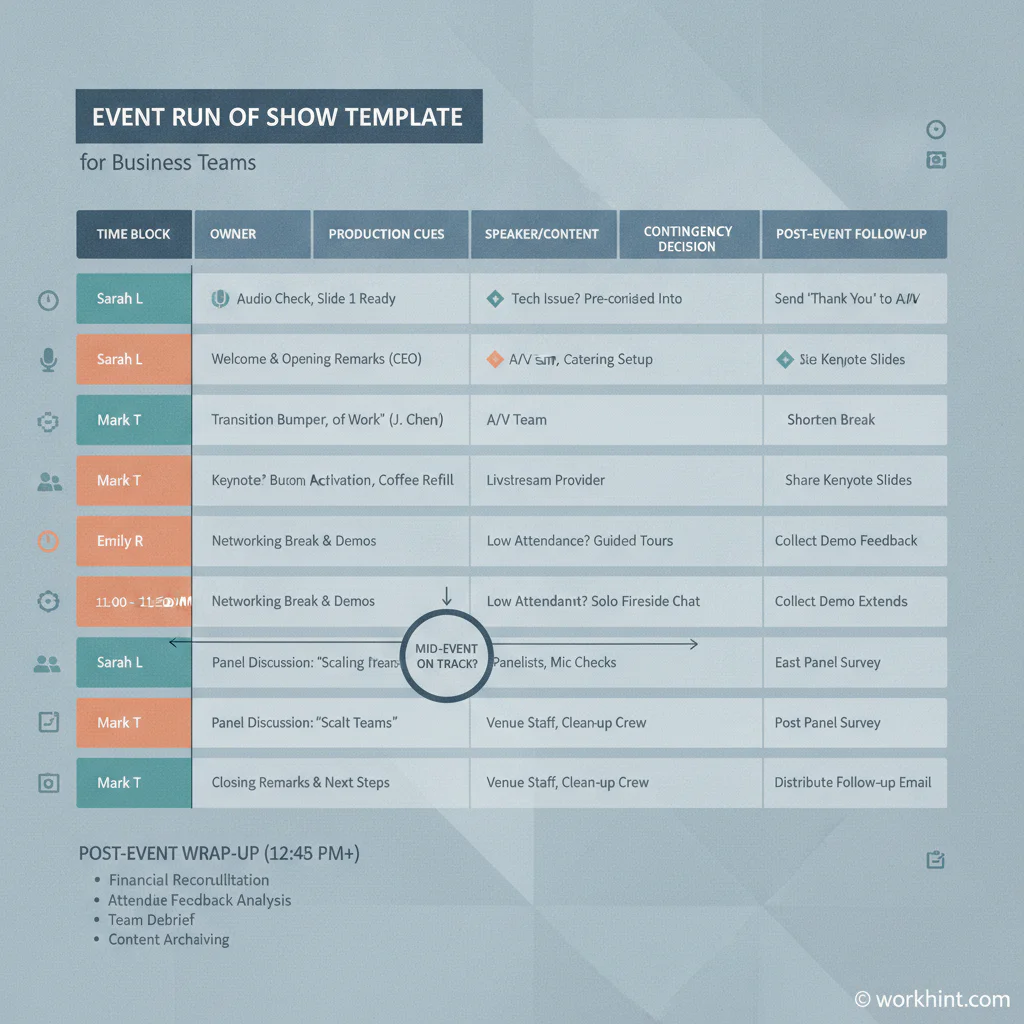
Event run of show template
Copy the structure below and customize the fields for your event type. Smartsheet’s event planning template collection shows how broad event planning often spans budget, timelines, vendors, registration, and evaluation. A useful run of show pulls the event-day parts of that planning into one execution view.
| Field | What to capture | Why it matters |
|---|---|---|
| Time block | Start time, end time, duration, and whether timing is locked or flexible. | Keeps the team aligned when a speaker runs long or a segment changes. |
| Segment | Welcome, keynote, demo, panel, break, Q&A, transition, close, or follow-up. | Makes the event sequence easy to scan under pressure. |
| Owner | The person accountable for that segment happening correctly. | Prevents shared responsibility from becoming no responsibility. |
| Participants | Speaker, moderator, customer, vendor, technician, host, or staff role. | Shows who needs to be ready before the cue. |
| Production cues | Slides, music, camera, screen share, mic, lighting, recording, poll, chat, or stage cue. | Turns production details into visible work instead of memory. |
| Assets needed | Deck, demo account, video, signage, customer quote, handout, room link, or checklist. | Surfaces missing materials before event day. |
| Dependencies | Approval, arrival, setup, upload, legal review, customer confirmation, or vendor delivery. | Shows what must be true before a segment can run. |
| Fallback plan | What happens if the speaker is late, the demo fails, the room changes, or timing slips. | Gives the team a decision path before stress hits. |
| Follow-up | Notes, owners, links, thank-you messages, recordings, leads, invoices, or closeout tasks. | Connects the event to business outcomes after it ends. |
Sample run of show for a business event
Here is a simple version for a 60-minute customer webinar. Adapt the same pattern for internal events, launch meetings, workshops, or executive sessions.
| Time | Segment | Owner | Cue or asset | Fallback |
|---|---|---|---|---|
| 10:50 | Production room opens | Producer | Recording test, slides loaded, speakers admitted | Use backup meeting link |
| 11:00 | Welcome and agenda | Host | Opening slide, chat prompt | Producer posts agenda in chat |
| 11:05 | Customer problem framing | Moderator | Three-question prompt | Skip question two if behind |
| 11:15 | Product walkthrough | Demo owner | Demo account, screen share, backup screenshots | Switch to screenshots |
| 11:35 | Q&A | Moderator | Chat questions, priority list | Answer top three and follow up by email |
| 11:55 | Close and next steps | Host | CTA slide, feedback survey, recording note | Send recap within two hours |
Pre-event workflow
- Assign one owner. One person should maintain the source of truth, collect updates, and decide when the document is locked.
- Collect inputs. Ask every speaker, vendor, and internal owner for timing, assets, dependencies, and risks.
- Review production. Confirm room setup, AV, links, recordings, slides, cue timing, and backup materials.
- Run a dry rehearsal. Test transitions, screen sharing, speaker order, introductions, and fallback plans.
- Mark open items. Use status labels such as ready, blocked, waiting approval, or backup needed.
- Lock the final version. Share one version before event day so the team is not working from conflicting drafts.
- Close the loop. Capture action items, leads, recording links, lessons learned, and follow-up owners.
Common mistakes
The first mistake is treating the run of show like a public agenda. The agenda tells attendees what they will experience. The run of show tells the team how to deliver it. Keep both, but do not merge them into one vague document.
The second mistake is missing decision rights. If timing slips or the demo fails, who approves the backup path? Add these decisions before the event starts.
The third mistake is leaving follow-up out of the template. Asana’s run-of-show guidance frames the template as a structured plan with timing, activities, and owners. For business events, ownership should continue after the closing slide because the value often sits in recap messages, content reuse, lead routing, and vendor closeout.
Where Workhint fits
Workhint fits when an event run of show template needs to become a live operating workflow. A team can turn the template into role-based tasks, speaker intake forms, vendor checklists, approvals, asset requests, rehearsal reminders, event-day dashboards, follow-up assignments, and reporting. That matters when events involve multiple teams, external contributors, customers, vendors, sponsors, or approval paths.
The template still does the thinking work. Workhint helps keep the work from scattering across spreadsheets, slide decks, email threads, chat messages, and last-minute calls.
FAQ
What is an event run of show template?
An event run of show template is a reusable schedule and coordination document for event execution. It usually includes timing, segment names, owners, speakers, production cues, assets, dependencies, contingency notes, and follow-up actions.
How is a run of show different from an agenda?
An agenda is usually attendee-facing. A run of show is team-facing. It includes operational details such as AV cues, speaker handoffs, producer notes, staffing assignments, decision points, and fallback plans.
Who owns the run of show?
One event owner or producer should own the document. Segment owners can update their sections, but one accountable person should control the final version and confirm readiness.
When should the run of show be finalized?
For a simple internal event, finalize it one or two days before the event. For customer, public, sponsored, hybrid, or production-heavy events, create it earlier and lock the final version after rehearsal.
Conclusion
An event run of show template is valuable because it makes event execution visible before the room is full, the stream is live, or the customer is waiting. Use it to map timing, owners, cues, assets, dependencies, fallback plans, and follow-up work in one place.
The best run of show is not the longest one. It is the one your team can use quickly when timing changes, a cue is missed, or a decision needs to be made. Build it early, rehearse it, keep one source of truth, and connect the event to the work that happens after the closing segment.
Leave a Reply