


A weekly schedule works when managers can see coverage, cost, availability, and changes before the week starts.
An employee schedule template gives managers a repeatable way to assign shifts, plan coverage, track breaks, and publish a weekly roster without rebuilding a spreadsheet every time. It is useful for restaurants, retail stores, clinics, warehouses, cleaning teams, hospitality teams, field services, and any business where people work different shifts across the week.
This resource is not legal advice. Scheduling rules vary by country, state, city, industry, union agreement, and worker classification. Use the template as an operating starting point, then review wage, hour, overtime, break, and predictive scheduling requirements with HR, payroll, or counsel.
What’s included
- A practical weekly employee schedule template structure
- Columns managers should include before publishing shifts
- A simple workflow for building and approving the weekly schedule
- An example schedule table for business teams
- Common scheduling mistakes that cause payroll, coverage, and communication problems
- Where Workhint fits when scheduling needs to become a managed workflow
How to use this employee schedule template
Start with the week, location, department, and operating hours. Then list every employee, role, required certification if relevant, availability, approved time off, and maximum planned hours. The schedule should make four things visible before it is published: who is working, when they work, what role they cover, and whether the business has enough coverage.
For U.S. employers, the Department of Labor’s FLSA overtime guidance explains that covered nonexempt employees generally receive overtime pay for hours over 40 in a workweek. The DOL also lists basic recordkeeping requirements for employers covered by the FLSA. That is why a schedule template should connect planned shifts to time tracking and payroll review instead of living as an isolated roster.
Employee schedule template for weekly shifts
Use the structure below as a working template. Add or remove columns based on your operation, but keep the schedule clear enough that a manager, payroll owner, and employee can all read it without explanation.
| Field | What to enter | Why it matters |
|---|---|---|
| Week and location | Week start date, site, team, or department | Prevents version confusion across locations |
| Employee and role | Name, job role, station, or crew assignment | Shows coverage by skill, not only headcount |
| Shift start and end | Daily start time, end time, and overnight flag when needed | Clarifies expected working time and handoffs |
| Breaks | Meal or rest break timing when applicable | Helps managers plan coverage during breaks |
| Availability and time off | Unavailable days, approved PTO, school limits, or second-job constraints | Reduces last-minute swaps and avoidable conflicts |
| Planned weekly hours | Total scheduled hours before publication | Helps catch overtime, budget, and fatigue risks |
| Approval status | Draft, manager reviewed, payroll checked, published | Makes the schedule release controlled and auditable |
| Notes | Training, certifications, events, constraints, or special duties | Keeps important context beside the shift assignment |
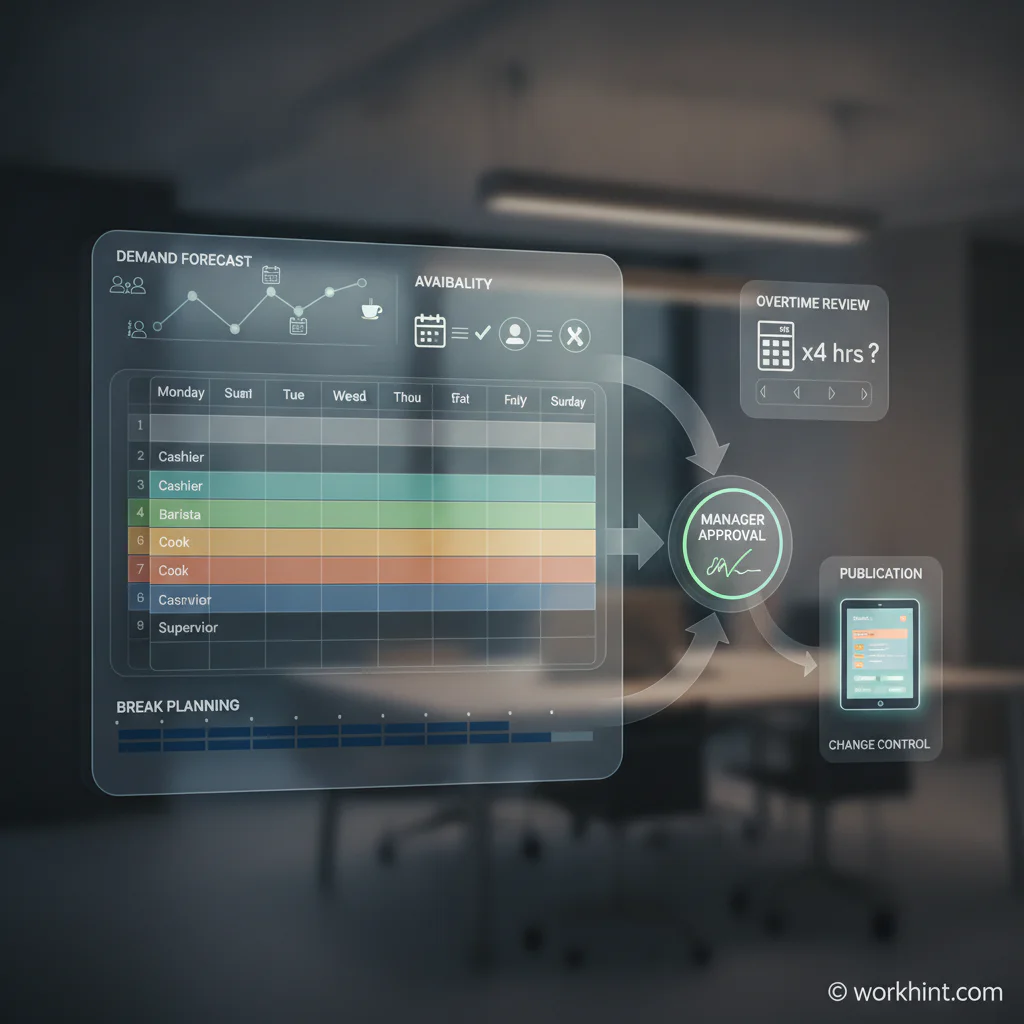
Weekly scheduling workflow
- Collect inputs. Gather forecasted demand, opening hours, required roles, approved time off, availability updates, training constraints, and budget limits.
- Build coverage first. Fill peak hours, required stations, opening and closing duties, on-call coverage, and any compliance-sensitive roles before assigning preference-based shifts.
- Check hours and conflicts. Review planned weekly hours, overtime exposure, rest periods, overlapping shifts, unavailable employees, and missed breaks.
- Route for approval. Ask the location manager, operations owner, payroll, or department lead to review the draft before publishing.
- Publish one source of truth. Share the final schedule through one channel. If printed copies are used, keep the digital version authoritative.
- Manage changes through a rule. Define how swaps, callouts, emergency coverage, manager edits, and employee acknowledgments are recorded.
The U.S. Department of Labor’s state meal break reference is a useful reminder that break rules are not uniform. Multi-state employers should avoid using one generic schedule format if local rules affect breaks, minors, overtime, or predictability requirements.
Example weekly employee schedule
This simplified example shows the level of detail most managers need before publishing a week. It is intentionally compact. A larger business may add departments, client sites, certification checks, labor cost, shift type, or approval notes.
| Employee | Role | Mon | Tue | Wed | Thu | Fri | Planned hours | Status |
|---|---|---|---|---|---|---|---|---|
| A. Patel | Shift lead | 8-4 | 8-4 | Off | 10-6 | 10-6 | 32 | Manager reviewed |
| M. Jones | Front desk | 9-5 | 9-5 | 9-5 | Off | 9-5 | 32 | Published |
| L. Chen | Operations | Off | 12-8 | 12-8 | 12-8 | 12-8 | 32 | Payroll check |
Common scheduling mistakes
- Scheduling by headcount instead of role coverage. Five people scheduled at the same time does not help if the business needs a certified opener, shift lead, driver, technician, or closer.
- Forgetting change control. If edits happen by text, paper notes, and manager memory, payroll and attendance records drift from the published schedule.
- Publishing before payroll review. Overtime, break coverage, and budget exceptions are easier to fix before employees have planned around the schedule.
- Using one template for every location. Different operating hours, roles, labor budgets, and local rules may require different columns.
- Not recording approvals. A schedule should show who reviewed it and when it became final.
Where Workhint fits
Workhint helps teams turn an employee schedule template into a live operating workflow. A business can use Workhint to collect availability, route time-off requests, define location and role permissions, assign schedule approvals, capture employee acknowledgments, track schedule changes, connect handoffs to tasks, and keep payroll-ready evidence in one place.
That matters when scheduling touches more than one manager or site. A template can show the week. Workhint helps coordinate the workflow around the week: intake, approvals, updates, exceptions, reporting, and follow-up actions when coverage changes.
FAQ
What should an employee schedule template include?
It should include the week, location, employee name, role, shift start and end times, breaks, availability notes, approved time off, planned weekly hours, approval status, and manager notes.
Is Excel or Google Sheets better for employee scheduling?
Excel works well for offline planning and familiar formulas. Google Sheets is better when multiple managers need shared access. Either format becomes harder to manage when shift swaps, approvals, attendance, and payroll exceptions increase.
How far in advance should a work schedule be published?
The practical answer is as early as the business can confidently commit, often several days to two weeks ahead. Some cities and states have predictive scheduling rules for certain employers, so check local requirements before setting a policy.
How do you handle shift changes after publication?
Use one change process. Record who requested the change, who approved it, which shift changed, whether coverage still works, and whether payroll or attendance records need an update.
Conclusion
An employee schedule template is useful because it makes weekly staffing visible before the work happens. The best template does more than list names and times. It helps managers see coverage, roles, breaks, planned hours, approvals, and changes early enough to act. Once the schedule becomes too dynamic for a spreadsheet, connect the template to a workflow that keeps managers, employees, operations, and payroll aligned.
Leave a Reply