


A decision log turns scattered choices into a searchable operating record your team can trust later.
A decision log template helps a business capture what was decided, who made the decision, why it was made, and what needs to happen next. It is useful when teams make choices in meetings, Slack threads, email chains, project reviews, customer escalations, product planning, hiring discussions, vendor approvals, or cross-functional operating forums.
The point is not to document every small preference. The point is to preserve decisions that affect priorities, scope, ownership, risk, cost, customer commitments, process design, or future work. Without that record, teams repeat conversations and lose the reasoning behind important tradeoffs.
What’s in this article?
- What a decision log is and when to use one
- A practical decision log template for business teams
- How to decide which choices deserve a log entry
- A workflow for keeping the log current without adding heavy admin
- Common mistakes that make decision logs hard to use
Why decision logs matter for business operations
Decisions are where work changes direction. A team may choose a vendor, change a customer promise, delay a launch, approve a budget, adjust a workflow, override a policy, or accept a known risk. If the decision only lives in someone’s memory, the operating system around that work becomes fragile.
Clear decision roles matter as much as the record itself. Harvard Business Review’s classic piece on decision roles argues that performance suffers when decisions stall or ownership is unclear. A decision log does not replace judgment, but it makes the final answer and the owner visible.
Decision logs are especially useful for distributed teams, growing operations, regulated workflows, and work that crosses functions. ProjectManagement.com notes that a simple decision log can keep stakeholders informed and aligned across a project. The same idea applies to operations: document choices other people will need to understand later.
Decision log template for business teams
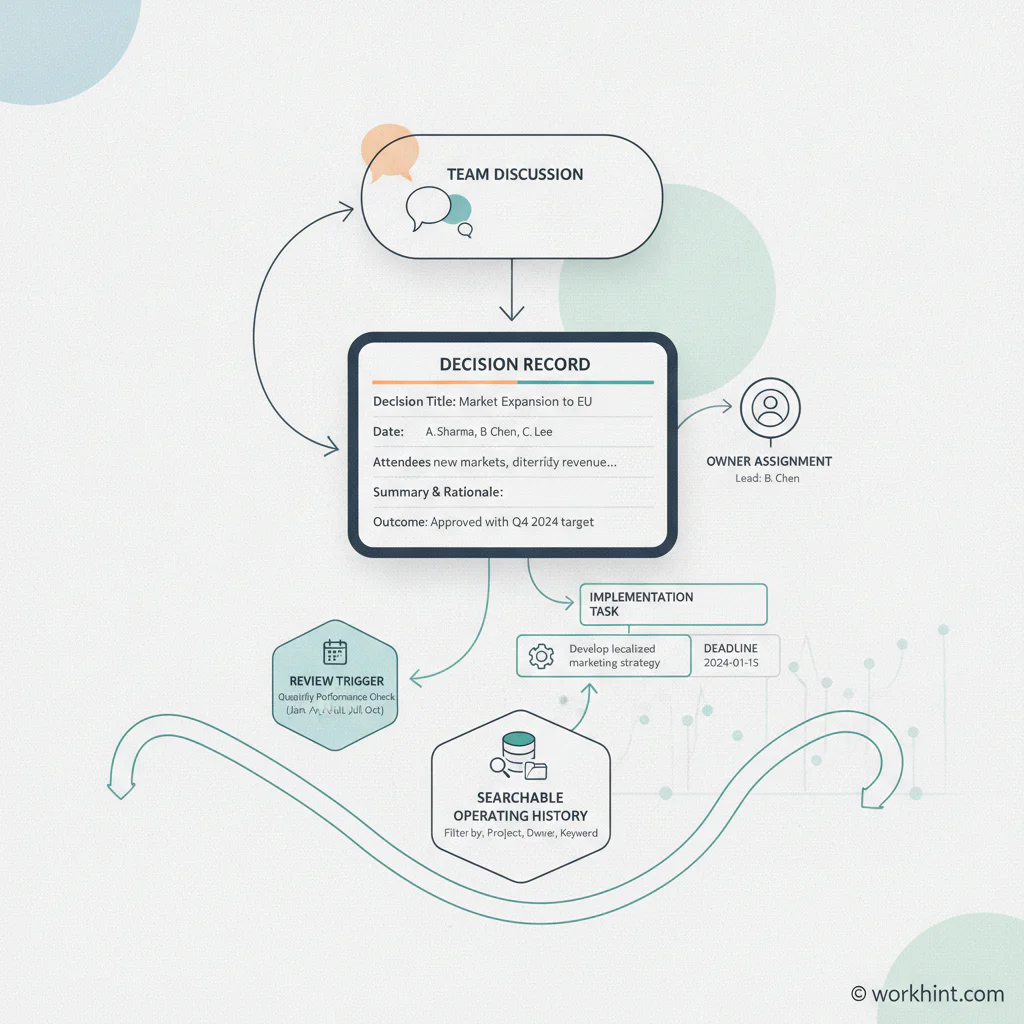
Use this decision log template as a lightweight operating record. It can live in a spreadsheet, workspace database, project system, or workflow tool. Keep fields consistent so the log is easy to search and review.
| Field | What to capture | Example |
|---|---|---|
| Decision ID | A short reference number or slug | DEC-042 |
| Decision summary | The choice in one clear sentence | Use a single intake queue for all marketing requests |
| Date decided | When the decision became final | July 20, 2026 |
| Decision owner | The person accountable for the decision | VP Operations |
| Stakeholders | People or teams consulted or affected | Marketing, sales, design, customer success |
| Context | The problem, constraint, or trigger behind the decision | Requests were arriving through five channels with no priority view |
| Options considered | The realistic alternatives the team reviewed | Keep existing channels, centralize in forms, build a queue in Workhint |
| Rationale | Why this option won | Central queue gives visibility, ownership, and measurable cycle time |
| Impact | What changes because of the decision | All requests must enter through the intake workflow starting August 1 |
| Follow-up owner | Person responsible for implementation | Marketing operations manager |
| Review trigger | When to revisit the decision | After 60 days or if request volume doubles |
| Status | Proposed, approved, implemented, superseded, or retired | Approved |
Which decisions should go in the log?
Do not turn the decision log into a diary. Log decisions that change how work happens or that future teams may need to understand. If someone will ask “why did we do this?” in three months, record it.
- Strategic choices: market focus, operating model, pricing model, customer segment, service promise, or channel priority.
- Workflow choices: intake rules, approval paths, escalation triggers, ownership changes, handoff points, or automation logic.
- Resource choices: budget approvals, staffing decisions, vendor selection, capacity tradeoffs, or tool consolidation.
- Risk choices: policy exceptions, compliance reviews, security decisions, customer commitments, or accepted operational risk.
- Process changes: SOP updates, metric definitions, reporting cadence, or quality rules.
How to run the decision log workflow
- Name the decision before the meeting ends. If the team made a real choice, write the decision summary while everyone is still present.
- Assign one decision owner. The owner does not have to do all the work, but they are accountable for the final answer and later clarification.
- Capture the rationale, not the transcript. Future readers need the main tradeoff, not every argument.
- Link the decision to action. Every approved decision should create an owner, next step, due date, workflow change, or communication task.
- Mark superseded decisions instead of deleting them. Architecture teams often use decision records to preserve context over time. Martin Fowler’s overview of architecture decision records makes the useful point that records should remain as historical context when later choices replace them.
- Review the log on a cadence. Once a month, scan open, proposed, or stale decisions. Retire what no longer matters and update what changed.
Example decision log entry
Here is a compact example for an operations team handling internal requests.
| Field | Entry |
|---|---|
| Decision summary | Route all internal operations requests through one intake workflow |
| Owner | Head of Operations |
| Context | Requests were split across email, Slack, meetings, and spreadsheets, causing duplicate work and unclear priority |
| Options considered | Keep channels as-is, create a shared spreadsheet, or create a structured intake workflow |
| Rationale | A workflow creates required fields, routing rules, service levels, owners, and reporting |
| Impact | Requests without the intake form will be redirected starting next Monday |
| Review trigger | Review after 45 days using volume, cycle time, and requester satisfaction |
Common mistakes
- Logging too much. If every discussion becomes an entry, nobody will maintain the system.
- Skipping the rationale. The decision alone is not enough. The reason is what prevents future confusion.
- Using names without roles. Record the accountable role as well as the person, especially in growing teams.
- Letting decisions float without implementation. A logged decision should connect to tasks, workflow changes, communications, or approvals.
- Editing history silently. If a decision changes, mark it superseded and link to the new decision.
Where Workhint fits
Workhint fits when a decision log needs to become part of the operating system, not a static spreadsheet. A team can use Workhint to turn important decisions into intake steps, role-based approvals, owner assignments, due dates, escalation rules, document links, reporting views, and follow-up workflows.
That is useful when decisions affect real execution. For example, a decision to change vendor approval rules should update the intake form, approver path, documentation checklist, risk review, and reporting view. A decision to centralize internal requests should update how requests are submitted, triaged, prioritized, assigned, and measured.
FAQ
What is a decision log?
A decision log is a structured record of important business, project, product, or operational decisions. It usually captures the decision, owner, date, context, rationale, stakeholders, impact, status, and follow-up actions.
What should a decision log template include?
A useful decision log template should include the decision summary, date, owner, stakeholders, context, options considered, rationale, impact, implementation owner, review trigger, and status.
How is a decision log different from meeting notes?
Meeting notes summarize a conversation. A decision log records the final choice and the operating context needed to understand it later. One meeting can produce zero, one, or several decision log entries.
Who should own the decision log?
The owner depends on the workflow. Operations, product, project management, customer success, or a chief of staff function may maintain the log. Each individual decision should still have one accountable decision owner.
How often should a decision log be reviewed?
Review active decisions monthly for most teams. High-risk, regulated, or fast-moving workflows may need weekly review. Stable historical decisions can stay archived unless a review trigger appears.
Conclusion
A decision log template gives teams a practical way to preserve context, clarify ownership, and connect decisions to execution. Keep it lightweight, record only meaningful choices, capture the rationale, and review it regularly. The result is fewer repeated debates, clearer accountability, and better continuity when people, priorities, or processes change.
Leave a Reply