


Payroll runs cleanly when every change, approval, filing, and record is checked before money moves.
A payroll processing checklist template gives HR, finance, and managers a repeatable way to close each pay period without relying on memory. Use it to collect time data, confirm pay changes, approve exceptions, process payments, file required taxes, and store the evidence needed later.
This is an operating resource, not legal or tax advice. Payroll requirements vary by country, state, worker type, industry, and pay practice, so review the checklist with payroll, finance, HR, and counsel before adopting it.
What’s included
- A practical payroll processing checklist for each pay cycle
- A payroll readiness table for HR, finance, managers, and payroll owners
- Recordkeeping reminders tied to official U.S. sources
- Common payroll failure points to prevent
- Where Workhint fits when payroll depends on approvals across teams
How to use this payroll processing checklist template
Start by mapping the pay period backward from the payroll submission deadline. Put every required input on the checklist: hours, salary changes, new hires, terminations, bonuses, commissions, deductions, reimbursements, leave, benefits changes, contractor invoices if handled alongside payroll, and manager approvals.
Then assign one owner to each step. Payroll delays usually come from missing approvals, unclear cutoffs, late employee changes, incomplete records, or mismatched data between HR, time tracking, payroll, and finance systems. A useful checklist should show what must be done, who owns it, what evidence is required, and when the step is due.
Payroll processing checklist template
Use the checklist below as a working template. Replace bracketed owners, systems, and deadlines with your company details.
1. Confirm payroll calendar and cutoffs
- Confirm pay period start and end dates.
- Confirm payroll submission deadline, approval deadline, and payday.
- Confirm bank funding deadline for direct deposit or payment processor funding.
- Send cutoff reminders to managers, employees, and finance owners.
2. Collect employee and worker changes
- Review new hires, rehires, terminations, transfers, promotions, and location changes.
- Confirm pay rates, salary changes, job codes, departments, cost centers, and effective dates.
- Confirm benefit deductions, garnishments, leave status, reimbursements, bonuses, and commissions.
- Confirm employee tax and withholding records, including current Form W-4 details where applicable. The IRS says employees use Form W-4 so employers can withhold the correct federal income tax.
3. Verify time, attendance, and leave
- Import or collect timesheets, clock data, schedules, overtime, PTO, sick leave, holidays, and unpaid leave.
- Check missing punches, unapproved time, duplicate entries, location mismatches, and unusual overtime.
- Route exceptions to managers before payroll is calculated.
- Lock time data after approval so late changes require a documented correction path.
4. Run payroll calculations
- Calculate regular wages, overtime, shift differentials, bonuses, commissions, allowances, and reimbursements.
- Apply benefits, deductions, garnishments, taxes, retirement contributions, and employer contributions.
- Review net pay changes against the prior period and investigate large variances.
- Check terminated employees, final pay rules, negative pay, duplicate payments, and inactive workers.
5. Review and approve payroll
| Review area | Owner | Evidence to keep |
|---|---|---|
| Time and overtime | Managers | Approved timesheets, exception notes, cutoff timestamp |
| Employee changes | HR | Offer letters, change forms, termination records, effective dates |
| Deductions and taxes | Payroll or finance | Payroll register, tax setup report, benefit deduction report |
| Funding and GL coding | Finance | Funding confirmation, journal entry, cost center review |
6. Submit payroll and confirm payments
- Submit payroll through the approved payroll system or provider.
- Confirm direct deposit, checks, pay cards, or other payment methods.
- Confirm payroll tax withdrawals, benefit payments, and third-party remittances.
- Save the final payroll register, payment confirmation, and approval record.
7. File, store, and reconcile records
Payroll is not complete when payments are sent. It is complete when the records are filed, reconciled, and easy to retrieve. The IRS employment tax recordkeeping guidance says employment tax records should be kept for at least four years. The Department of Labor’s FLSA recordkeeping fact sheet says employers must preserve payroll records for at least three years and records used to compute wages for two years.
For U.S. employees, also keep employment eligibility records aligned with official Form I-9 requirements. Store records securely, restrict access, and make sure corrections are visible in an audit trail.
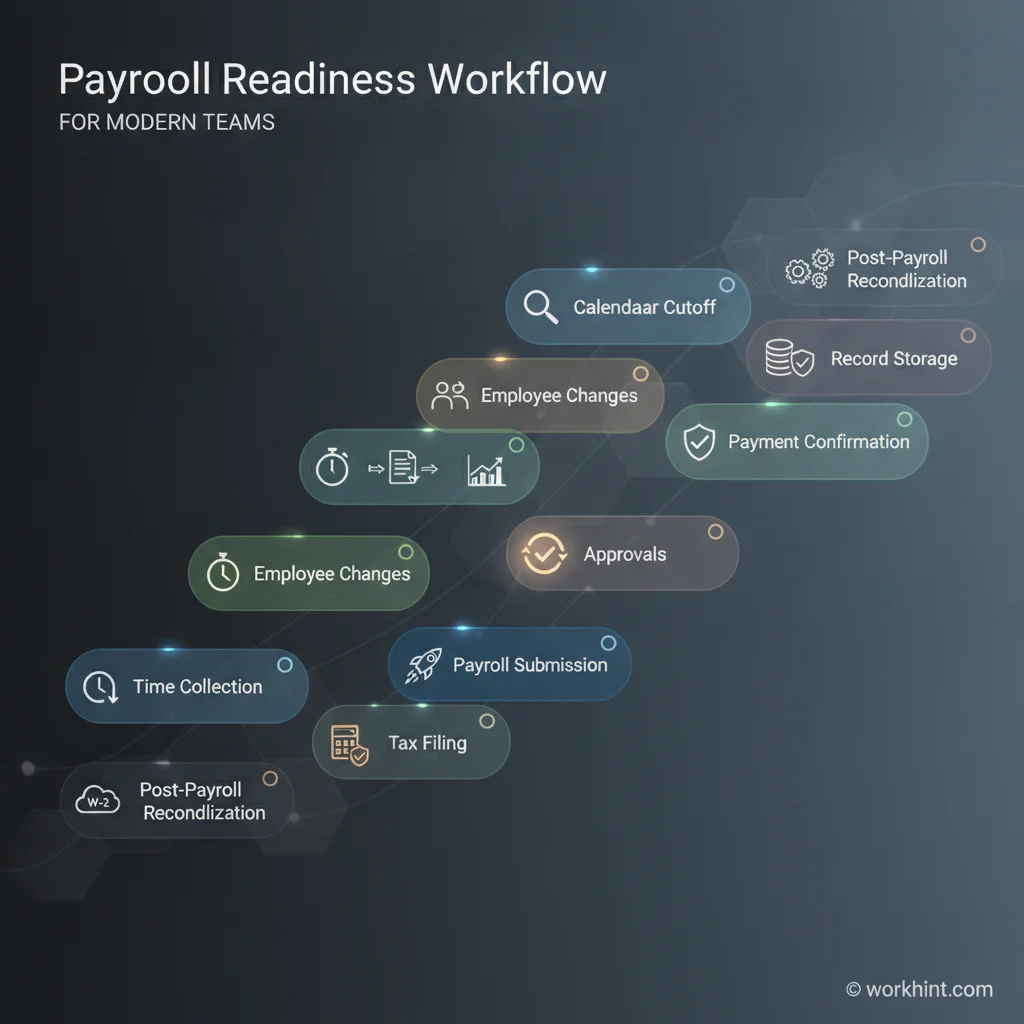
Payroll readiness workflow
- Prepare. Confirm calendar, cutoffs, owners, systems, and reminders.
- Collect. Gather time, employee changes, pay changes, deductions, and approvals.
- Validate. Check missing data, large variances, overtime, final pay, and exceptions.
- Approve. Route manager, HR, payroll, and finance signoff before submission.
- Submit. Process payroll, confirm funding, and verify payment outputs.
- Close. File records, reconcile ledger entries, log corrections, and schedule post-payroll review.
Common mistakes
- Treating payroll as one department’s job. Payroll depends on managers, HR, finance, benefits, and sometimes operations. The checklist should reflect that shared ownership.
- Approving time too late. If managers approve time after payroll calculation, corrections become rushed and error-prone.
- Missing effective dates. Pay changes, deductions, transfers, and terminations should always include the date they apply.
- Skipping variance review. Compare gross pay, net pay, overtime, deductions, and headcount against the prior period before submission.
- Separating records from approvals. Store the payroll register, timesheets, approvals, corrections, and filing confirmations together.
Where Workhint fits
Workhint helps teams turn a payroll checklist into a live operating workflow. A company can use Workhint to collect payroll inputs, assign manager approvals, route exceptions, track missing records, connect HR and finance owners, store evidence, and keep status visible before payroll deadlines.
That matters when payroll depends on distributed teams, hourly workers, contractors, field teams, multiple locations, or several approval layers. Workhint is not a payroll processor; it helps structure the work around payroll so the right inputs, approvals, documents, and handoffs are complete before the payroll system runs.
FAQ
What should a payroll processing checklist include?
It should include payroll calendar dates, employee changes, time and attendance review, deductions, taxes, bonuses, reimbursements, manager approvals, payroll submission, payment confirmation, filings, reconciliation, and record storage.
Who should approve payroll before it is submitted?
At minimum, managers should approve time and exceptions, HR should approve employee changes, payroll should approve calculations, and finance should approve funding and ledger impact. Smaller teams may combine roles but should still keep evidence of review.
How long should payroll records be kept?
U.S. retention rules vary by record type and jurisdiction. As baseline federal references, the IRS says employment tax records should be kept at least four years, while the DOL says payroll records covered by FLSA should be preserved at least three years.
Is this payroll checklist enough for compliance?
No. It is a practical operating template. Payroll compliance depends on your location, worker classifications, wage laws, tax obligations, benefits, and recordkeeping rules. Review it with qualified payroll, tax, HR, and legal advisors.
Conclusion
A strong payroll checklist protects the pay period before errors reach employees, banks, tax agencies, or accounting records. Define the cutoff, collect every change, approve exceptions early, verify calculations, confirm payment outputs, and keep the evidence. The checklist is simple; the discipline is running it the same way every time.
Leave a Reply