


A recruitment plan template turns hiring from a last-minute scramble into a clear operating plan with owners, dates, and tradeoffs.
A recruitment plan template helps a company decide what roles to hire, why those roles matter, when they need to start, how candidates will be sourced, who owns each step, and how progress will be measured. The value is not the document itself. The value is forcing the business, hiring manager, recruiter, finance lead, and operations owner to agree before interviews begin.
This resource is designed for businesses planning new headcount, replacement hiring, seasonal hiring, project-based hiring, or a focused growth push. It is not legal or HR advice. Review hiring practices, compensation, job postings, and candidate communications against applicable law and company policy before use.
What’s included
- A copy-ready recruitment plan template you can adapt for one role, a department, or a hiring wave.
- A role prioritization table for deciding which openings should move first.
- A workflow for approvals, sourcing, interviews, offers, start dates, and first-month success.
- Common mistakes that make recruitment plans look complete but fail in execution.
How to use this recruitment plan template
Start with the business reason for hiring, not the job title. A hiring request should explain what capacity gap, revenue target, customer commitment, compliance need, or operational bottleneck the role supports. SHRM’s recruiting roadmap frames recruiting as an annual planning exercise, not only a requisition-by-requisition activity, which is the right mindset for this template.
Then define the plan at two levels. First, create a hiring portfolio that ranks all open and proposed roles. Second, create a role-level plan for each approved opening. That prevents teams from treating every request as equally urgent.
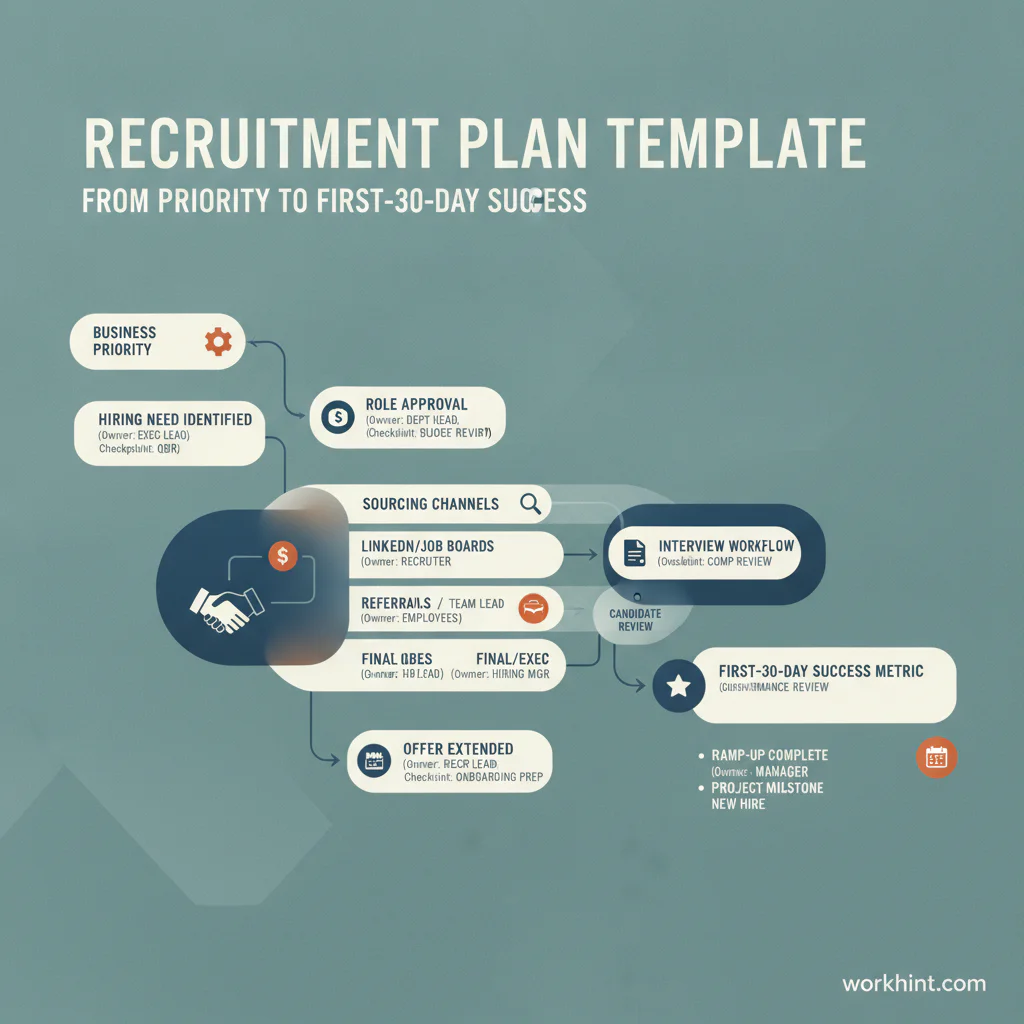
Recruitment plan template
| Section | What to fill in | Owner | Decision needed |
|---|---|---|---|
| Business need | Capacity gap, growth goal, customer promise, risk, or backfill reason | Department lead | Is this role necessary now? |
| Role profile | Title, level, location, employment type, compensation range, must-have skills | Hiring manager | Is the role clear enough to source? |
| Priority | Critical, high, medium, or waitlist, with rationale | Leadership or finance | Does this role outrank other requests? |
| Timeline | Approval date, posting date, interview window, offer target, start target | Recruiter | Is the timeline realistic? |
| Sourcing plan | Job boards, referrals, agencies, outbound, talent pools, internal mobility | Recruiting | Which channels get budget and effort? |
| Selection workflow | Screen, interview stages, work sample, scorecard, debrief, approval | Recruiter and hiring manager | Who decides and by what criteria? |
| Budget | Compensation, recruiting spend, agency fees, tools, relocation, onboarding cost | Finance | Is funding approved? |
| Success metrics | Time to fill, qualified pipeline, acceptance rate, start date, first-30-day outcome | Recruiting operations | How will progress be reviewed? |
Role prioritization table
Use this table when more roles are requested than the company can realistically hire at once. Workday’s hiring strategy guidance emphasizes keeping hiring aligned and focused, which matters most when leaders are competing for the same recruiting capacity.
| Role | Business impact | Urgency | Risk if delayed | Priority |
|---|---|---|---|---|
| [Customer Implementation Manager] | Unblocks signed customers | High | Delayed onboarding and revenue recognition | Critical |
| [Operations Coordinator] | Reduces manager workload | Medium | Manual follow-up continues | High |
| [Brand Designer] | Improves campaign output | Low | Agency spend remains high | Waitlist |
Step-by-step recruitment planning workflow
- Confirm the business need. Ask what breaks, slows down, or gets missed if the role is not filled. If the answer is vague, the opening is not ready.
- Approve the role profile. Define responsibilities, outcomes, must-have qualifications, compensation range, location rules, and reporting line.
- Choose sourcing channels. Match the channel to the role. High-volume hiring may need campaigns and referral pushes. Specialist roles may need outbound sourcing and a longer timeline.
- Design the interview workflow. Limit stages to the evidence needed for the decision. SHRM recruiting guidance highlights the value of involving hiring managers early, because process misalignment wastes candidate and recruiter time.
- Set weekly metrics. Track qualified candidates, screens completed, interview pass-through, offer approval, acceptance rate, and days open.
- Plan onboarding before the offer. The recruitment plan should end with start-date readiness, manager preparation, equipment, access, and first-month outcomes.
Example recruitment plan for a growing operations team
Suppose a company needs to hire three operations coordinators before a new customer launch. The plan should not simply say “hire three coordinators.” It should connect the hires to the customer launch date, define the shift coverage or workload each person will handle, confirm compensation and approval, assign sourcing channels, and specify the first 30 days of productivity.
The Partnership for Public Service strategic recruitment planning template treats recruiting as both workforce planning and project management. That is a useful frame for business teams: each role needs a goal, timeline, owner, dependencies, and progress review cadence.
Common mistakes
- Starting with a title instead of a problem. Titles change. The capacity need is what justifies the hire.
- Approving roles without tradeoffs. If every role is critical, none of them are. Rank openings against business impact.
- Using too many interview stages. Every stage should collect evidence that changes the decision.
- Ignoring manager availability. A recruiter cannot fix a hiring manager who cannot review resumes, interview, or decide.
- Stopping at offer acceptance. Hiring success includes readiness for onboarding, access, training, and early performance outcomes.
Where Workhint fits
A recruitment plan becomes more useful when it becomes a live workflow instead of a static spreadsheet. In Workhint, a team can turn the template into an operating system with role requests, approval steps, budget review, assigned owners, candidate-stage tasks, hiring-manager reminders, onboarding handoffs, and reporting. That is especially useful when hiring involves HR, finance, department leads, IT, operations, and external recruiters. The template defines the plan; Workhint helps the plan move through the business.
FAQ
What should a recruitment plan include?
A recruitment plan should include the business need, approved role profile, hiring priority, timeline, sourcing channels, interview workflow, budget, owners, risks, and success metrics.
Is a recruitment plan the same as a hiring plan?
The terms often overlap. A hiring plan usually focuses on headcount and timing. A recruitment plan goes deeper into how the company will source, assess, select, offer, and onboard candidates.
How far ahead should a recruitment plan look?
For most businesses, a quarterly plan is practical enough to manage while still giving recruiting and finance time to prepare. Annual planning is useful for budget and workforce strategy, but the working plan should be reviewed more often.
Who owns the recruitment plan?
Recruiting or HR usually owns the plan document, but hiring managers own role clarity and decision speed. Finance owns budget approval. Leadership owns prioritization when demand exceeds capacity.
Conclusion
A recruitment plan template gives hiring teams a practical way to connect business demand to roles, budget, sourcing, interviews, and start-date readiness. Use it before opening the role, review it weekly, and treat it as an operating plan rather than a one-time document. The result is a cleaner hiring process, better tradeoffs, and fewer surprises between approval and start date.
Leave a Reply