


A useful risk register does more than list problems. It turns uncertainty into owned work before it damages the plan.
A risk register template helps teams identify what could go wrong, decide how serious each risk is, assign an owner, and track the response. It is useful for projects, launches, client implementations, vendor programs, compliance work, internal operations, and any initiative where delays, cost overruns, security issues, staffing gaps, or dependency failures could affect the outcome.
The idea is simple: do not wait for risks to become issues. Capture them early, score them consistently, and turn the response into visible work. ISO 31000 describes risk management as a structured approach to identifying, analyzing, evaluating, treating, monitoring, and communicating risk. A risk register is the practical working document that makes that discipline usable day to day.
What’s included
- A copy-ready risk register template with the fields most business teams need.
- A simple scoring model for likelihood, impact, and priority.
- An example risk entry you can adapt for projects or operations.
- A workflow for keeping the register current instead of letting it become stale.
- Common mistakes and a short FAQ for managers, operators, and project owners.
How to use this risk register template
Use the template at the start of a project, during planning for a new business process, before a major vendor or customer rollout, and whenever a team is coordinating work across multiple owners. The register should be reviewed during regular operating meetings, not hidden in a project folder.
Start by listing realistic risks, not every imaginable disaster. Focus on risks that could affect time, budget, quality, compliance, security, customer experience, staffing, or delivery. Then assign each risk a clear owner. The owner is not always the person who caused the risk. The owner is the person accountable for monitoring it and moving the response forward.
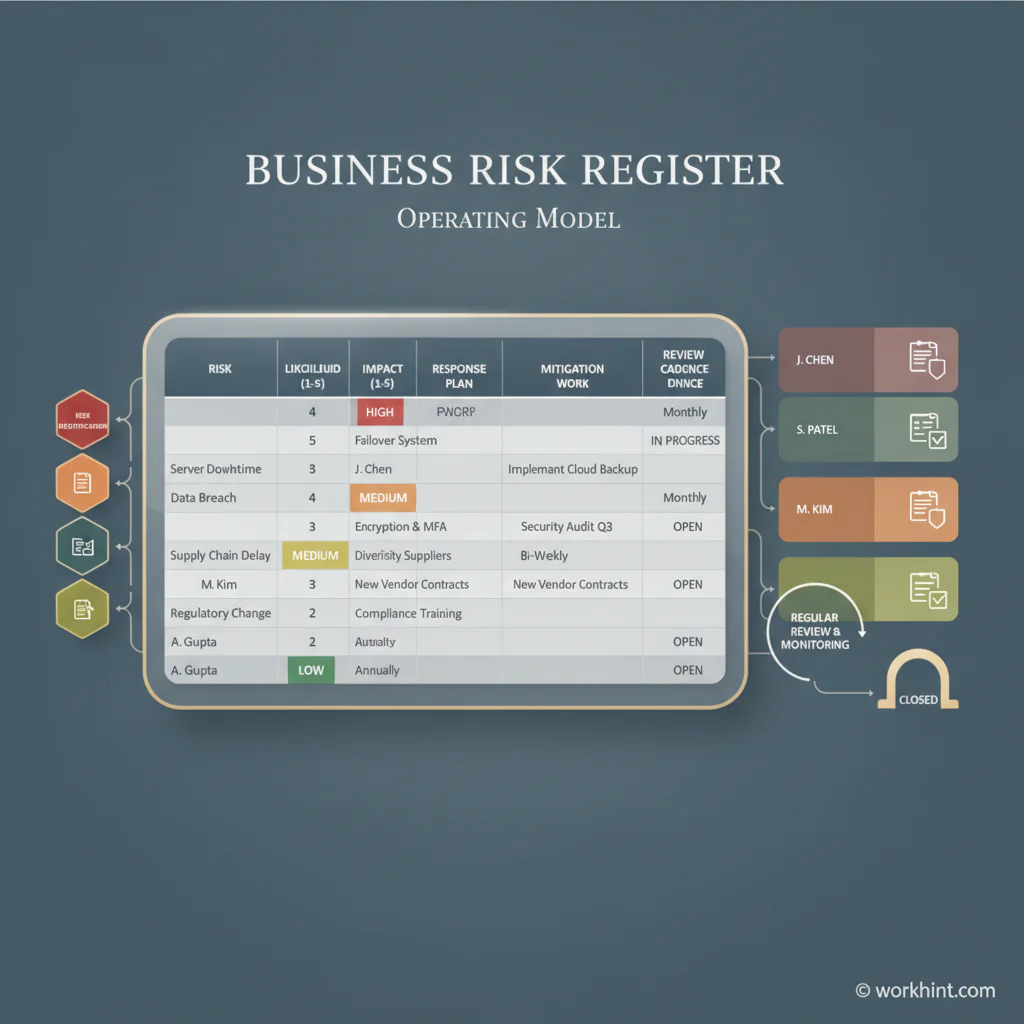
Risk register template
Copy this structure into a spreadsheet, project workspace, or operating system. Keep the fields plain enough that managers and stakeholders will actually update them.
| Field | What to capture | Example |
|---|---|---|
| Risk ID | A short unique label | R-014 |
| Risk description | What might happen and why it matters | Implementation data may arrive late from the client |
| Category | Schedule, budget, quality, compliance, security, vendor, staffing, customer, or operational | Schedule |
| Likelihood | Low, medium, or high probability | Medium |
| Impact | Low, medium, or high effect if it happens | High |
| Priority | The combined urgency based on likelihood and impact | High |
| Owner | The person accountable for tracking and response | Implementation lead |
| Response plan | Avoid, reduce, transfer, accept, or escalate the risk | Request data by Friday, escalate Monday if missing |
| Mitigation tasks | Specific actions, due dates, and blockers | Create fallback test data; schedule client data review |
| Status | Open, monitoring, triggered, closed, or escalated | Monitoring |
Risk scoring guide
Risk scoring should be consistent enough to support decisions, but not so complicated that the team stops updating it. For most business teams, a three-level model is enough.
- Low likelihood: unlikely based on current evidence, but still possible.
- Medium likelihood: plausible, already showing warning signs, or dependent on another team.
- High likelihood: likely to happen without action or already starting to happen.
- Low impact: manageable within the normal team plan.
- Medium impact: may affect timeline, cost, quality, or stakeholder confidence.
- High impact: could materially affect launch, revenue, compliance, security, customers, or delivery.
PMI describes the risk register as a central reporting tool that is updated from identification through response planning and monitoring. That matters because risk priority should change as work changes. A risk that is medium today may become high next week if the owner misses a mitigation deadline.
Example risk register entry
| Field | Example entry |
|---|---|
| Risk description | Two required approval owners are unavailable during the final launch review, which may delay go-live. |
| Category | Schedule and approval |
| Likelihood / impact | Medium likelihood, high impact |
| Owner | Operations lead |
| Response plan | Reduce risk by naming backup approvers, pre-reviewing known open items, and setting an escalation rule. |
| Mitigation tasks | Confirm backups by Tuesday; circulate pre-read by Wednesday; schedule 20-minute decision meeting. |
| Status | Open until backup approvers are confirmed. |
Risk register workflow
- Identify risks with the people closest to the work. Include project owners, operations, finance, legal, security, customer-facing teams, vendors, and delivery leads where relevant.
- Write risks as business statements. Use clear language: what may happen, what causes it, and what outcome it could affect.
- Score likelihood and impact. Keep the scoring model visible so different owners use the same standard.
- Assign one risk owner. Input can be shared, but ownership should not be split.
- Create response tasks. A risk without a response is just a warning label.
- Review on a fixed cadence. Weekly works for active projects. Monthly may work for lower-risk operations.
- Close or escalate clearly. Do not let stale risks sit open after they have been resolved, accepted, or converted into active issues.
Institutional templates from organizations such as UCOP and UNDP show the same operating pattern: risk records need categories, owners, assessment, response, and review. The exact format can vary, but the register must support action.
Common mistakes
- Listing vague risks. “Project delay” is too broad. Name the cause and the affected outcome.
- Skipping owners. If nobody owns the risk, nobody will move the response.
- Confusing risks with issues. A risk might happen. An issue is already happening. Track both, but do not mix their status rules.
- Using scoring theater. A complex numeric model is useless if the team does not update it.
- Failing to connect mitigation to work. Every high-priority risk should create tasks, owners, and due dates.
- Letting the register die after kickoff. Risk management is most useful when the plan changes.
Where Workhint fits
Workhint fits when a risk register needs to become a live workflow instead of a static spreadsheet. A team can use Workhint to collect risks through structured intake, assign risk owners, route escalations, create mitigation tasks, control permissions, attach evidence, track review dates, and connect risk status to the project, vendor, customer, or operating workflow it affects.
That is especially useful when risk work crosses functions. Legal may own contract risk, finance may own budget exposure, security may own access risk, operations may own delivery risk, and an executive may own the final escalation. Workhint helps turn those handoffs into visible assignments and review loops so the register drives work instead of becoming another document to maintain.
FAQ
What is a risk register template?
A risk register template is a structured document for recording risks, likelihood, impact, priority, owners, response plans, mitigation tasks, status, and review dates.
What should a risk register include?
It should include a risk ID, description, category, likelihood, impact, priority, owner, response plan, mitigation tasks, due dates, status, and notes from each review.
Who owns the risk register?
The project manager, operations lead, program owner, or risk manager usually owns the register. Individual risks should also have named owners who are accountable for monitoring and response.
How often should a risk register be updated?
Update it whenever a new risk appears, a risk changes priority, mitigation work is completed, or an issue is triggered. Active projects should usually review the register weekly.
Is a risk register the same as an issue log?
No. A risk register tracks possible future problems. An issue log tracks problems that are already happening. A triggered risk may move into the issue log while still staying connected to its original risk record.
Conclusion
A good risk register template gives the team a practical way to see uncertainty, decide what matters, and act before small risks become expensive problems. Keep the fields simple, assign owners, review the register regularly, and connect every serious risk to mitigation work. The value is not the spreadsheet. The value is the operating habit it creates: risks are visible, owned, reviewed, and handled before they quietly break the plan.
Leave a Reply