


A workback schedule turns a hard deadline into the sequence of decisions and handoffs needed to hit it.
A workback schedule template helps teams plan backward from a final deadline, launch date, event date, delivery date, or go-live. Instead of starting with today’s task list and hoping the project lands on time, the team starts with the required finish date and works backward through milestones, approvals, dependencies, owners, and buffer time.
Use this resource for product launches, marketing campaigns, client implementations, events, hiring projects, compliance rollouts, system migrations, training programs, content releases, and any project where missing the final date creates business risk.
What’s included
- A copy-ready workback schedule template
- A step-by-step method for planning backward from a deadline
- A simple launch example
- Common mistakes that make workback plans unreliable
- FAQ for operations, project, marketing, product, and client delivery teams
How to use a workback schedule
Start with the non-negotiable date. That might be a launch, board meeting, customer onboarding date, event, regulatory deadline, or public announcement. Then define the final deliverable and the conditions that must be true before the project can be considered ready.
Planning and scheduling are connected but not identical. A PMI paper on planning and scheduling describes the project schedule as a model for project control. The practical point: a workback schedule is not just a calendar. It is a control system for decisions, dependencies, and progress.
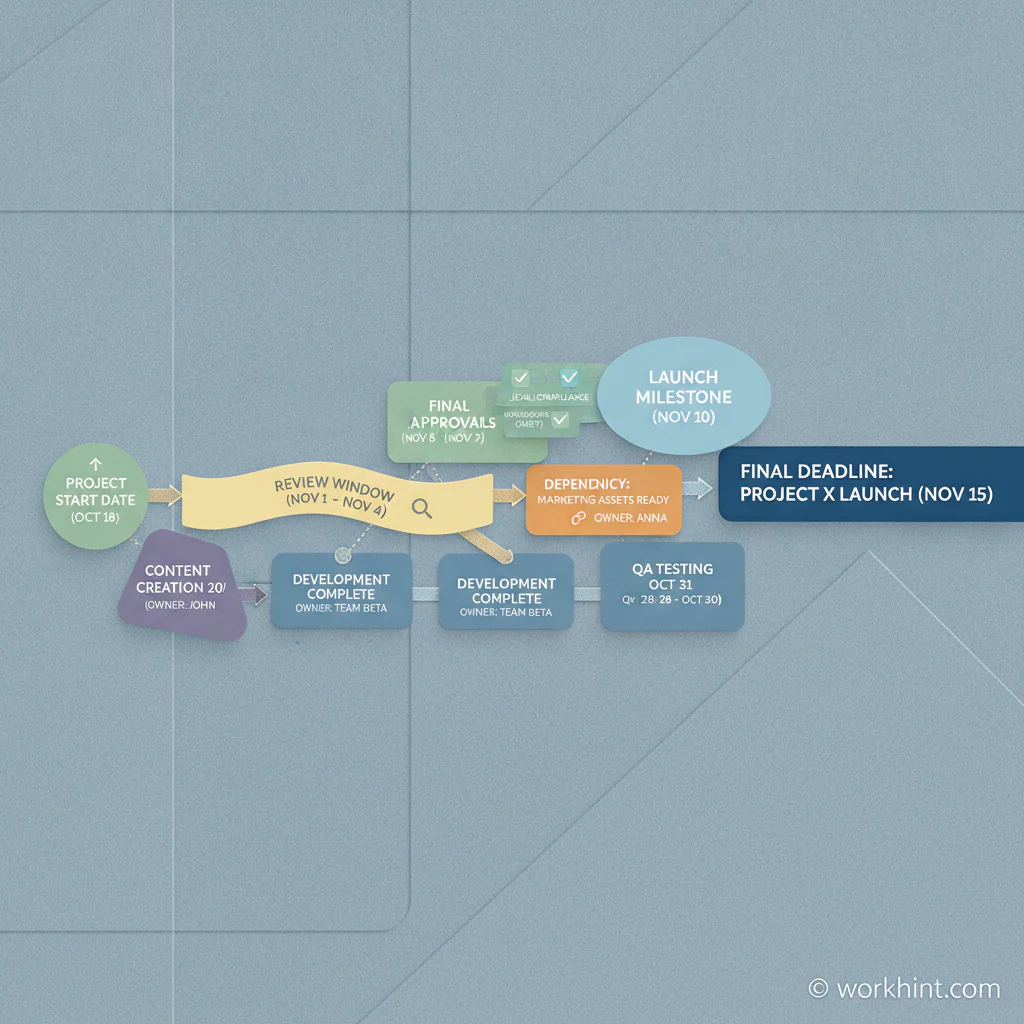
Workback schedule template
| Field | What to capture | Example |
|---|---|---|
| Final deadline | The date the project must be complete | September 30 product launch |
| Final deliverable | The outcome that must be ready | Launch page, email sequence, support docs, billing setup |
| Milestone | A major checkpoint before the deadline | Legal approval, QA complete, customer beta complete |
| Task | The specific work needed to reach the milestone | Draft launch email, configure pricing, test onboarding flow |
| Owner | One accountable person or team | Product marketing, engineering lead, customer success owner |
| Start date | When work must begin to finish on time | August 19 |
| Due date | When the task or milestone must be complete | September 6 |
| Dependency | What must happen before this can move | Copy cannot finalize until pricing is approved |
| Approval | Who must review or sign off | Legal, finance, product, customer success |
| Buffer | Time reserved for review, rework, or risk | Three business days before launch freeze |
| Status | Current state and blocker signal | Not started, in progress, blocked, approved, complete |
Step-by-step workback planning process
- Define the finish line. Write the final date, final deliverable, launch criteria, and the person accountable for the whole schedule.
- List immovable milestones. Include approvals, review meetings, vendor deadlines, production freezes, customer notices, shipping dates, or compliance windows.
- Work backward by dependency. For each milestone, ask what must be completed before it can happen. Keep going until you reach the first task that must start now.
- Add owners before dates feel final. A date without an accountable owner is a placeholder, not a commitment.
- Add review and rework time. Approvals rarely happen instantly. Build in feedback cycles, decision windows, and contingency time.
- Check capacity. Make sure the same person is not assigned to several critical tasks in the same week.
- Review weekly. Update status, blockers, scope changes, and decisions. A workback schedule loses value when it becomes a stale spreadsheet.
Example workback schedule
| Milestone | Owner | Due date | Dependency |
|---|---|---|---|
| Launch assets approved | Marketing lead | September 20 | Final copy, design, and legal review |
| Customer support ready | Support manager | September 18 | FAQ, training, escalation path |
| Billing and access tested | Operations owner | September 13 | Pricing approved and test accounts created |
| Beta feedback closed | Product owner | September 6 | Beta users complete validation tasks |
| Project kickoff | Project lead | August 16 | Scope, owners, milestones, and launch criteria agreed |
What makes the schedule reliable
A reliable schedule has a management rule, not just dates. A PMI paper on schedule management plans explains that teams should define how schedules are developed, maintained, and controlled. In a small business, that can be simple: who updates the schedule, when updates happen, how blockers are escalated, and who can approve deadline changes.
Asana’s project schedule template guidance notes that schedules commonly include tasks, owners, start dates, due dates, milestones, dependencies, and deliverables. A workback schedule uses the same building blocks, but it anchors them to a fixed finish date and plans in reverse.
Common mistakes
- Starting too late. If the backward plan starts after the first task should have begun, the schedule is already at risk.
- Ignoring approvals. Legal, finance, executives, customers, and vendors often create the real timeline.
- Forgetting dependencies. Tasks that look independent may depend on decisions, access, budget, or source material.
- Assigning teams instead of owners. Use one accountable owner for each task or milestone.
- No buffer. Reviews, rework, outages, vacations, and late inputs are normal. Plan for them.
Where Workhint fits
Workhint fits when a workback schedule needs to become a live workflow rather than a spreadsheet. A team can turn this template into role-based assignments, approval steps, dependency tracking, reminder rules, document collection, customer or vendor handoffs, escalation paths, and reporting.
That matters when deadline-driven work crosses product, operations, marketing, finance, legal, customer success, vendors, or contractors. Workhint can help connect the schedule to the people, permissions, decisions, and evidence required to keep the project moving.
FAQ
What is a workback schedule?
A workback schedule is a project plan built backward from a final deadline. It identifies the milestones, tasks, owners, dependencies, approvals, and start dates required to finish on time.
When should you use a workback schedule?
Use one when the final date matters more than the starting date, such as launches, events, implementations, campaigns, compliance deadlines, and customer delivery dates.
What should a workback schedule include?
It should include the final deadline, deliverable, milestones, tasks, owners, start dates, due dates, dependencies, approvals, buffer time, status, and blocker notes.
How is a workback schedule different from a project plan?
A project plan may start from the beginning and sequence work forward. A workback schedule starts from the required finish date and calculates what must happen before then.
Who owns a workback schedule?
One project lead should own the full schedule, while each task or milestone should have its own accountable owner. Shared ownership usually creates missed handoffs.
Conclusion
A workback schedule template helps teams turn a deadline into a practical operating plan. Start with the finish line, identify the milestones, work backward through dependencies, assign owners, build in review time, and keep the schedule alive through weekly control. The value is not the template itself. The value is the clarity it creates before the deadline becomes urgent.
Leave a Reply