


The right contractor system should reduce operational drag without turning flexible workers into employees by process.
Contractor management software helps a business coordinate independent contractors, freelancers, agencies, subcontractors, and other external workers through one repeatable operating process. The buying decision matters because contractor work touches more than task assignment. It can affect onboarding, tax documents, classification review, system access, project approvals, invoices, payment status, performance records, and offboarding.
The need is not theoretical. The Bureau of Labor Statistics tracks alternative work arrangements that include independent contractors, on-call workers, temporary help agency workers, and workers provided by contract firms. For companies, that means external workforce operations are no longer a side process owned by one manager. They are a recurring business system.
What’s in this article?
- What contractor management software should actually manage
- The buying criteria that matter before you compare vendors
- A practical evaluation workflow for operations, legal, IT, finance, and business owners
- Common mistakes that create compliance, security, or payment issues
- Where Workhint fits when the goal is a live contractor operating system
Why contractor management software matters
Many teams start with spreadsheets, shared drives, forms, email, Slack, and accounting software. That works for a few contractors. It breaks when the company has multiple departments requesting help, different approval paths, sensitive systems to protect, insurance or certification requirements, international contractors, and managers asking finance when invoices will be paid.
The right contractor management system gives each stakeholder a clear role. Operations sees who is active. Legal knows which agreement was accepted. IT knows what access was approved. Finance sees payment terms, invoices, and approval status. Managers see assignments and deliverables. Contractors know what to submit, where to work, and how to get paid.
What contractor management software should cover
A strong system should cover the full contractor lifecycle, not just a single slice of it. Use this table to separate a real contractor operating system from a generic project tracker.
| Capability | What to look for | Why it matters |
|---|---|---|
| Intake and approval | Standard request form, budget owner, role, scope, location, start date, and approval rules | Prevents managers from adding contractors without visibility or budget control |
| Onboarding | Document collection, agreement status, tax forms, policies, credentials, and onboarding checklist | Reduces missing paperwork before work starts |
| Compliance support | Classification checkpoints, renewal reminders, audit history, and region-specific fields | Helps teams avoid treating all contractor relationships the same |
| Access control | Role-based permissions, system access requests, expiration dates, and offboarding triggers | Protects company data and reduces forgotten access |
| Work coordination | Assignments, milestones, deliverables, status updates, approvals, and evidence capture | Connects contractor work to accountable business outcomes |
| Payments | Payment terms, invoice submission, manager approval, finance review, and payment status | Prevents contractors from chasing different teams for updates |
| Reporting | Active contractor count, spend, performance, compliance gaps, cycle time, and department usage | Gives leadership visibility into external workforce health |
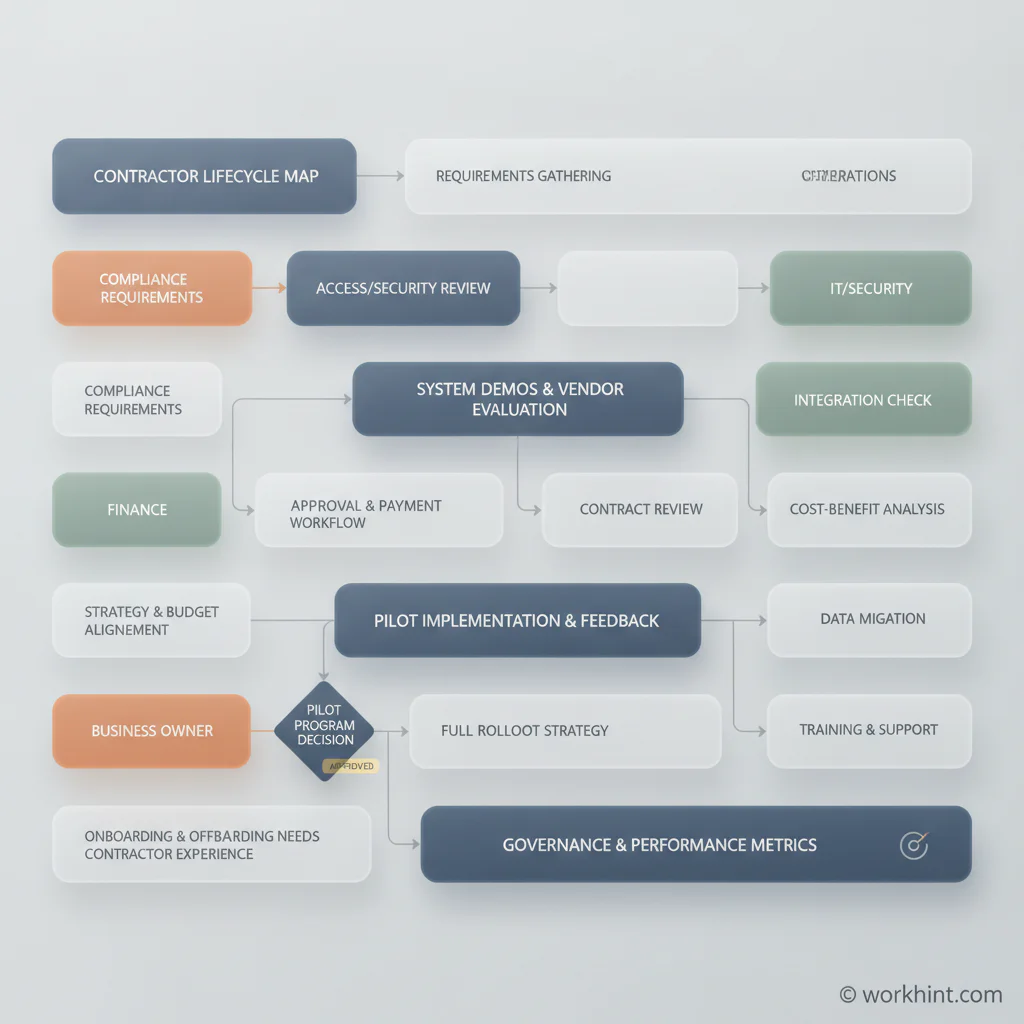
Contractor management software evaluation workflow
Before looking at demos, map the contractor lifecycle inside your business. Start with the first request for a contractor and follow the path through approval, contracting, onboarding, system access, work execution, manager review, invoice approval, payment, renewal, and offboarding. Mark who owns each step today and where work gets stuck.
Next, define the must-have requirements by function. Operations usually cares about intake, status, ownership, and reporting. Legal and HR care about agreement status, worker classification risk, and policy evidence. The U.S. Department of Labor explains that employment relationship analysis under the FLSA looks at economic reality, so classification-sensitive workflows should be reviewed carefully with qualified advisors. Finance cares about payment terms, invoice approvals, tax records, and spend visibility. The IRS outlines forms and associated taxes for independent contractors, including 1099-NEC reporting rules that may apply when businesses pay nonemployees.
Then involve IT and security early. Contractors often need access to documents, communication tools, source files, customer data, job sites, or internal systems. NIST’s cybersecurity supply chain risk management guidance is a useful reminder that third-party access and supplier risk should be managed deliberately, not handled through informal invites that never expire.
After requirements are clear, shortlist systems using a simple test: can the tool manage the relationship, the work, and the controls in one flow? If it only tracks tasks, it may not handle compliance or payment status. If it only stores documents, it may not coordinate active work. If it only pays contractors, it may miss onboarding, access, and performance records.
Buying criteria to use in vendor demos
- Lifecycle fit: Ask vendors to show the exact path from contractor request to offboarding, not only a feature menu.
- Configurable roles: Confirm whether operations, finance, legal, IT, managers, and contractors can each see the right information.
- Approval logic: Test different scenarios such as high-spend contractors, international contractors, agency workers, and renewals.
- Document and evidence handling: Review how agreements, tax forms, insurance certificates, work evidence, and audit history are stored.
- Payment workflow: Check invoice submission, approval routing, payment status, and finance handoff.
- Integrations: Confirm how the system connects to HRIS, identity management, accounting, payroll, project tools, and communication channels.
- Reporting: Look for dashboards that show active contractors, onboarding cycle time, compliance gaps, spend, and overdue approvals.
Common mistakes when choosing a contractor management system
The first mistake is buying for one department. A finance-only tool may not fix onboarding. An HR-only tool may not manage project evidence. A project management tool may not help with contractor agreements, access expiration, or invoice approval. Contractor work crosses functions, so the system has to cross functions too.
The second mistake is treating compliance as a static checklist. Contractor status, work location, data access, insurance, licenses, tax documents, and contract terms can change. A useful system should surface renewal dates, missing documents, access reviews, and approval exceptions before they become operational surprises.
The third mistake is ignoring contractor experience. If contractors have to email three people, upload the same document twice, and ask managers for payment updates, the company looks disorganized. Good contractor management software makes the process clear without adding unnecessary bureaucracy.
Where Workhint fits
Workhint fits when a business needs more than a database of contractors. It helps teams turn the contractor lifecycle into a live work system: intake forms, roles, permissions, onboarding steps, document collection, assignments, approvals, payment status, compliance reminders, dashboards, and automation around the way the company actually works.
For example, a company can map its contractor request process, define who approves budget and access, route onboarding tasks to the contractor and internal owners, assign work to the right manager, collect delivery evidence, trigger invoice approval, and maintain visibility across active external teams. That makes Workhint useful for contractor operations because it connects the process, not just the people list.
FAQ
What is contractor management software?
Contractor management software is a system for managing external workers across onboarding, documents, work coordination, approvals, payments, access, compliance reminders, and reporting.
How is contractor management software different from project management software?
Project management software usually tracks tasks and deadlines. Contractor management software should also manage contractor records, onboarding, compliance evidence, access, invoices, payment status, and offboarding.
Who should own contractor management software?
Ownership depends on the business, but operations often makes the best system owner because contractor work crosses legal, finance, IT, HR, and business teams. Each function should still own its part of the workflow.
Do small businesses need contractor management software?
Small businesses may not need a heavy enterprise platform, but they do need a repeatable contractor process once multiple managers, projects, payments, or access requirements are involved.
Conclusion
Choosing contractor management software is really choosing how your company will run external work. Start with the lifecycle, define cross-functional requirements, test real scenarios, and avoid tools that only solve one department’s problem. The right system gives contractors a clear path to contribute while giving the business control over onboarding, access, approvals, payments, and visibility.
Leave a Reply