


Use this template before laptops, tools, badges, or company devices leave your direct control.
An employee equipment agreement template helps a business document which company property was issued, who is responsible for it, how it may be used, and what must happen when the equipment is returned. It is useful for laptops, phones, tablets, cameras, tools, vehicles, access cards, uniforms, testing devices, and any other property assigned to an employee or contractor.
The goal is not to create a harsh policy. The goal is to remove ambiguity. When HR, IT, operations, finance, and managers use the same agreement, the company can track assets, reduce replacement costs, protect data, and make onboarding and offboarding cleaner.
What This Employee Equipment Agreement Template Includes
This resource includes the core sections most teams need in a practical equipment agreement. It can be copied into a document, form, spreadsheet, HRIS workflow, IT ticket, or operations system.
- Employee and manager details
- Equipment description, serial number, and asset tag
- Checkout date, expected return date, and return trigger
- Condition notes at issue and return
- Permitted use and care responsibilities
- Loss, theft, damage, and reporting expectations
- Security and data handling responsibilities
- Return certification and signature fields
SHRM provides an example agreement focused on returning and caring for company equipment, while Juro frames employee equipment agreements as a way to formalize terms for company-owned tools or devices. For checkout-specific forms, Typeform highlights practical fields such as borrower details, item, serial number, checkout date, expected return date, and signature.
How To Use The Template
Use the agreement every time equipment is assigned to a person for more than short supervised use. That includes new hires, remote employees, field staff, event staff, contractors, temporary workers, and anyone borrowing company property for a project.
Start by recording the asset before it leaves the company. Include the make, model, serial number, asset tag, accessories, software, condition, and photos if condition matters. Then record who approved the assignment, who received the equipment, and where the equipment will be used.
Next, review the care and use expectations with the recipient. For devices that can store business data, include security requirements such as password protection, approved software, prompt reporting of loss or theft, and returning or wiping data according to company instructions. The FTC’s business data security guidance is a useful reminder that companies should limit access to sensitive information and protect data throughout its lifecycle.
Finally, attach the agreement to the person, the asset, and the workflow that issued it. A signed PDF sitting in a shared folder is better than nothing, but it is much stronger when connected to onboarding, access provisioning, IT support, offboarding, and replacement approvals.
Employee Equipment Agreement Template
| Section | Fields To Include | Why It Matters |
|---|---|---|
| Recipient | Name, role, department, email, manager, work location | Connects the asset to an accountable person and manager |
| Equipment | Item type, make, model, serial number, asset tag, accessories | Prevents confusion between similar devices or tools |
| Issue Details | Checkout date, expected return date, project, approval owner | Creates a timeline and reason for the assignment |
| Condition | Condition at issue, known damage, photos, return condition | Reduces disputes about damage or missing parts |
| Use Rules | Business use, prohibited uses, security rules, storage expectations | Clarifies how the equipment may be used |
| Loss Or Damage | Reporting deadline, replacement process, incident contact | Gets problems reported quickly and consistently |
| Return | Return trigger, return location, accessories, data removal steps | Makes offboarding and project closeout easier |
| Acknowledgment | Employee signature, manager approval, date, notes | Confirms the person received and accepted the terms |
Copyable Agreement Language
Equipment issued: The company has issued the employee the equipment listed in this agreement for business use. The equipment remains company property unless otherwise agreed in writing.
Employee responsibility: The employee agrees to use reasonable care, keep the equipment secure, follow company use and security policies, and report loss, theft, damage, or malfunction promptly.
Permitted use: The equipment should be used for authorized company work. Personal use, software installation, transfer, resale, loaning, or modification is not permitted unless approved by the company.
Return requirement: The employee agrees to return the equipment, accessories, and related company materials when employment ends, the project closes, the equipment is replaced, or the company requests return.
Condition review: The company and employee may document condition at checkout and return. Existing damage should be noted before the equipment is issued.
Security: If the equipment stores or accesses company information, the employee agrees to follow company security instructions, including password protection, access controls, approved applications, and immediate reporting if the equipment is lost or compromised.
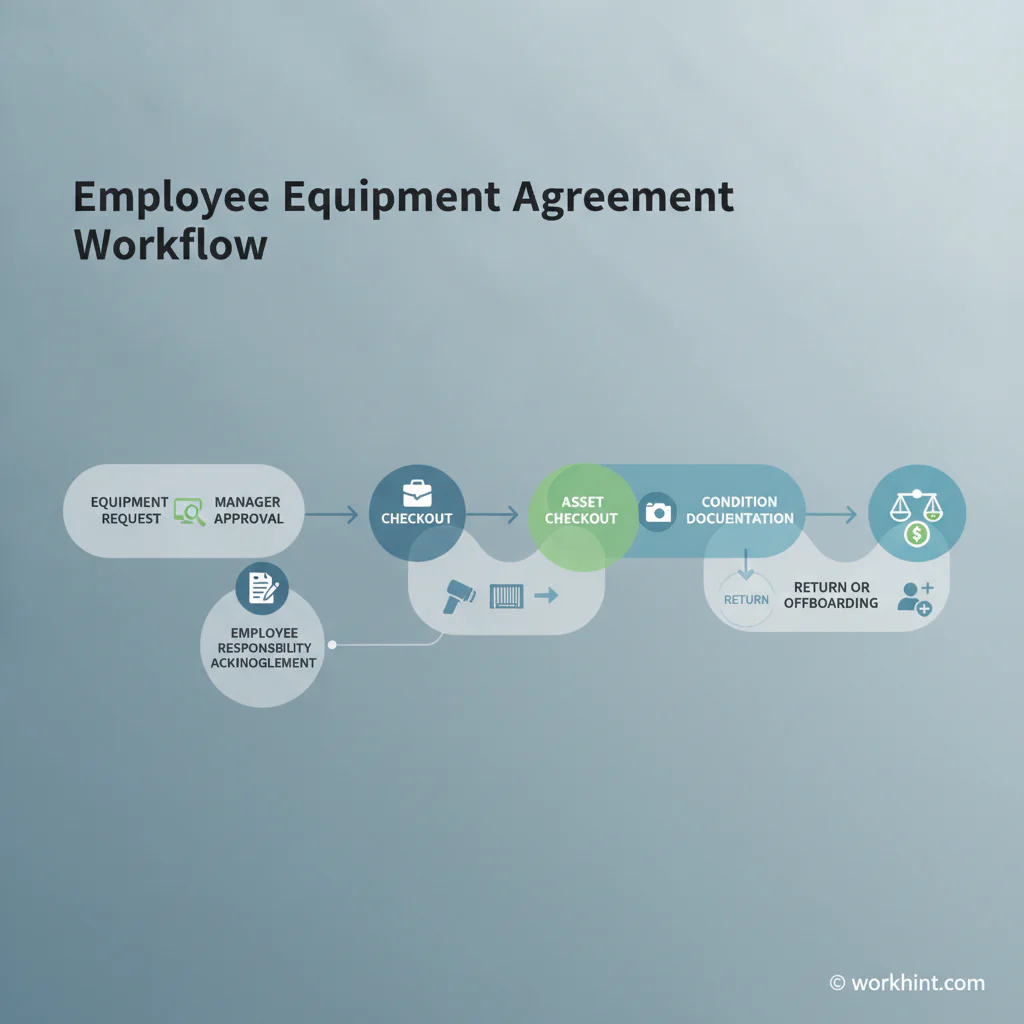
Employee Equipment Agreement Workflow
- Request equipment through HR, IT, facilities, or operations.
- Approve the request based on role, project, location, and budget.
- Record the asset details, serial number, accessories, and condition.
- Review the agreement with the recipient before handoff.
- Capture signature, manager approval, and checkout date.
- Attach the agreement to the employee record and asset record.
- Trigger return review during offboarding, role change, project close, or replacement.
- Document return condition, missing items, repairs, or reconciliation steps.
Common Mistakes To Avoid
The most common mistake is treating the agreement as a one-time document instead of a live control. If nobody updates the asset record when equipment is transferred or returned, the agreement becomes stale quickly.
Another mistake is using vague language without listing the actual asset. Be specific. A laptop, charger, security key, headset, badge, and field device should each be recorded if they must come back.
Teams also forget to connect equipment agreements to offboarding. If the return checklist lives separately from the original checkout record, managers may not know what to recover. The same problem appears with remote workers and field teams when there is no clear return address, shipping process, or condition review.
Where Workhint Fits
Workhint can help turn this equipment agreement into a live workflow instead of a static form. A team can use Workhint to collect the request, route approval to the right manager, assign the asset record, capture acknowledgment, trigger IT or facilities tasks, and connect the agreement to onboarding or offboarding.
That matters when equipment is part of a broader operating process: hiring remote employees, assigning tools to field teams, issuing devices to contractors, tracking access badges, or recovering assets after a project. The template defines the information. Workhint helps digitize, automate, and manage the workflow around that information so the right people see the right steps at the right time.
FAQ
Is an employee equipment agreement legally required?
Not always. Requirements vary by location, employment relationship, equipment type, and company policy. Treat this as an operational template, not legal advice, and have counsel review it when deductions, liability, regulated data, or cross-border employment issues are involved.
Should contractors sign the same equipment agreement?
They can, but the language should match the contractor relationship and the governing services agreement. For contractors, connect the equipment agreement to the statement of work, access permissions, return timeline, and confidentiality obligations.
What equipment should be listed?
List anything the company needs to track or recover: laptops, phones, tablets, tools, vehicles, uniforms, cameras, badges, keys, security devices, monitors, routers, testing hardware, and specialized field equipment.
Can the company charge an employee for damaged equipment?
That depends on local wage, employment, and contract rules. Before including deduction language, get legal and payroll review. Many teams keep the agreement focused on care, reporting, return, and documentation rather than automatic deductions.
Conclusion
An employee equipment agreement works best when it is specific, simple, and connected to the way work actually happens. Record the asset, confirm the recipient, define care and return expectations, and attach the agreement to the workflows that issue and recover company property.
Used well, this template gives HR, IT, operations, and managers a shared record they can trust. That makes onboarding faster, offboarding cleaner, and company property easier to manage across distributed teams.
Leave a Reply