


A termination checklist protects the employee, the company, and the people responsible for closing the loop.
An employee termination checklist gives small businesses a clear way to manage a sensitive transition without missing pay, benefits, access, documentation, or communication steps. It is not a substitute for legal advice, and termination rules can vary by state, industry, employee agreement, and company size. Use this as an operating template, then have HR or counsel review the parts that affect final pay, leave, benefits, severance, layoffs, discrimination risk, and records.
The goal is simple: every termination should have a reason documented, a decision owner, a meeting plan, final pay routed, benefits reviewed, company access closed, property returned, and the employee file updated.
What’s included
- A practical employee termination checklist template
- Timing and ownership guidance for HR, payroll, IT, benefits, and managers
- Compliance-sensitive items to verify before the termination meeting
- Common mistakes that create operational or legal risk
- A simple way to turn the checklist into a repeatable workflow
How to use this employee termination checklist
Start by identifying the termination type: resignation, performance termination, layoff, role elimination, misconduct, retirement, or end of assignment. The process changes based on whether the employee leaves voluntarily, whether the company initiated the separation, whether benefits are involved, and whether the action is part of a larger reduction.
Next, assign an owner for each step. HR usually owns documentation and employee communication. Payroll owns final pay and deductions. IT owns system access and devices. The manager owns handoff, work transition, and team communication. Benefits or an administrator owns coverage changes and COBRA where applicable.
Keep the process factual and consistent. The EEOC’s small business guidance on creating employee policies notes that clear policies, distribution, updates, and consistent enforcement can help employees understand expectations and reduce discrimination-related problems. That same discipline applies when someone leaves.
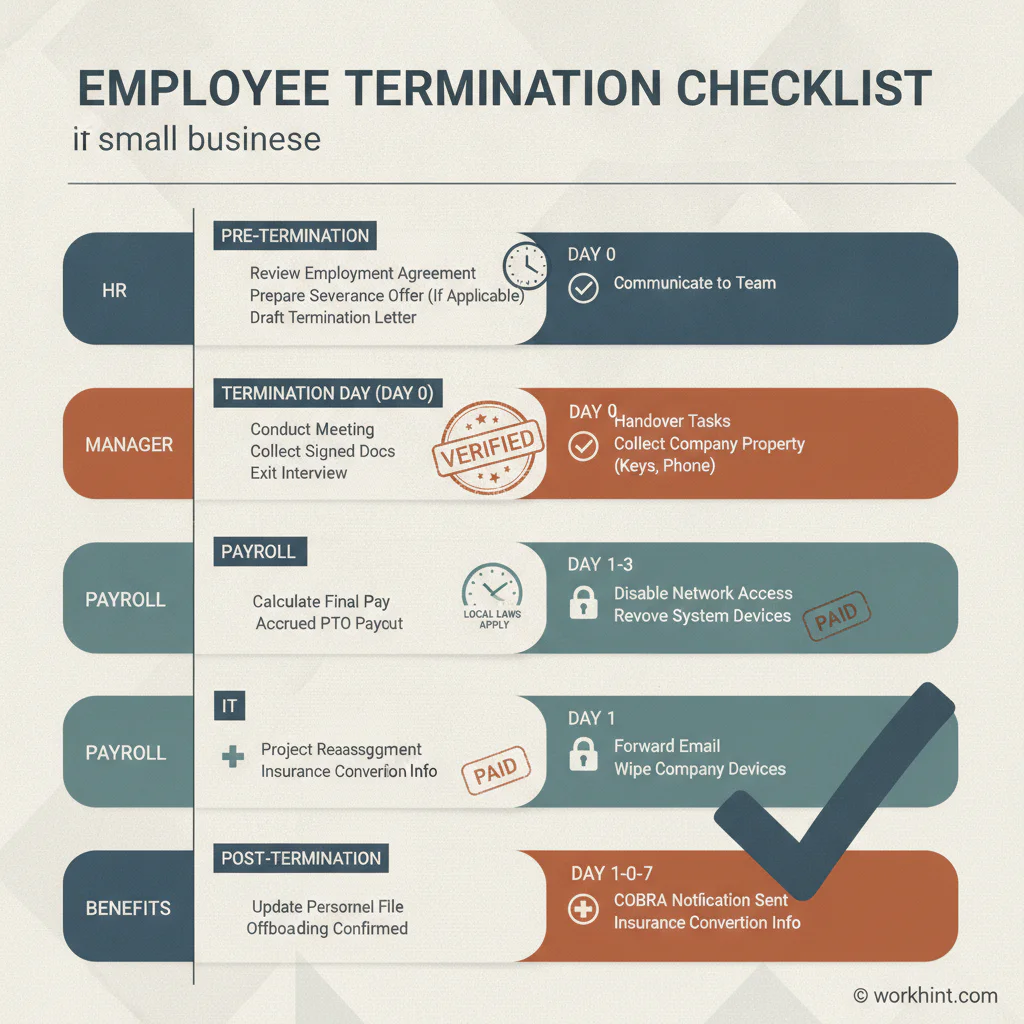
Employee termination checklist template
| Step | Owner | Timing | Record to save |
|---|---|---|---|
| Confirm termination type, reason, effective date, and decision approver | HR / manager | Before meeting | Decision note and approval record |
| Review policy, employment agreement, leave status, protected activity, and prior documentation | HR / legal | Before meeting | Policy review checklist |
| Prepare termination letter, severance documents if any, and benefits information | HR | Before meeting | Final document packet |
| Calculate final pay, earned wages, deductions, commissions, bonuses, and unused PTO if applicable | Payroll | Before final pay deadline | Payroll calculation record |
| Plan access removal for email, payroll, HRIS, finance, code, CRM, files, devices, shared passwords, and facilities | IT / operations | Same day | Access removal log |
| Hold termination or resignation closeout meeting and explain next steps clearly | HR / manager | Effective date | Meeting note |
| Collect equipment, badges, keys, cards, documents, and company files | IT / operations | Last day or agreed return date | Property return confirmation |
| Update benefits, COBRA workflow if applicable, unemployment response process, org chart, and personnel file | HR / benefits | After meeting | Benefits and file update record |
Before the termination meeting
Do not walk into the meeting with only a script. Verify the basis for the decision, the relevant policy, the employee’s status, and any prior performance or conduct documentation. If the employee recently reported harassment, requested accommodation, took protected leave, or raised a wage concern, pause for HR or legal review.
Payroll should verify final pay requirements before the meeting. The U.S. Department of Labor’s FLSA recordkeeping fact sheet explains that covered employers must keep accurate wage and hour records for non-exempt workers and preserve payroll records. State final-pay timing and PTO payout rules may be stricter than federal rules, so check the employee’s work state before promising a date.
If health benefits are involved, confirm who will trigger the continuation coverage workflow. The DOL’s employer guide to COBRA explains that termination of employment or reduced hours can be qualifying events for covered plans and that notices have specific timing rules. Small employers should also check state continuation coverage rules.
During and after the meeting
Keep the meeting short, factual, and respectful. State the decision, effective date, final pay process, benefits next steps, property return process, and who to contact with questions. Avoid debate. If severance is offered, explain the review process and deadline without pressuring the employee to sign on the spot.
After the meeting, close access in the order of risk. For involuntary terminations, email, identity provider, file storage, finance tools, customer systems, code repositories, HRIS, messaging, VPN, and physical access should be removed immediately or at the planned time. Shared passwords should be rotated.
If the separation is part of a larger layoff, check whether the WARN Act or state mini-WARN laws apply. The DOL’s WARN Act compliance assistance describes federal advance notice rules for certain plant closings and mass layoffs. Do not rely on a generic checklist for a reduction in force without legal review.
Example small business termination workflow
For a performance-based termination at a 40-person company, HR reviews the policy, prior coaching notes, performance plan, leave status, and any accommodation history. Payroll calculates wages and final payment timing. IT prepares same-day access removal. The manager drafts handoff notes.
On the effective date, HR and the manager meet with the employee, provide the written notice, explain pay and benefits, collect company property, and confirm where personal documents will be sent. IT removes access once the meeting begins. Afterward, HR updates the file, benefits records, org chart, and unemployment response folder.
Common mistakes
- Waiting until after the meeting to involve payroll. Final pay timing can be state-specific, and a missed deadline creates avoidable risk.
- Treating access removal as one task. Most employees touch many systems. List each account, device, shared folder, password, and physical credential.
- Overexplaining the decision publicly. Team communication should cover coverage, responsibilities, and transition plans, not private employment details.
- Forgetting benefits and documents after the employee leaves. COBRA, tax forms, severance deadlines, unemployment claims, and file retention still need owners.
- Using the same process for every separation. A resignation, misconduct termination, layoff, retirement, and job abandonment case need different steps.
Where Workhint fits
Workhint helps organizations turn an employee termination checklist into a live workflow instead of a static document. A team can define the termination type, route HR and legal review, assign payroll tasks, trigger IT access removal, collect property return evidence, manage benefits follow-up, and keep a complete record of what happened. For teams turning repeatable resources into operating processes, workflow automation software can connect intake, routing, approvals, handoffs, reminders, and status tracking.
That matters because termination work crosses departments. Workhint can connect owners, permissions, documents, approvals, deadlines, status updates, and reporting without exposing private employee details to people who should not see them.
FAQ
What should an employee termination checklist include?
It should include the termination reason, effective date, decision approval, policy review, termination letter, final pay, benefits review, unemployment process, access removal, equipment return, handoff plan, team communication, and personnel file updates.
Do small businesses need a termination checklist?
Yes. Small businesses often have fewer specialists, which makes a checklist more important. The same person may coordinate HR, payroll, benefits, IT, and manager communication, so a documented workflow reduces missed steps.
When should access be removed?
For involuntary terminations, access is usually removed during or immediately after the termination meeting. For voluntary resignations, access may remain until the last working day, but high-risk systems should still have a planned removal time.
Should the checklist be different for layoffs?
Yes. Layoffs may involve severance, selection criteria, group communication, benefits coordination, WARN or mini-WARN review, and additional legal checks. Use a layoff-specific process for reductions in force.
Conclusion
An employee termination checklist makes a difficult process operationally clear. Before the meeting, verify the decision, documents, pay, benefits, and access plan. During the meeting, communicate respectfully and factually. After the meeting, close systems, update records, route benefits, collect property, and confirm handoffs. The best checklist creates a consistent record that protects the employee, the company, and the people managing the transition.
Leave a Reply