


A workflow management system is not a tool choice. It is the operating design that makes repeatable work visible and controllable.
A workflow management system gives a team a consistent way to receive, route, complete, measure, and improve work. Without one, work lives in scattered messages, personal spreadsheets, meeting notes, and disconnected boards. People may stay busy, but the business cannot reliably see what is waiting, who owns it, why it is delayed, or which steps should change.
The search results for workflow management often lead straight to software lists. Software matters, but the operating model comes first. IBM describes business process management as a discipline for discovering, modeling, analyzing, measuring, improving, and optimizing processes. The same logic applies here: make the path of work explicit before automation is layered on top.
What’s in this article?
- What a workflow management system should include.
- How to design intake, ownership, statuses, rules, and metrics.
- Where automation and AI should help without removing accountability.
- How Workhint fits when the workflow needs to become a live operating system.
Why a workflow management system matters
Most workflow problems are not caused by lazy teams. They happen because the system around the work is incomplete. A request arrives without required information. A task changes hands without an owner. Approval waits because no one knows the decision rule.
Atlassian defines workflow management around arranging tasks and processes so work moves more efficiently. ISO’s process approach also emphasizes understanding processes as an integrated system, not isolated activities. That is the useful mindset: build the workflow so inputs, steps, roles, outputs, controls, and measures are connected.
Start with the repeatable work
Do not begin by mapping every activity in the company. Pick one workflow that happens often, crosses more than one person, and creates business risk when it stalls. Good candidates include client onboarding, internal requests, vendor approvals, content production, hiring steps, invoice review, field work dispatch, compliance checks, or product change requests.
Define the workflow in plain terms: what starts it, what finished means, who depends on the output, and what failure looks like. If the work is repeated with recognizable states and decision rules, it belongs in a workflow management system.
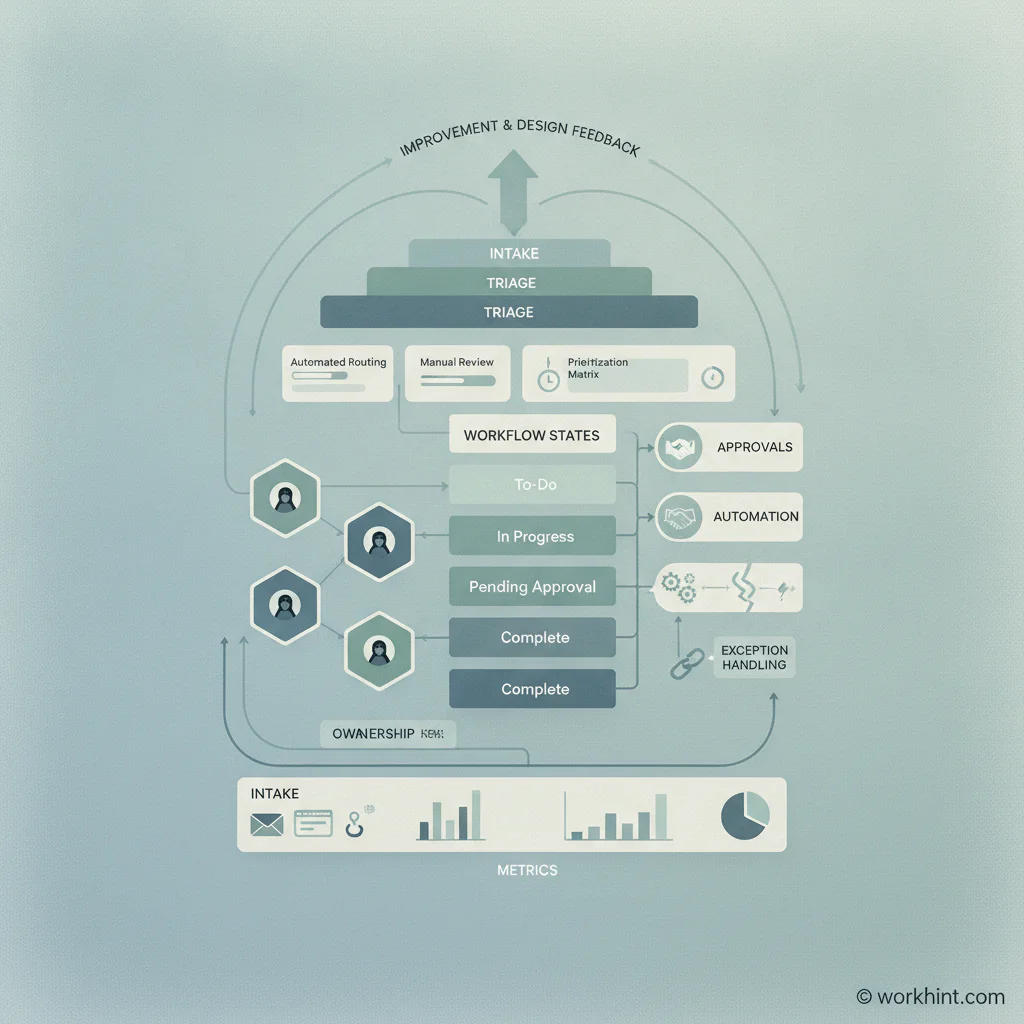
Build the workflow management system in layers
| Layer | Design question | What to define |
|---|---|---|
| Intake | How does work enter the system? | Request form, required fields, priority, requester, due date, attachments. |
| Ownership | Who is accountable at each step? | Primary owner, backup owner, approver, reviewer, requester, escalation path. |
| States | Where can work be? | New, triage, blocked, in progress, review, approved, done, rejected. |
| Rules | What determines the next move? | Routing logic, spending thresholds, service levels, exceptions, required evidence. |
| Metrics | How will the workflow be managed? | Volume, cycle time, aging work, blocked work, rework, approval time, throughput. |
This layered view keeps the design practical. A workflow with a clean status board but no intake rules will create rework. Automation without decision rights only moves confusion faster. Owners without metrics leave management dependent on memory.
Design intake before execution
Intake is the front door of the system. It determines whether work arrives complete enough to route. For each workflow, decide which fields are required, which requests are out of scope, who can submit work, and what information is needed before the clock starts.
For example, an internal design request might require business goal, audience, deadline, channel, approver, asset size, source materials, and launch dependency. If those fields are required, the system can route the request, calculate priority, and expose missing information immediately.
Define ownership and decision rights
A workflow management system should make ownership visible at the work-item level. Every item needs one accountable owner, even if many people contribute. Approvers and reviewers should be named separately so the team does not confuse advice with authority.
Decision rights are especially important in cross-functional work. Define who can approve, reject, request changes, escalate, or bypass a step. Also define boundary conditions such as budget limits, risk thresholds, customer impact, compliance requirements, or timeline constraints.
Use statuses that describe real control points
Status names should reflect meaningful states, not vague activity. “Working on it” is less useful than “In review,” “Waiting on requester,” or “Blocked by legal.” A good status tells the next person what is true and what action is needed.
Keep the status model tight. Too few states hide bottlenecks. Too many states make the system hard to use. Start with new, triage, in progress, waiting, review, approved, done, and canceled. Add specialized states only when they change ownership, service level, reporting, or automation.
Add automation carefully
Automation should remove predictable manual effort, not hide weak process design. Useful automations include assigning work by category, notifying approvers, enforcing required fields, moving stale items into escalation, creating recurring tasks, updating dashboards, or syncing records across systems.
AI can help summarize requests, classify work, draft responses, recommend next steps, or spot bottlenecks. For consequential decisions, follow the spirit of the NIST AI Risk Management Framework: define the risk, monitor outputs, and keep human accountability where quality, fairness, security, or compliance matters. The goal is faster execution with clearer control, not blind delegation.
Measure the workflow as a system
Once the workflow is live, manage it with a small set of metrics. Track volume, cycle time, waiting time, rework, and exception categories.
A weekly review should ask four questions: what is aging, what is blocked, what rule is unclear, and what step should be redesigned? This creates continuous improvement without turning every workflow issue into a large transformation project.
Common mistakes to avoid
- Buying software before defining the operating model. The tool will reflect the confusion already present in the process.
- Using status updates as a substitute for ownership. A task can be updated frequently and still lack an accountable owner.
- Automating exceptions too early. First understand why exceptions happen and which ones should be prevented.
- Measuring only completion. Completion hides waiting time, rework, priority conflicts, and approval delays.
- Letting every team customize everything. Local flexibility is useful, but shared reporting requires common definitions.
Where Workhint fits
Workhint fits when the workflow design needs to become a working system, not another document. A team can describe the operational challenge, then use Workhint to shape intake, roles, permissions, assignments, approvals, documents, schedules, automations, dashboards, and reporting around that work.
For a workflow management system, the design layers can become live structure: request forms, role-based access, owners, status flows, approval rules, escalation paths, AI-assisted steps, and operational views. Workhint is most useful when the workflow spans people, tools, decisions, and recurring execution.
FAQ
What is a workflow management system?
A workflow management system is the structure a team uses to intake, route, execute, monitor, and improve repeatable work. It includes software, roles, rules, statuses, metrics, and governance.
How is workflow management different from project management?
Workflow management is best for repeatable work with known steps and decision rules. Project management is better for temporary efforts with unique plans and deliverables.
What should you build before choosing workflow software?
Define the workflow trigger, required intake fields, ownership model, status path, approval rules, exception handling, and metrics. Software selection is easier once those requirements are clear.
When should AI be used in workflow management?
Use AI for classification, summaries, recommendations, drafting, routing support, and pattern detection. Keep human review for high-risk decisions, customer-impacting actions, compliance-sensitive work, and anything where the business needs clear accountability.
Conclusion
An effective workflow management system makes work easier to run because it makes the system around the work explicit. Start with one repeatable workflow. Define intake, ownership, states, rules, exceptions, automation, and metrics. Then improve it as real work exposes friction. The result is not just cleaner task tracking. It is a scalable operating system for how the business gets work done.
Leave a Reply