


Cross-functional collaboration improves when teams stop relying on good intentions and start working through a shared system.
Cross-functional collaboration is the way people from different teams, roles, or departments work together toward a shared outcome. In practice, it is not just “better communication.” It is the operating system that defines what outcome matters, who owns each part of the work, how decisions are made, where handoffs happen, and how progress is measured.
The problem is that many companies treat cross-functional work as a meeting problem. They add syncs, channels, dashboards, or status docs, but the work still slows because the system underneath is unclear.
What’s in this article?
- The operating model behind effective cross-functional work.
- A practical workflow for designing collaboration across teams.
- A checklist you can use to audit an existing collaboration system.
- Common mistakes that create silos, rework, and slow decisions.
- Where Workhint fits.
Why cross-functional collaboration matters
Cross-functional collaboration matters because most important work no longer fits inside one department. Launching a customer program, approving a vendor, resolving a service issue, or rolling out a new internal process usually requires several teams to act in sequence.
The University of Minnesota’s overview of cross-functional collaboration points to a common challenge: departments often have different priorities, language, and assumptions. That is why collaboration cannot depend only on goodwill. Teams need a shared structure that makes the work visible and gives each function a clear role.
A useful collaboration system reduces four operational costs: waiting, rework, unclear decisions, and missed context. If those costs are not designed out of the workflow, people ask the same questions, chase the same approvals, and escalate the same blockers.
The core system behind cross-functional collaboration
Strong collaboration has seven parts:
| System element | What it answers | Operational example |
|---|---|---|
| Shared outcome | What result are we trying to produce? | Launch vendor onboarding in under five business days |
| Intake | How does work enter the system? | Standard request form with required vendor, risk, and budget details |
| Owners | Who is accountable for each stage? | Operations owns intake, legal owns contract review, finance owns payment setup |
| Decision rights | Who can approve, reject, or escalate? | Finance can approve under threshold; CFO approves exceptions |
| Handoffs | What information moves between teams? | Risk score, contract status, payment terms, onboarding checklist |
| Rhythm | When is progress reviewed? | Weekly review of blocked requests and aging items |
| Metrics | How do we know the system works? | Cycle time, rework rate, SLA misses, blocked items, customer impact |
Miro describes cross-functional flowcharts, often called swimlane diagrams, as a way to show how a process moves across teams, roles, or departments. That model reveals unclear ownership, repeated approvals, orphaned tasks, and handoffs where context disappears.
How to improve cross-functional collaboration
Use this workflow when a cross-functional process is slow, confusing, or too dependent on a few people.
- Name the shared outcome. Define the result in business terms. “Improve collaboration” is too vague. “Approve partner requests within three business days” is specific enough to design around.
- Map the current path. List every step from trigger to completion. Include shadow work: side messages, manual spreadsheet updates, informal approvals, and follow-up reminders.
- Identify every team boundary. Mark where the work crosses from one team to another. Each boundary needs a handoff rule and receiving owner.
- Assign one accountable owner per stage. Many people can contribute, but each stage needs one person or role responsible for moving it forward.
- Define decisions separately from tasks. A task asks someone to do work. A decision gives someone authority. If those are blurred, work waits for consensus.
- Create a communication rhythm. Decide what gets handled asynchronously, what requires live review, and what triggers escalation.
- Connect the tools. Forms, docs, calendars, CRM records, finance tools, dashboards, and automation should support the workflow instead of becoming separate places to reconcile.
- Measure the friction. Track cycle time, blocked items, rework, SLA misses, and handoff delays. Collaboration improves when teams can see where work actually slows.
- Review and refine. Schedule a review for high-volume processes. Update owners, fields, rules, and metrics as the work changes.
Slack’s guidance on cross-functional teams emphasizes the need to communicate the “why” so people understand how their work connects to company goals. Purpose aligns attention; system design keeps the work moving.
Cross-functional collaboration system checklist
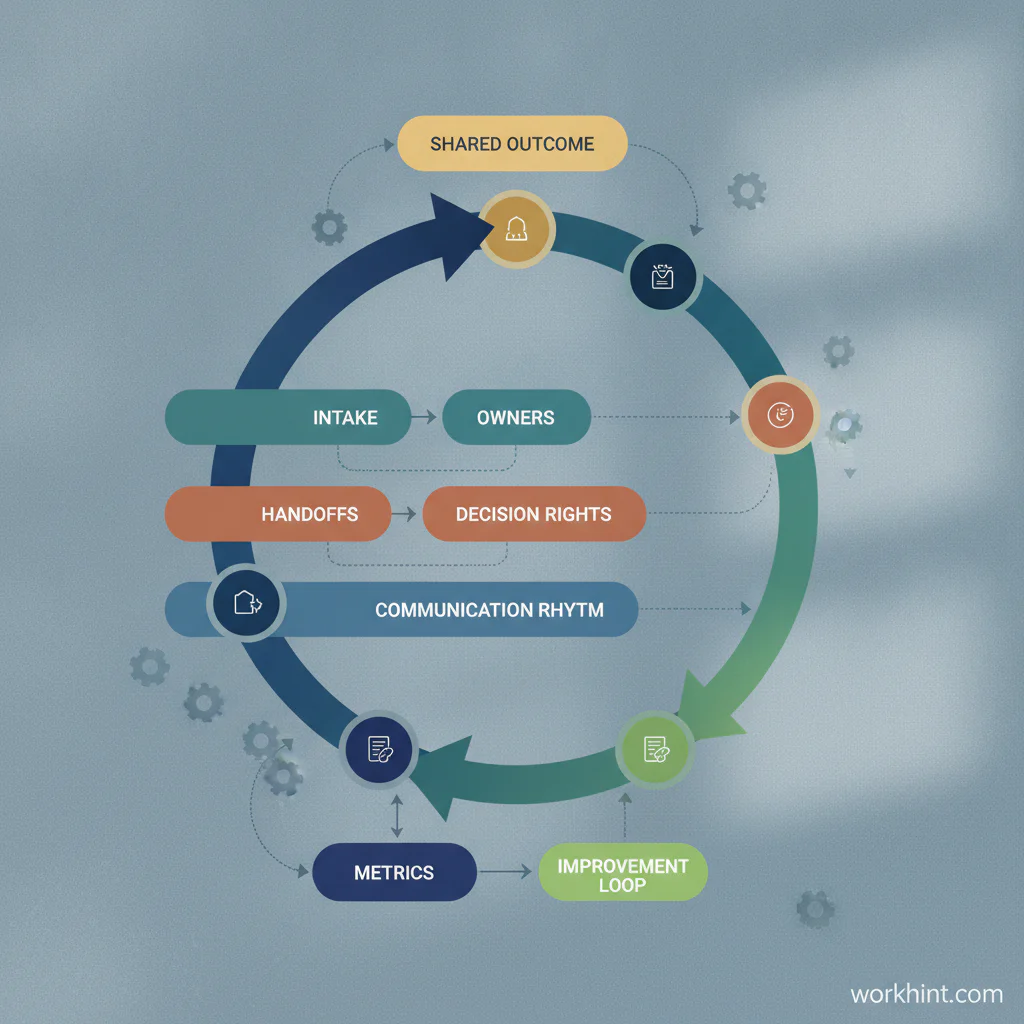
Use this checklist before adding more meetings or tools:
- The outcome is written in measurable business language.
- The process has a clear trigger and end state.
- Each stage has one accountable owner.
- Every handoff includes required context and a receiving owner.
- Decision rights are documented separately from task ownership.
- Escalation rules say when a blocker moves up and who receives it.
- Teams share one source of truth for status, evidence, and next steps.
- Metrics show cycle time, blocked work, rework, and aging items.
- The process has a review owner who updates it when conditions change.
Camunda’s process orchestration guidance highlights shared vision, stakeholder alignment, and outcome clarity. Once the outcome is clear, the next job is to turn it into a repeatable path across systems and teams.
Common mistakes
- Confusing visibility with ownership. A dashboard can show status, but it cannot own the next action.
- Letting every function optimize locally. A team can hit its own metric while slowing the overall process.
- Skipping handoff rules. Most cross-functional failures happen between teams, not inside them.
- Using meetings as the workflow. Meetings can review work, but they should not be the only place work moves.
- Over-automating too early. Automating a broken process makes confusion move faster. Map owners, decisions, and exceptions first.
- Ignoring exceptions. If risk, urgency, budget, or customer impact changes the path, define the exception route before it appears.
Where Workhint fits
Workhint fits when cross-functional collaboration needs to become a live operating system. A team can describe the workflow, then structure the users, roles, intake fields, permissions, assignments, approvals, dashboards, reminders, documents, and automations to run it.
For example, a partner onboarding workflow can become a Workhint system where sales submits the request, operations checks details, legal reviews terms, finance validates payment setup, customer success prepares the handoff, and leadership sees bottlenecks by stage. The point is to make the collaboration system explicit enough that people can trust it, improve it, and scale it.
FAQ
What is cross-functional collaboration?
Cross-functional collaboration is the practice of people from different teams or departments working together toward a shared business outcome. In operations, it works best when the workflow, owners, decisions, handoffs, and metrics are clearly defined.
How do you improve cross-functional collaboration?
Start by defining the shared outcome, mapping the current workflow, assigning owners, documenting decision rights, clarifying handoffs, setting a communication rhythm, and measuring where work gets blocked or repeated.
What causes cross-functional collaboration to fail?
Common causes include unclear ownership, conflicting team priorities, missing handoff rules, scattered tools, undefined decision authority, too many meetings, and no shared source of truth for status or context.
What metrics should cross-functional teams track?
Useful metrics include cycle time, handoff delay, blocked work, rework rate, SLA misses, decision latency, aging items, customer impact, and the number of exceptions that require escalation.
What is the difference between collaboration and a collaboration system?
Collaboration is people working together. A collaboration system is the repeatable structure that helps them do it reliably: intake, roles, workflows, decisions, communication rules, tools, and measurement.
Conclusion
Cross-functional collaboration becomes scalable when it is designed as a system. Shared goals matter, but they are not enough. Teams also need clear owners, decision rights, handoff rules, operating rhythms, connected tools, and metrics that show whether work is moving or stalling.
Start with one workflow that repeatedly slows down across departments. Map it, assign ownership, define the decision points, clarify the handoffs, and measure the friction. That is how collaboration moves from personality-dependent coordination to a work system the business can rely on.
Leave a Reply