


Use this checklist to move new customers from signed agreement to first value without scattered handoffs or missing setup steps.
A customer onboarding checklist gives your team a repeatable way to welcome a new customer, collect the right information, configure the service, align stakeholders, and confirm early success. It is most useful for B2B services, SaaS implementations, agencies, consultancies, and operations teams where onboarding depends on multiple people doing work in the right order.
The goal is to prevent the common problems that slow down new accounts: unclear ownership, missing access, delayed kickoff calls, duplicated intake questions, vague success criteria, and handoffs that disappear between sales, implementation, support, finance, and the customer. Salesforce defines customer service as support before and after purchase, and onboarding is one of the first places that support becomes visible to the customer.
What’s included
- A copy-ready customer onboarding checklist template
- A practical 30-day onboarding workflow for B2B teams
- Fields to capture owners, deadlines, customer dependencies, and status
- A simple handoff model for sales, implementation, finance, and support
- Common mistakes that create churn risk before the customer sees value
How to use this customer onboarding checklist
Use the checklist as the operating record for every new customer. Start it as soon as the agreement is signed or the customer verbally commits. Assign one internal onboarding owner, even if several teams contribute. That owner does not need to do every task, but they must keep the account moving and make dependencies visible.
Do not treat every customer the same. A low-complexity account may only need a welcome email, access setup, one kickoff, and a first-success check. A complex account may require legal documents, finance setup, security review, data migration, role mapping, admin training, and phased rollout. HubSpot’s customer onboarding templates group onboarding around handoff, intake, kickoff, timeline, training, and customer resources.
Before sending the checklist to a customer, remove internal-only fields. Customers should see what they need to do, what your team is doing, who owns each step, and when the next milestone happens.
Customer Onboarding Checklist Template
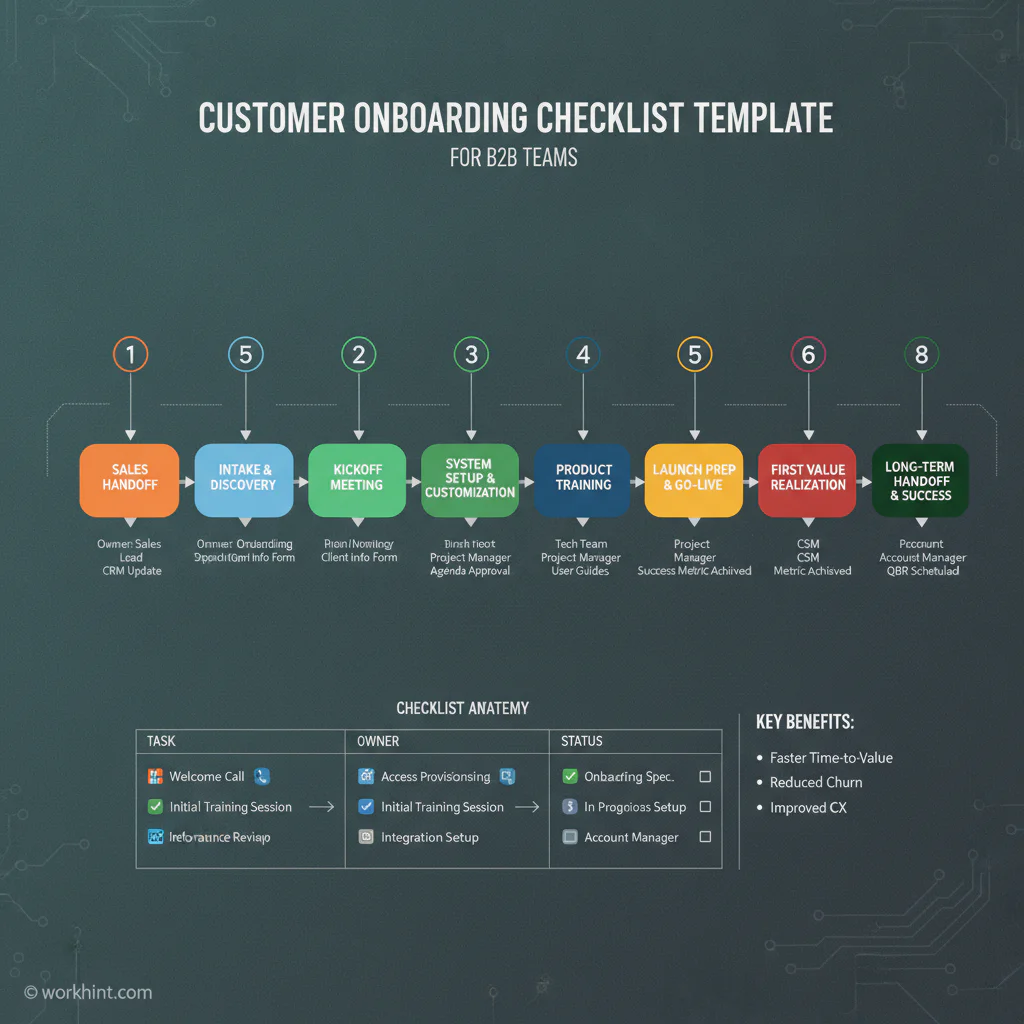
| Phase | Checklist item | Owner | Status |
|---|---|---|---|
| Sales handoff | Confirm scope, start date, success criteria, promised deliverables, decision makers, and risks. | Sales owner and onboarding owner | Not started / In progress / Done |
| Customer record | Create the account, contacts, billing details, support level, and implementation notes. | Operations | Not started / In progress / Done |
| Welcome | Send a welcome email with owner, next steps, timeline, kickoff agenda, and required inputs. | Customer success | Not started / In progress / Done |
| Intake | Collect goals, users, roles, systems, workflows, data files, compliance needs, and approvals. | Implementation lead | Not started / In progress / Done |
| Access and setup | Create workspaces, permissions, integrations, admin accounts, and support channels. | Implementation and IT | Not started / In progress / Done |
| Kickoff | Run kickoff, confirm timeline, assign customer owners, review success measures, and document questions. | Onboarding owner | Not started / In progress / Done |
| Configuration | Configure workflows, templates, roles, notifications, reports, approvals, and operating rules. | Implementation lead | Not started / In progress / Done |
| Training | Train admins, managers, and users; share materials; and confirm day-one support. | Customer success | Not started / In progress / Done |
| Launch | Confirm readiness, import required data, test critical workflows, and communicate launch. | Onboarding owner | Not started / In progress / Done |
| First value | Verify the first meaningful outcome, such as a live workflow, approved request, or active user group. | Customer success | Not started / In progress / Done |
| Transition | Move the customer to steady-state support with notes, risks, and next milestones. | Customer success and account owner | Not started / In progress / Done |
A practical 30-day customer onboarding workflow
Days 0 to 2: Complete the internal handoff. Review what was sold, what was promised, who the customer stakeholders are, and where risk already exists. If the customer bought because of one urgent problem, put that problem at the top of the checklist.
Days 3 to 7: Run intake and kickoff. Confirm the customer’s desired outcome in plain business language. For example: “reduce manual vendor onboarding from two weeks to three days” is better than “implement the portal.” Dock’s client onboarding guidance emphasizes that onboarding should be simple, visual, and action-oriented.
Days 8 to 21: Configure the workflow and train the first users. Keep setup connected to the success criteria. If a customer needs to approve field service vendors, build the intake form, document collection step, approval path, assignment rules, and status reporting first.
Days 22 to 30: Confirm first value and hand off to the long-term owner. The customer should be able to point to a real outcome: a launched team, a completed approval cycle, an imported roster, a live customer portal, or a first operational report. Capture unresolved issues before the onboarding team steps away.
Example onboarding record
Customer: Regional field services company. Goal: Launch a contractor intake and approval process for three locations. Success measure: First ten contractors approved within 30 days. Internal owner: Implementation lead. Customer owner: Operations director. Dependencies: contractor roster, insurance requirements, manager list, finance approval rule. First value: first completed contractor approval with documents stored and status visible.
This record is short, but it tells every team what the customer is trying to accomplish, what must be collected, and what proves onboarding worked.
Common mistakes
The first mistake is letting the sales-to-success handoff happen informally. Important details often live in call notes, emails, or someone’s memory. The second mistake is using a checklist that tracks tasks but not outcomes. Completing “training held” matters less than whether the right users can actually do the work.
The third mistake is hiding customer dependencies. If legal, finance, IT, or an executive sponsor owes information, put that dependency in the checklist with an owner and date. The fourth mistake is ending onboarding too early. Zapier’s client onboarding checklist includes legal, payment, communication, and project setup steps because the relationship has to work commercially and operationally.
Where Workhint fits
Workhint helps teams turn a customer onboarding checklist into a live operating workflow. Instead of keeping the checklist in a static document, teams can map customer intake, role assignments, approvals, documents, schedules, permissions, status updates, and reporting into one system. That is useful when onboarding involves customers, internal teams, external contributors, finance approvals, compliance documents, or recurring service delivery. For teams turning repeatable resources into operating processes, workflow automation software can connect intake, routing, approvals, handoffs, reminders, and status tracking.
The checklist still works on its own. Workhint becomes relevant when onboarding needs to be repeated, assigned, tracked, automated, and improved across many customers.
FAQ
What is a customer onboarding checklist?
A customer onboarding checklist is a structured list of tasks, owners, dependencies, and milestones that help a company guide a new customer from signed agreement to first value.
What should be included in a customer onboarding checklist?
Include sales handoff notes, customer contacts, goals, success criteria, intake requirements, access setup, kickoff agenda, configuration tasks, training, launch checks, first-value confirmation, and long-term handoff notes.
How is customer onboarding different from employee onboarding?
Employee onboarding prepares a new hire to work inside the company. Customer onboarding helps a buyer adopt a product, service, workflow, or implementation so they receive the value they purchased.
Who owns customer onboarding?
One internal onboarding owner should be accountable for the process. Depending on the business, that owner may sit in customer success, implementation, operations, professional services, or account management.
How long should customer onboarding take?
Simple onboarding may take a few days. Complex B2B onboarding may take 30, 60, or 90 days. The timeline depends on scope, integrations, training, data migration, customer availability, and approvals.
Conclusion
A customer onboarding checklist is valuable because it gives both sides a shared path to first value. Keep it practical: define the outcome, assign every task, show dependencies, confirm launch readiness, and record the handoff. The strongest onboarding process does not just welcome the customer. It helps them succeed quickly enough to trust the relationship.
Leave a Reply