


A decision matrix template helps teams compare options clearly when cost, risk, speed, impact, and effort all matter.
A decision matrix template gives teams a structured way to choose between competing options without turning every decision into a debate. Instead of relying on the loudest opinion in the room, the team defines the criteria, assigns weights, scores each option, and compares the totals.
This resource is built for practical business decisions: choosing a vendor, prioritizing projects, selecting software, approving a new process, evaluating locations, or deciding which operational initiative should go first. It is especially useful when several options look reasonable, but the tradeoffs are different.
What Is Included In This Decision Matrix Template?
The template includes the core fields a team needs to run a weighted decision process. It works in a spreadsheet, document, whiteboard, or workflow system.
- Decision statement
- Options being compared
- Evaluation criteria
- Weight for each criterion
- Score for each option
- Weighted score calculation
- Total score and recommendation
- Risks, assumptions, and final approval owner
A decision matrix is not meant to remove judgment. It makes judgment visible. Smartsheet describes decision matrices as a way to compare options against important factors, with weighted and unweighted versions depending on whether some factors matter more than others. Miro similarly frames the weighted decision matrix as a structured method for assigning weights, scoring options, and comparing totals.
How To Use The Template
Start with one clear decision. Do not use the same matrix to solve several questions at once. “Which vendor should we choose for payroll?” is clear. “What should we do about HR operations?” is too broad.
Then list three to six realistic options. Remove options that are not viable before scoring. A matrix works best when the options have already passed a basic feasibility screen.
Next, define the criteria. Good criteria are specific, non-overlapping, and tied to business outcomes. For example, “implementation speed,” “total cost,” “security risk,” “manager effort,” and “employee experience” are better than vague categories such as “quality” or “good fit.” Assign each criterion a weight from 1 to 5, where 5 means the factor is critical to the decision.
Finally, score each option against each criterion on the same scale, such as 1 to 5. Multiply the score by the weight, add the weighted scores, and review the result. Asana’s decision matrix guidance uses the same basic pattern: define options, choose criteria, add weights when factors are not equal, multiply weighted scores, and calculate totals.
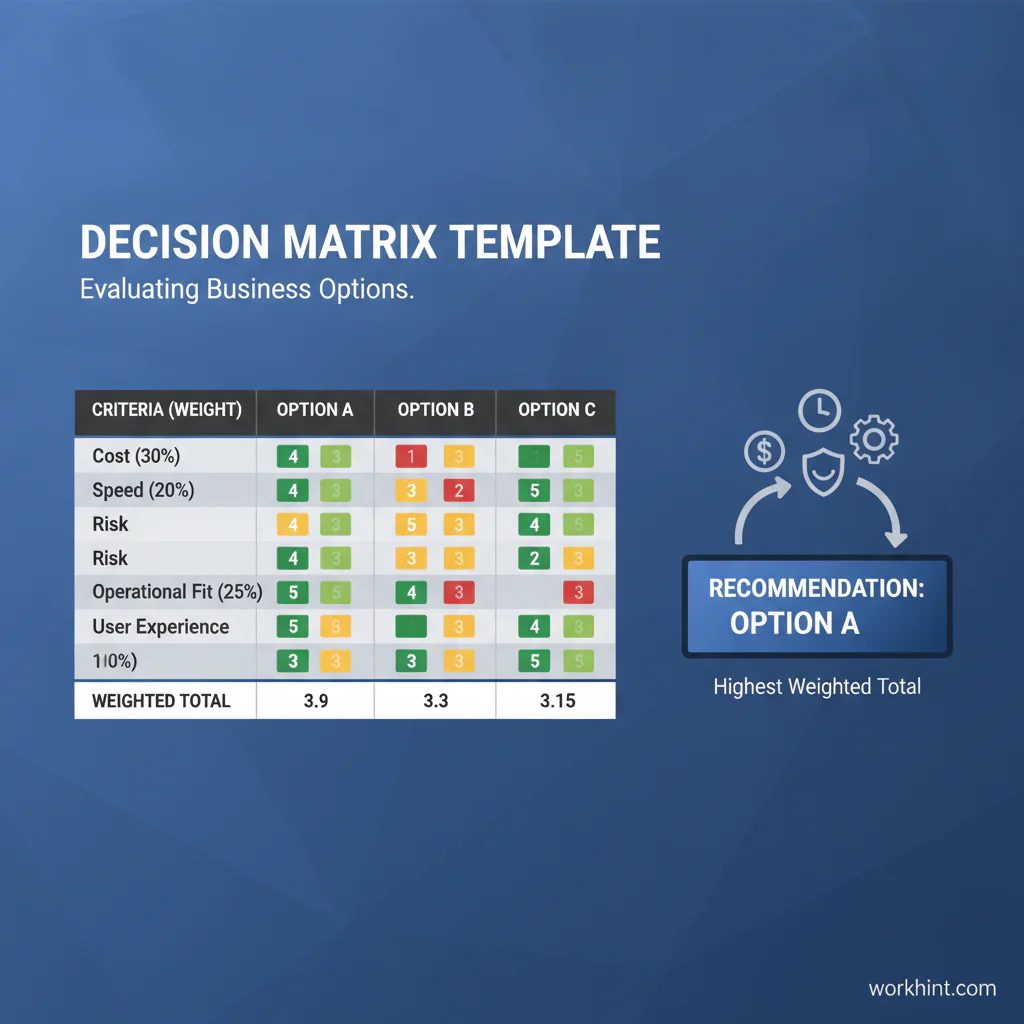
Decision Matrix Template
| Criterion | Weight | Option A Score | Option A Weighted | Option B Score | Option B Weighted | Option C Score | Option C Weighted |
|---|---|---|---|---|---|---|---|
| Total cost | 5 | 3 | 15 | 4 | 20 | 2 | 10 |
| Implementation speed | 4 | 4 | 16 | 3 | 12 | 5 | 20 |
| Operational fit | 5 | 4 | 20 | 3 | 15 | 4 | 20 |
| Risk | 4 | 3 | 12 | 5 | 20 | 2 | 8 |
| User experience | 3 | 5 | 15 | 3 | 9 | 4 | 12 |
| Total | 78 | 76 | 70 |
Use this structure as the base. Replace the criteria with the factors that matter for your decision. If the decision is compliance-sensitive, include legal, security, privacy, audit, or policy requirements as criteria. If the decision affects customers, include customer impact. If it affects internal teams, include adoption effort and training load.
Example: Choosing An Operations Tool
Imagine a team choosing between three tools to manage field service scheduling. Option A has the best user experience and integrates with the company’s calendar. Option B has stronger security controls and a lower total cost. Option C can launch quickly, but creates more manual work later.
Without a matrix, the team may argue from preference. The operations lead may care most about speed, finance may care most about cost, and IT may care most about risk. With a weighted decision matrix, everyone can see which factors matter most and how each option performs against them.
The final score should not be accepted blindly. If two options are close, review assumptions, test sensitivity by changing weights, and discuss any deal-breaker risks. The matrix is a decision aid, not an automatic approval.
Common Mistakes To Avoid
- Using too many criteria. More criteria can make the decision look rigorous while hiding the real tradeoffs. Five to eight criteria is usually enough.
- Letting criteria overlap. If “cost,” “budget impact,” and “affordability” all appear, cost may be counted three times.
- Scoring before agreeing on definitions. Define what a score of 1, 3, and 5 means before people start voting.
- Ignoring must-have requirements. If an option fails a legal, security, or operational requirement, remove it before scoring.
- Treating the highest score as final without review. Use the result to guide discussion, document assumptions, and confirm ownership.
Where Workhint Fits
Workhint helps teams turn a decision matrix from a static document into an operating workflow. A team can define the decision, assign owners, gather inputs from finance, operations, legal, IT, managers, or external partners, route approvals, capture supporting documents, and keep the recommendation connected to the work that follows.
That is useful when decisions repeat across vendors, locations, projects, staffing requests, or process changes. The same matrix logic can become a reusable decision workflow with roles, permissions, deadlines, reminders, evidence, approvals, and reporting. Workhint does not replace the team’s judgment; it helps make the decision process easier to run and easier to audit.
FAQ
What is a decision matrix template?
It is a structured table for comparing multiple options against defined criteria. A weighted version assigns importance values to criteria so the most important factors have more influence on the final score.
When should a business use a decision matrix?
Use it when several viable options need to be compared against multiple factors, such as cost, risk, speed, quality, effort, compliance, customer impact, or operational fit.
What scoring scale should I use?
A 1 to 5 scale is usually enough for business decisions. Keep the scale simple, define what each score means, and use the same scale across every option.
Should the highest score always win?
No. The highest score should guide the recommendation, but the team should still review assumptions, deal-breaker risks, missing information, and stakeholder concerns before approving the decision.
Conclusion
A decision matrix template brings structure to business tradeoffs that otherwise become subjective or political. Define the decision, choose realistic options, set clear criteria, weight what matters, score consistently, and review the result with judgment. The best matrix does not make the decision for you; it makes the decision easier to defend and easier to execute.
Leave a Reply