


A service blueprint turns a customer journey into the operating map your team can actually run.
A service blueprint is a practical way to see how a service works from front to back. It maps what the customer does, what the customer-facing team does, what happens behind the scenes, and which systems, rules, and handoffs make the service deliverable.
Nielsen Norman Group defines a service blueprint as a diagram that shows the relationships among people, props, and processes tied to customer touchpoints. For operations teams, the value is bigger than the diagram. A good blueprint exposes where delivery depends on hidden work, unclear ownership, manual coordination, or systems that do not talk to each other.
What’s in this article?
- What a service blueprint includes.
- When operations teams should use one.
- How to create a service blueprint step by step.
- A practical blueprint table you can adapt.
- How to turn the blueprint into a live work system.
Why service blueprints matter
Most service problems look like customer experience problems at first. A client waits too long for an update. A provider gets the wrong instructions. A request is approved but not scheduled. A support team fixes the same issue repeatedly.
The real cause is often backstage: unclear roles, missing status signals, disconnected tools, inconsistent approvals, weak exception paths, or no single owner for the handoff. A customer journey map can show the visible experience. A service blueprint shows the operating machinery underneath it.
Service Design Tools describes a service blueprint as a diagram of the entire service delivery process across the roles involved. That makes it useful whenever a service crosses teams, channels, locations, vendors, contractors, or systems.
When to create a service blueprint
Create a service blueprint when the work has more than one actor and the customer experience depends on backstage execution. Common triggers include onboarding a customer, launching a new service, redesigning support, coordinating field work, delivering implementation projects, managing contractor services, or improving an internal service desk.
A blueprint is especially useful when people disagree about where work gets stuck. Instead of debating opinions, the team maps the actual service: trigger, intake, review, fulfillment, communication, exception handling, closeout, and measurement.
How to create a service blueprint
Start with one service scenario, not the entire company. Pick a specific journey such as “new customer onboarding,” “vendor approval,” “maintenance request,” or “consultant project kickoff.” Then map the current state before designing the ideal state.
- Define the service outcome. Write the promise the customer or internal requester expects the service to deliver.
- Map customer actions. Capture what the customer, employee, vendor, or requester does at each stage.
- Add frontstage actions. List the visible actions your team takes, such as intake, calls, updates, approvals, or delivery steps.
- Add backstage work. Document the internal actions the customer does not see, including review, routing, scheduling, preparation, QA, payment checks, or data updates.
- Connect systems and evidence. Identify forms, records, documents, dashboards, messages, files, and source systems used at each step.
- Assign owners and decision rights. Name who owns each stage, who can approve exceptions, and who must be informed.
- Define failure paths. Add escalation rules for delays, missing information, quality issues, no-shows, denied approvals, or capacity constraints.
- Choose operating metrics. Track cycle time, aging work, rework, SLA risk, customer status, exception volume, and completion evidence.
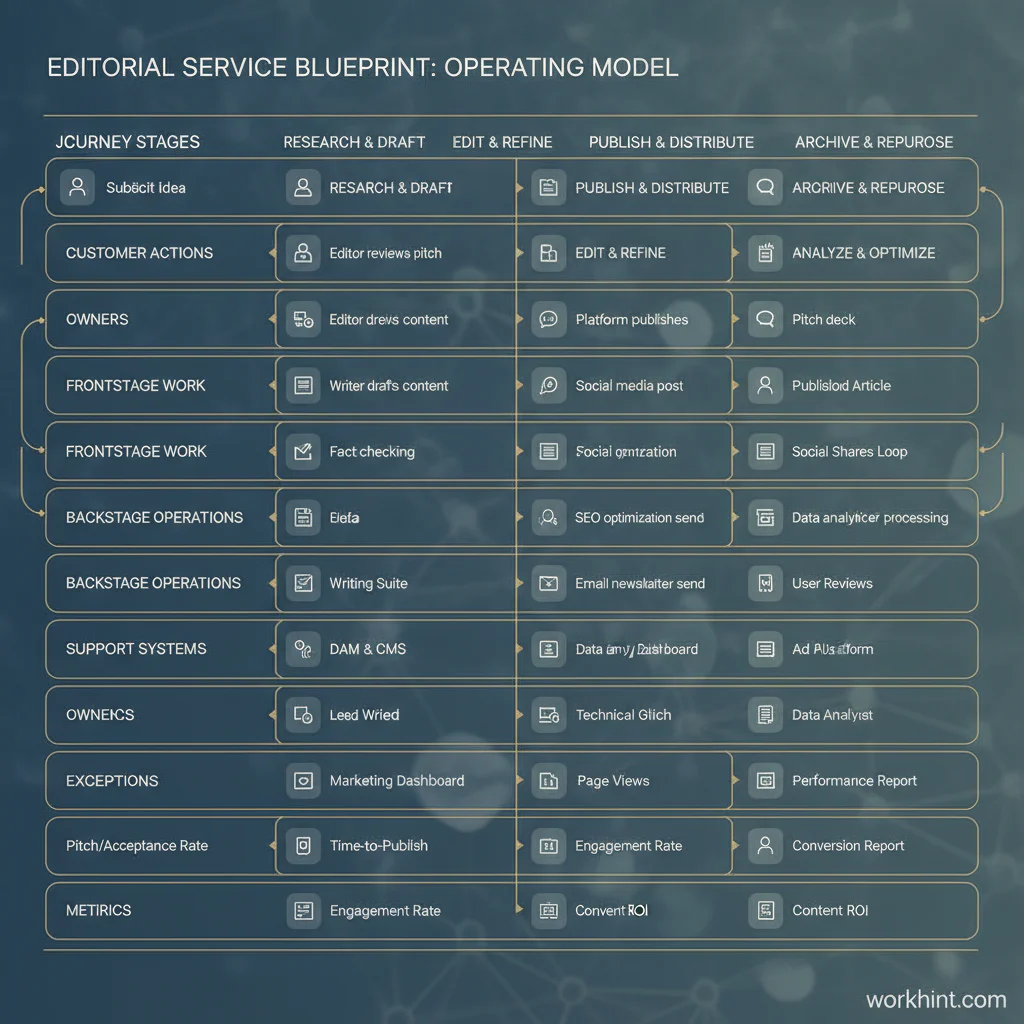
Service blueprint operating model
Use the blueprint as an operating model, not a workshop artifact. The table below shows the minimum structure an operations team should capture.
| Blueprint lane | What to capture | Operating question |
|---|---|---|
| Customer action | Requests, approvals, uploads, replies, visits, payments, or confirmations. | What does the customer need to do for work to move? |
| Frontstage work | Visible service actions, status updates, meetings, handoffs, and delivery moments. | What does the customer see, and who owns it? |
| Backstage work | Review, routing, scheduling, preparation, QA, compliance checks, and closeout. | What invisible work determines service quality? |
| Systems and evidence | Forms, records, files, approvals, messages, dashboards, integrations, and logs. | What proof shows the step happened correctly? |
| Exceptions | Missing data, delays, denied approvals, capacity conflicts, rework, and escalations. | What happens when the happy path breaks? |
| Metrics | Cycle time, SLA risk, aging items, completion rate, rework, and satisfaction. | How will the team know the service is improving? |
Common mistakes
The first mistake is mapping only the customer-facing journey. That creates a prettier version of the problem. The value of a service blueprint comes from exposing the backstage work that actually makes the experience possible.
The second mistake is treating every step as equal. Some steps are routine, while others carry risk: approval gates, quality checks, compliance reviews, customer commitments, handoffs between teams, and payment or contract moments. Mark those clearly.
The third mistake is ending with a diagram. NN/g’s blueprinting guidance emphasizes service components and touchpoints, but an operations team still has to translate the map into roles, rules, and workflows. Without that translation, the blueprint will age quickly.
Where Workhint fits
Workhint fits after the blueprint clarifies how the service should run. Instead of leaving the service blueprint in a slide or whiteboard, a team can use Workhint to turn it into a live work system with intake, roles, permissions, assignments, approvals, documents, schedules, escalations, dashboards, and reporting.
For example, a customer onboarding blueprint might become a Workhint system where the customer submits required information, the operations team reviews the request, the implementation owner receives tasks, finance approves contract or payment steps, support sees launch readiness, and leaders track cycle time and blocked work. The blueprint defines the operating logic. Workhint helps orchestrate that logic through the real work.
FAQ
What is the difference between a service blueprint and a customer journey map?
A customer journey map focuses on the customer’s visible experience. A service blueprint connects that experience to the frontstage actions, backstage work, support systems, evidence, and owners required to deliver it.
Who should be involved in service blueprinting?
Include people who understand the customer experience and people who run the backstage process. That usually means operations, customer success, support, product, finance, legal, implementation, service providers, or vendors depending on the service.
How detailed should a service blueprint be?
Detailed enough to expose handoffs, owners, systems, evidence, and exceptions. If the blueprint cannot explain where work gets delayed or who owns the next action, it is probably too shallow.
Can service blueprints be used for internal operations?
Yes. Internal services such as IT requests, HR onboarding, finance approvals, procurement, facilities, compliance reviews, and operations support all benefit from blueprinting because they depend on multiple actors and hidden backstage work.
What should happen after the blueprint is finished?
Turn the blueprint into operating rules: intake fields, owners, approvals, handoff criteria, escalation paths, service levels, dashboards, and review cadence. The blueprint should become the foundation for how the service runs.
Conclusion
A service blueprint is useful because it connects customer experience to operational reality. It shows what the customer does, what the team does, what happens behind the scenes, which systems support the work, and where ownership can break down. Build the blueprint around one service journey, validate it with the people who run the work, and then turn it into a live operating system that makes delivery more repeatable, measurable, and scalable.
Leave a Reply