


Use this plan template before an incident turns into a confused chain of messages, guesses, and missed handoffs.
An incident response plan template helps a business decide who does what when a security, system, vendor, or data incident happens. The goal is not to write a perfect policy. The goal is to reduce uncertainty when people are under pressure.
This template is written for business teams that need a practical starting point across IT, operations, legal, HR, customer communications, vendors, and leadership. Cybersecurity and privacy obligations vary by industry, contract, customer location, and jurisdiction, so have counsel or a qualified security advisor review requirements that apply to your company.
What is included
- A copy-ready incident response plan structure
- Severity levels and escalation rules
- Role and responsibility assignments
- Containment, communications, recovery, and review steps
- A checklist for testing and maintaining the plan
How to use this incident response plan template
Start by adapting the plan to the incidents your business is most likely to face: phishing, unauthorized access, ransomware, lost devices, vendor outages, data exposure, payment system problems, or misuse of internal tools. The NIST incident response recommendations emphasize preparation, detection, analysis, response, recovery, and learning as part of broader cyber risk management.
Keep the document short enough that leaders can use it during a real incident. Store it somewhere available if normal systems are unavailable. Assign one owner to maintain it, but make the response depend on clear roles, backup owners, communication paths, and decision authority.
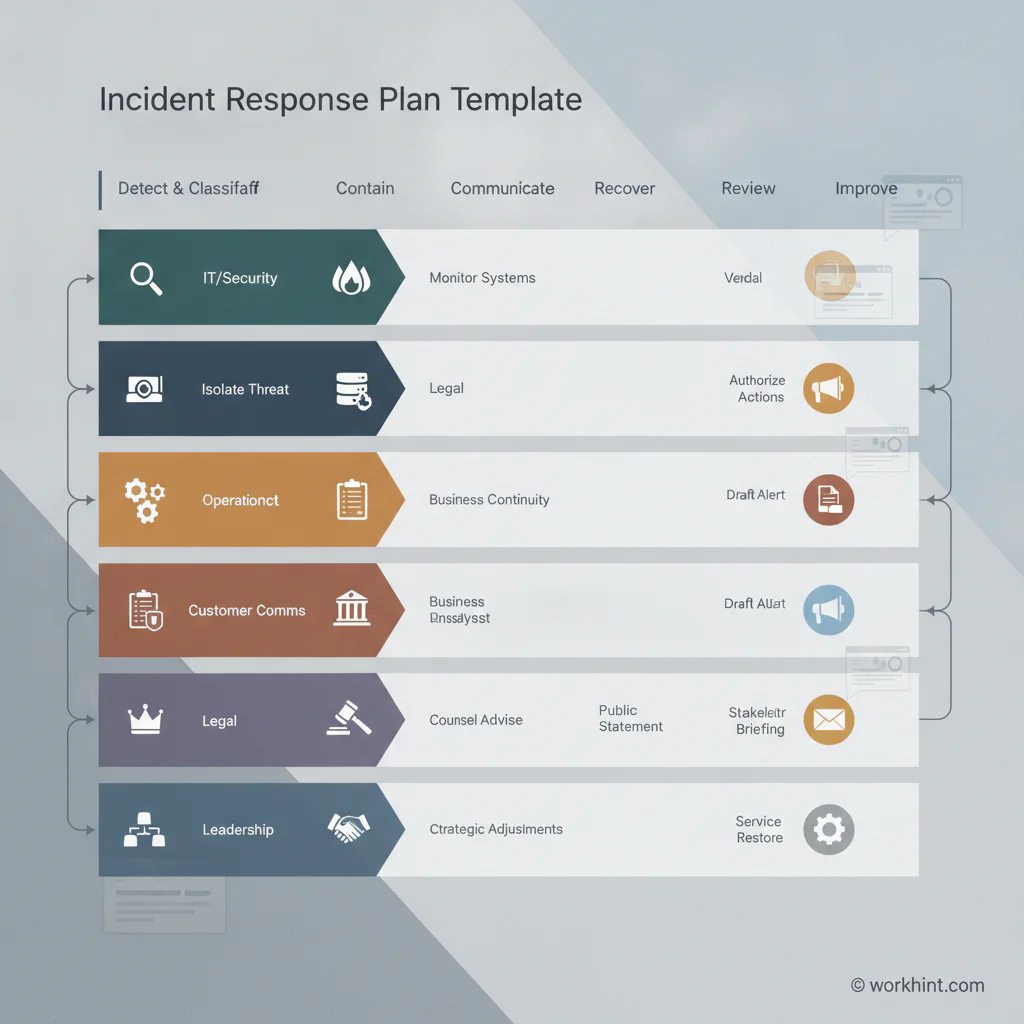
Incident response plan template
Copy the sections below into your operating system, security folder, internal wiki, or incident management workspace.
| Section | What to define | Business example |
|---|---|---|
| Purpose and scope | Systems, data, locations, vendors, teams, and incident types covered | Customer data, employee systems, payment workflows, vendor integrations, and production tools |
| Incident definition | What counts as a suspected or confirmed incident | Unauthorized access, malware, exposed customer records, suspicious vendor activity, or major service disruption |
| Severity levels | Low, medium, high, critical criteria and escalation thresholds | Critical if regulated data may be exposed or customer operations are materially disrupted |
| Response roles | Incident lead, technical lead, legal, communications, operations, HR, finance, vendor owner, executive sponsor | Security lead owns containment; legal reviews notification duties; operations coordinates affected workflows |
| Response phases | Detect, classify, contain, investigate, recover, communicate, review | Classify within one hour, contain affected access, preserve evidence, confirm recovery before reopening workflow |
| Communications | Internal channels, customer updates, vendor notices, regulator or law enforcement decision path | Customer success drafts status updates; legal approves breach language before sending |
| Evidence and records | Logs, screenshots, timestamps, decisions, approvals, files, and final incident report | Incident owner records every decision, owner, time, and evidence location |
| Recovery and review | Validation checks, reopening rules, lessons learned, control improvements, owner deadlines | Restore service, verify access, complete review within five business days, assign fixes |
Severity levels and escalation
Severity levels should be simple enough to use quickly. A low-severity event may be suspicious activity with no confirmed access or impact. A medium incident may affect one user, one tool, or one internal process. A high incident may affect customer data, critical operations, a vendor integration, or a production system. A critical incident may involve confirmed data exposure, active compromise, ransomware, legal notification risk, or material customer disruption.
CISA describes an incident response plan as a senior-approved written document that helps an organization before, during, and after an incident. Teams should know who can declare severity, authorize containment actions, pause operations, approve customer messaging, contact insurance or outside counsel, and decide when normal operations can resume.
Response workflow checklist
- Detect and report: Capture what was noticed, who reported it, when it started, and which systems, data, people, or vendors may be affected.
- Classify severity: Assign a severity level, incident lead, technical owner, communications owner, and legal reviewer if sensitive data may be involved.
- Contain impact: Disable affected access, isolate systems, suspend risky workflows, rotate credentials, or pause vendor connections when appropriate.
- Preserve evidence: Save logs, alerts, screenshots, files, approvals, vendor messages, and timestamps before making changes that could destroy context.
- Investigate and decide: Confirm root cause, affected scope, customer or employee impact, business risk, and whether external notification may be required.
- Communicate: Keep leadership, affected internal teams, vendors, customers, insurers, regulators, or law enforcement informed through approved channels.
- Recover: Restore systems or workflows, validate access, confirm data integrity, monitor for recurrence, and document the recovery decision.
- Review and improve: Hold a post-incident review, assign control improvements, update the plan, and schedule a retest.
Business-specific fields to add
Add fields that match how your company actually works. For customer-facing operations, include customer impact, service commitments, account owner, and support scripts. For workforce or contractor operations, include worker access, assignment impact, payment holds, device return, and vendor contact information. For regulated data, include legal review, notification deadlines, evidence retention, and outside counsel contact.
The FTC data breach response guide for businesses is useful when personal information may be exposed because it focuses on securing operations, fixing vulnerabilities, and deciding who needs notice. Do not wait until the incident to decide who can approve those steps.
Common mistakes
The first mistake is treating the plan as a document instead of a workflow. If the plan does not assign owners, deadlines, and decision rights, people will improvise. The second mistake is making the plan too technical. Incidents affect customers, vendors, finance, HR, legal obligations, and operations, not only systems. The third mistake is skipping tabletop exercises.
Another common mistake is confusing incident response with business continuity. Business continuity asks how the company keeps operating during disruption. Incident response asks how the company detects, contains, investigates, communicates, recovers, and learns. The two plans should connect, but they are not the same resource.
Where Workhint fits
Workhint helps organizations turn an incident response plan into a live operating workflow. A team can route reports through intake, assign severity, notify owners, restrict access by role, collect evidence, track decisions, trigger approvals, coordinate vendor or contractor actions, and monitor recovery tasks until closure. That is useful when an incident crosses security, operations, legal, customer success, finance, and external partners.
The template is still valuable on its own. Workhint becomes relevant when the plan needs to become repeatable execution with owners, permissions, escalation, reminders, audit trails, dashboards, and follow-up.
FAQ
What is an incident response plan template?
An incident response plan template is a reusable structure for defining how a business prepares for, detects, classifies, contains, communicates about, recovers from, and reviews incidents.
Who should own the incident response plan?
One accountable owner should maintain the plan, often security, IT, risk, or operations. During an incident, ownership should expand to include legal, communications, customer teams, executives, and affected business owners.
How often should an incident response plan be tested?
Most teams should test the plan at least annually and after major system, vendor, staffing, regulatory, or operating model changes. Higher-risk teams may run tabletop exercises more often.
What is the difference between an incident report and an incident response plan?
An incident response plan describes what the team should do during an incident. An incident report records what actually happened, which decisions were made, what evidence was collected, and what follow-up is required.
Does every business need a cyber incident response plan?
Any business that depends on customer data, employee data, cloud tools, payment systems, vendors, or operational software should have a practical response plan. The plan can be simple, but it should be clear and tested.
Conclusion
An incident response plan template gives the team a starting point before pressure arrives. Define severity, ownership, containment, communications, evidence, recovery, and review now. When something goes wrong, the business should already know who decides, who acts, who communicates, and how the work returns to normal.
Leave a Reply