


A Kanban system only works when the board reflects real operating rules, not wishful task lists.
A kanban system helps a business team see work, control overload, and improve delivery without forcing every request into a heavy project plan. The idea is simple: make work visible, limit how much is active at once, and manage flow with clear policies.
That simplicity is also why many Kanban boards fail. Teams create columns such as To Do, Doing, and Done, then keep accepting work until every column becomes a parking lot. A useful Kanban system defines how requests enter, who owns them, when work moves, what counts as blocked, and which signals trigger action.
What’s in this article?
- What a Kanban system should include for business operations
- How to design workflow stages, WIP limits, and intake rules
- A practical Kanban system design checklist
- Common mistakes that turn Kanban into visual clutter
- Where Workhint fits when the board needs to become a live workflow
Why Kanban matters for business teams
Kanban is often associated with software teams, but the method applies well to professional service and knowledge work. Kanban University describes Kanban as a way to manage professional services and improve how work flows from the customer’s perspective. That makes it useful for operations, HR, finance, customer success, procurement, legal, marketing, and internal service teams.
The operational problem is usually not that work is invisible. It is that work is visible in too many places: inboxes, forms, Slack messages, spreadsheets, drives, ticket tools, and meeting notes. A Kanban system gives the team one operating view of demand, ownership, status, bottlenecks, and delivery promises.
Strong Kanban systems focus on flow, not busyness. Atlassian explains that Kanban helps teams visualize tasks, limit work in progress, and improve flow efficiency. Asana similarly emphasizes boards, cards, and work-in-progress limits as core parts of managing ongoing work. The lesson for business teams is direct: do not measure the board by how full it looks. Measure it by whether work moves predictably.
How to create a Kanban system
Start with the actual work. Pick one recurring service or process: employee access requests, customer onboarding, vendor approvals, campaign production, contract review, finance close tasks, or internal support. A Kanban system is easier to design when the work has a clear start, finish, and customer.
1. Define the work item
A work item is the unit that moves through the system. It might be a request, ticket, approval, deliverable, case, order, onboarding record, or exception. Do not mix radically different units on the same board unless the stages, owners, and rules still make sense.
2. Map the real workflow stages
Use stages that describe operating state, not vague activity. Instead of “In Progress,” a contract workflow may need “Intake,” “Triage,” “Legal Review,” “Business Approval,” “Signature,” and “Archived.” A customer onboarding workflow may need “Kickoff Scheduled,” “Data Needed,” “Setup,” “Customer Review,” and “Live.”
The board should show where work waits. If requests sit with an approver, create an approval stage. If work returns missing information, create an intake-complete rule.
3. Add WIP limits where overload happens
Work-in-progress limits prevent the system from accepting more active work than it can handle. Businessmap defines Kanban around visualizing work and improving efficiency, while official Kanban guidance treats limiting WIP as a core practice for better flow. In business operations, WIP limits are most useful around scarce roles: legal reviewers, finance approvers, implementation specialists, operations managers, or executives.
Start with a practical limit, observe flow, then adjust. If two reviewers can complete about six meaningful reviews per week, a WIP limit of ten active reviews may already be too high. The goal is not perfection. The goal is an explicit signal that the system is overloaded.
4. Make movement rules explicit
Every column needs entry and exit criteria. What information is required before intake is accepted? Who can pull work into review? What makes a task done? What happens when an owner stops responding?
These rules are what separate a Kanban system from a visual checklist. They reduce argument, prevent premature handoffs, and help new team members understand how work actually moves.
Kanban system design checklist
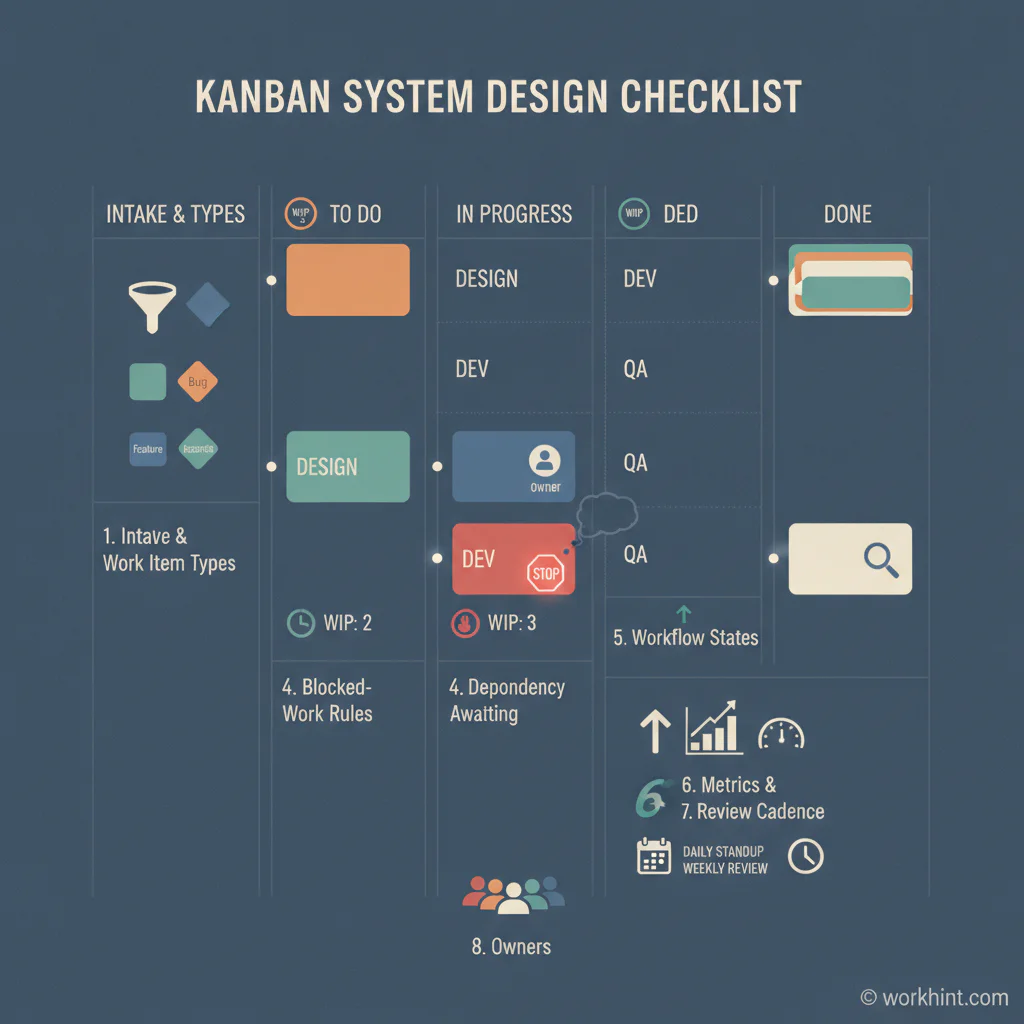
| Design element | Operational question | Example rule |
|---|---|---|
| Work item | What moves through the system? | Each card represents one customer onboarding record. |
| Intake | How does work enter? | Requests need owner, deadline, business reason, and required files. |
| Stages | Where does work wait or change hands? | Triage, setup, approval, customer review, live. |
| WIP limits | Where can overload damage flow? | No more than five records in setup at once. |
| Blocked rule | What happens when progress stops? | Blocked cards require reason, owner, and next check date. |
| Metrics | How will the team know flow improved? | Track cycle time, blocked age, throughput, and reopen rate. |
Use Kanban metrics to improve the system
A Kanban system should produce operating signals, not just status updates. Useful metrics include cycle time, lead time, throughput, blocked-card age, WIP by stage, and aging items. Cycle time shows how long work takes once started. Lead time shows the customer experience from request to completion. Throughput shows completed work over a period.
Review these signals weekly at first. Look for one constraint at a time: too much WIP, repeated missing information, slow approvals, or a class of work that disrupts everything else. Then change one policy and measure whether flow improves.
Common Kanban mistakes
- Using generic columns: To Do, Doing, and Done may be enough for personal work, but business operations usually need stages that expose handoffs and waiting points.
- No intake standard: If incomplete requests enter the board, the team will spend its time chasing context instead of completing work.
- No WIP limits: A board without limits can make overload visible but still allow it to continue.
- Treating blocked work as invisible: Blocked cards need owners, reasons, and review dates.
- Optimizing individuals instead of flow: A full calendar does not mean the system is healthy. Completed work and predictable delivery matter more.
Where Workhint fits
Workhint helps when a Kanban system needs to become more than a board. A team can describe the operating challenge, then shape the system around intake, roles, permissions, workflow stages, approval rules, assignments, documents, reminders, dashboards, and reporting.
For example, an operations team building a customer onboarding Kanban system may need intake forms, implementation owners, access permissions, document collection, approval gates, blocked-work escalation, dashboards, and handoff records. Workhint can help turn those rules into a connected work system instead of leaving them scattered across a board, spreadsheet, and meeting notes.
FAQ
What is the difference between a Kanban board and a Kanban system?
A Kanban board visualizes work. A Kanban system includes the board plus intake rules, workflow policies, WIP limits, owners, blocked-work handling, metrics, and review cadences.
How many columns should a business Kanban board have?
Use enough columns to show meaningful handoffs and waiting points. Many business teams need five to seven stages. Too few columns hide bottlenecks; too many create administrative drag.
What are good WIP limits for a new Kanban system?
Start with the team’s real capacity. If a stage has two owners, begin with a low limit such as four to six active items, then adjust based on flow, urgency, and quality.
Can Kanban work for approvals and internal requests?
Yes. Kanban works well for recurring operational work because it makes request queues, approval stages, blocked items, and owner responsibilities visible.
Conclusion
A Kanban system is useful when it makes the work honest. It should show what is waiting, what is active, who owns the next move, where overload exists, and which rules govern flow. Start with one recurring business process, define the work item, map the real stages, add WIP limits, make policies explicit, and review the data regularly. The board is only the surface. The system is the operating discipline behind it.
Leave a Reply