


A good retrospective turns finished work into decisions your next project can actually use.
A project retrospective template gives teams a repeatable way to review what happened, why it happened, and what should change before the next project begins. Without a template, retrospectives drift into vague feedback, scattered notes, or a long conversation with no owner for the improvements.
This resource is designed for business teams, operations leaders, project managers, client services teams, agencies, internal systems teams, and cross-functional groups that need a practical post-project review. It is not limited to software sprints. Use it after a launch, implementation, client project, vendor rollout, hiring campaign, event, migration, or internal operations project.
What’s included
This template covers the full review cycle: preparation, meeting roles, project facts, wins, misses, root causes, decisions, lessons learned, action items, and follow-up. It also gives you a simple table for turning discussion into assigned improvements.
Several common retrospective resources focus on broad reflection prompts. Asana’s project postmortem guidance, for example, highlights what went well, what did not go well, improvements, action items, priority, and owner fields. Atlassian’s retrospective template similarly emphasizes surfacing constructive criticism and making improvements visible. Those are useful foundations, but teams also need a tighter operating step: every lesson should become a decision, an owner, a change request, or an intentional no-action note.
How to use this project retrospective template
- Schedule the review quickly. Hold it within one or two weeks of project close, while timelines, tradeoffs, and blockers are still fresh.
- Invite the right roles. Include the project owner, delivery lead, key contributors, approvers, customer-facing lead, and anyone who inherited unresolved work.
- Share prompts before the meeting. Ask attendees to add notes asynchronously so the meeting is not dominated by whoever speaks first.
- Separate facts from interpretation. Start with scope, dates, budget, quality, blockers, and final outcomes before debating causes.
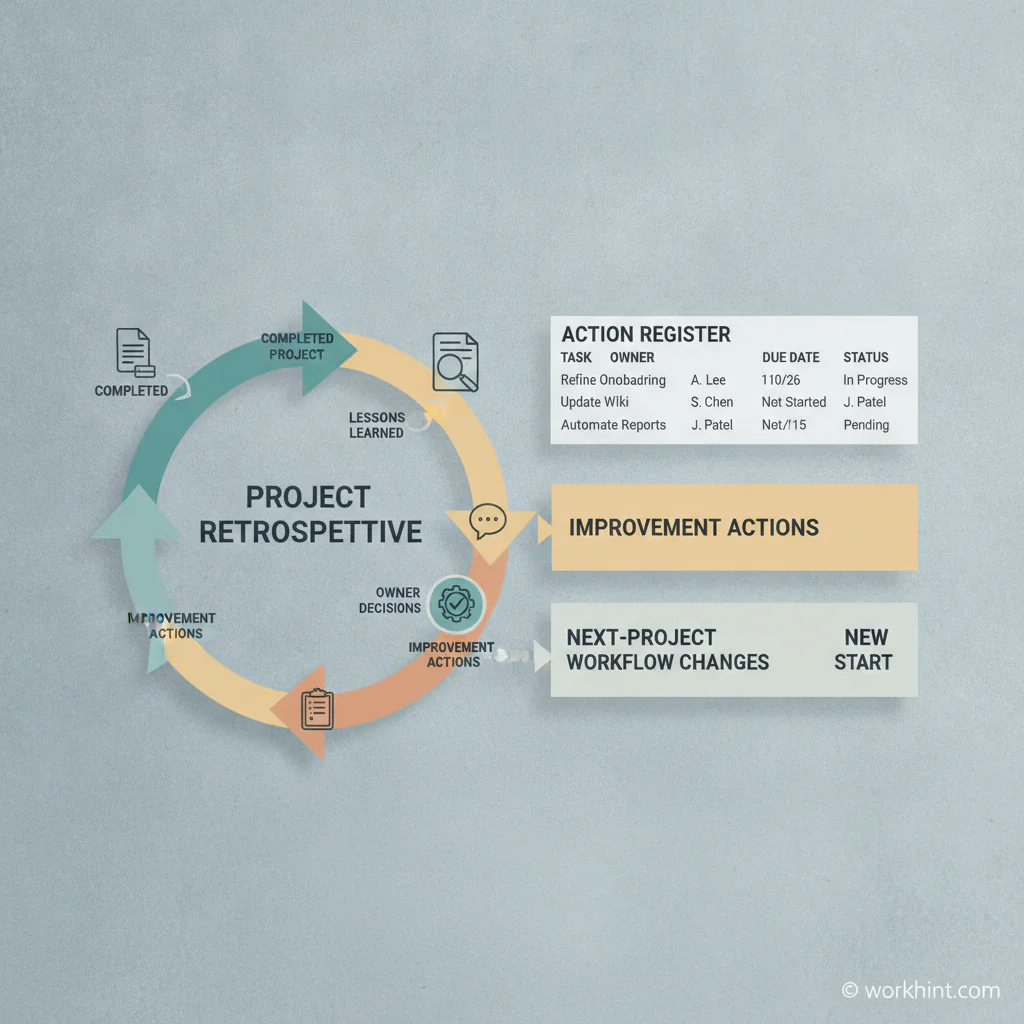
- Assign every improvement. A lesson with no owner is just a comment. Convert important lessons into changes someone will make.
- Review the actions later. Add a 30-day follow-up so the team can confirm what changed before the next project repeats the same pattern.
Project retrospective template
Copy the sections below into your project workspace, document system, or operations tracker.
1. Project summary
| Field | What to capture |
|---|---|
| Project name | Name, client, program, or internal initiative |
| Project owner | Person accountable for the project outcome |
| Dates | Planned start, actual start, planned finish, actual finish |
| Goal | The result the project was supposed to create |
| Outcome | Delivered, partially delivered, delayed, cancelled, or changed |
| Key constraints | Budget, capacity, vendor limits, technical limits, approvals, compliance, or timing |
2. What worked
- Which decisions helped the project move faster?
- Which people, roles, vendors, or partners performed especially well?
- Which process, template, meeting, automation, or approval path should be reused?
- Where did the team reduce risk, save time, or protect quality?
3. What did not work
- Where did scope, timing, quality, communication, cost, or ownership break down?
- Which blockers appeared more than once?
- Which approvals, handoffs, dependencies, or vendor steps slowed the project?
- Where did the team rely on memory, manual follow-up, or unclear status updates?
4. Root cause review
For each major issue, ask what created the problem. Was it unclear intake, unrealistic estimates, missing role ownership, late approvals, poor vendor readiness, weak documentation, incomplete requirements, or a gap in the operating system?
The Project Management Institute has long emphasized that lessons learned become useful only when teams capture and share them in a way others can retrieve. ProjectManagement.com’s post-mortem resource also treats roles, responsibilities, agenda, and report structure as part of controlled project closeout. That means your root-cause notes should be specific enough for a future team to understand the situation without hearing the whole story again.
5. Decisions and action register
| Lesson | Decision | Owner | Due date | Where it changes |
|---|---|---|---|---|
| Client approval came too late | Add approval deadline to kickoff checklist | Project lead | Before next kickoff | Project kickoff template |
| Vendor access was delayed | Start access request at contract signature | Operations manager | Within 7 days | Vendor onboarding workflow |
| Status reporting missed budget risk | Add budget variance field to weekly report | Finance partner | Next reporting cycle | Status report template |
| Requirements changed after build started | Require change request approval for scope changes | Project owner | Before next project | Change control process |
Example retrospective agenda
| Time | Agenda item | Owner |
|---|---|---|
| 5 minutes | Review project goal, scope, and final outcome | Project owner |
| 10 minutes | Share prepared notes on what worked | Facilitator |
| 15 minutes | Discuss what did not work and separate symptoms from causes | Facilitator |
| 15 minutes | Choose the highest-value lessons and convert them into decisions | Project owner |
| 10 minutes | Assign owners, due dates, and workflow changes | Operations lead |
| 5 minutes | Confirm where the final notes and action register will live | Note taker |
Common mistakes
- Running the meeting too late. Once the team has moved on, details fade and lessons become generic.
- Only discussing feelings. Team sentiment matters, but it should be tied to specific events, decisions, handoffs, or constraints.
- Skipping customers, vendors, or approvers. Many project failures happen at boundaries between teams, not inside one team.
- Recording lessons without changing the system. If the template, checklist, approval path, staffing plan, or reporting cadence does not change, the same issue can return.
- Turning the review into blame. A strong retrospective focuses on conditions, tradeoffs, and decisions rather than personal fault.
Where Workhint fits
Workhint can turn this template into a live project review workflow. Instead of storing retrospective notes in a static document, teams can collect pre-meeting input, route the review to the right roles, assign follow-up actions, connect lessons to project templates, and track whether improvements were completed before the next project starts.
That matters when projects involve multiple teams, external contributors, vendors, approvals, payments, schedules, and handoffs. The retrospective is no longer just a meeting. It becomes part of the operating system that improves how work gets launched, delivered, reviewed, and repeated.
FAQ
What is a project retrospective template?
A project retrospective template is a reusable structure for reviewing completed work. It helps the team capture what worked, what failed, why it happened, and what should change next time.
Is a retrospective the same as a postmortem?
They are closely related. A retrospective is often used for team learning and continuous improvement. A postmortem may sound more formal and is often used after a project, launch, or incident. For business teams, the same template can usually support both.
Who should attend a project retrospective?
Invite the people who can explain the work and change the system afterward: the project owner, delivery lead, key contributors, approvers, operations partner, and any vendor or customer-facing lead who shaped the outcome.
How long should a retrospective take?
Most business project retrospectives can fit into 45 to 60 minutes if attendees add notes before the meeting. Larger projects may need a longer review or a separate stakeholder session.
Conclusion
A project retrospective template is most valuable when it turns reflection into operational change. Use the template to capture facts, prompts, decisions, owners, and follow-up actions. Then update the workflow, checklist, or approval path that caused the lesson in the first place.
Leave a Reply