


Use this checklist to turn every new client from closed deal into clear kickoff, setup, ownership, and first value.
A client onboarding checklist template helps a business move from sale to delivery without relying on memory, scattered emails, or a heroic account manager. The goal is simple: collect the right information, set expectations, assign owners, complete setup, and help the client reach an early win.
This resource is written for service businesses, agencies, SaaS implementation teams, customer success teams, consultants, and operations teams that onboard new clients repeatedly. It is not legal advice, and it is not a substitute for industry-specific compliance review. It is a practical operating template you can copy into a document, spreadsheet, or workflow system.
What’s included
- A phase-by-phase client onboarding checklist template.
- Owner and output guidance for each onboarding stage.
- A simple way to define completion before the next step starts.
- An example for a B2B services or implementation team.
- Common mistakes that create delays, rework, and client frustration.
How to use this client onboarding checklist template
Start by defining what “onboarded” means for your business. For a SaaS company, it may mean the customer has completed setup, invited users, connected data, and reached the first meaningful product outcome. For an agency or services firm, it may mean the client has approved the brief, shared access, confirmed stakeholders, and agreed to the delivery cadence.
Zendesk describes customer onboarding as the process that helps customers understand and get value from a product or service after purchase. That definition matters because onboarding is not just administration. It is the bridge between the promise that won the deal and the operating rhythm that keeps the relationship healthy.
Use the checklist in three passes. First, customize the fields for your business model. Second, assign one internal owner for every line item. Third, define the evidence that proves the step is complete. A checkbox without evidence is easy to mark and hard to trust.
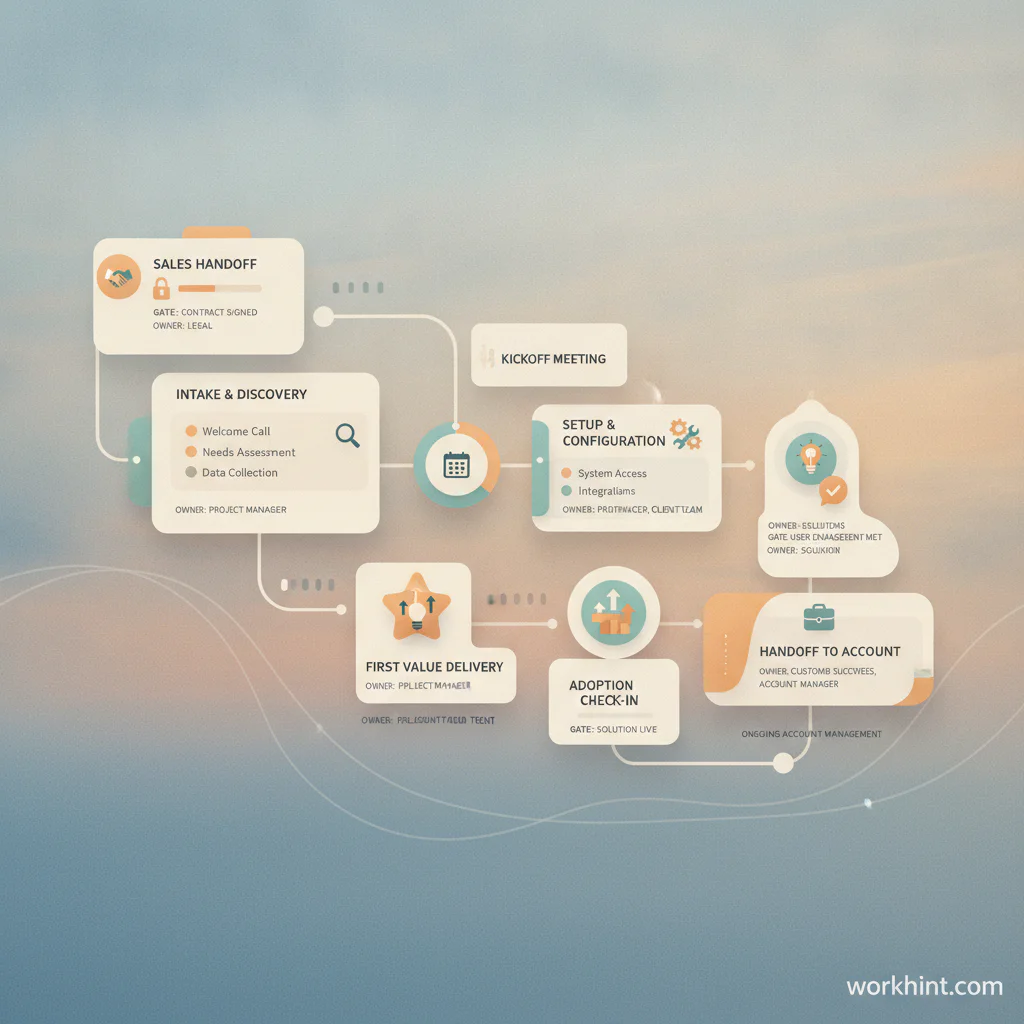
Client onboarding checklist template
| Phase | Checklist item | Owner | Completion evidence |
|---|---|---|---|
| Sales handoff | Confirm package, scope, promised outcomes, pricing, contract terms, and any custom commitments. | Sales or account owner | Handoff note approved by delivery owner. |
| Internal readiness | Create client record, assign onboarding owner, confirm capacity, and open the internal onboarding workspace. | Operations | Client workspace, owner, timeline, and team assignments created. |
| Welcome | Send welcome message with next steps, key contacts, expected timeline, and required client actions. | Customer success | Welcome email or portal message sent. |
| Intake | Collect goals, stakeholders, access needs, technical details, brand assets, compliance needs, and constraints. | Onboarding owner | Completed intake form or questionnaire. |
| Kickoff | Align on goals, success measures, roles, communication rules, timeline, risks, and decision process. | Onboarding owner | Kickoff notes with decisions, owners, and open questions. |
| Setup | Configure systems, permissions, integrations, billing, reporting, documents, and required project spaces. | Implementation or operations | Setup checklist completed and reviewed. |
| Enablement | Share training, process notes, support paths, escalation rules, and required client tasks. | Customer success | Enablement materials delivered and acknowledged. |
| First value | Complete the first meaningful milestone: launched campaign, approved workflow, first service delivered, first report, or first user success. | Delivery owner | Milestone accepted by client stakeholder. |
| Adoption check | Review usage, blockers, unanswered questions, stakeholder engagement, and next priorities. | Account owner | Day 14 or Day 30 review logged. |
| Ongoing handoff | Move the client from onboarding to steady-state account management, support, delivery, or success cadence. | Account owner | Handoff completed with active cadence and owner. |
What to collect before kickoff
Do not wait until the kickoff call to discover basic requirements. Before the meeting, collect the facts that allow the call to focus on decisions. Useful intake fields include client goals, primary stakeholders, approval process, timeline, systems involved, access requirements, billing contacts, reporting expectations, communication preferences, launch risks, and examples of what success should look like.
HubSpot’s customer onboarding templates emphasize structured resources for guiding new customers through the first months of the relationship. That is the right instinct: onboarding should not be one call and a pile of links. It should be a managed path with visible progress.
Example: onboarding a new implementation client
Imagine a B2B services team signs a new client for a six-week implementation. The sales handoff notes that the client expects a workflow redesign, three integrations, weekly progress reporting, and an executive launch readout. The onboarding owner sends a welcome note, collects access requirements, books kickoff, and creates the client workspace.
During kickoff, the team confirms the business outcome, names the client sponsor, identifies two systems that need IT approval, and agrees that first value means one live intake workflow with test users. After kickoff, each action has an owner and due date. The client is not simply “in onboarding”; the client is moving through a visible set of gates.
Common mistakes
- Skipping the sales handoff. Delivery starts with hidden promises, and the client has to repeat context.
- Using a checklist without owners. Tasks exist, but nobody is accountable for moving them forward.
- Confusing kickoff with onboarding. Kickoff creates alignment; onboarding continues until the client reaches first value.
- Failing to define first value. Without a concrete milestone, teams measure activity instead of progress.
- Letting documents live everywhere. Contracts, intake answers, access notes, and decisions need one source of truth.
Where Workhint fits
Workhint helps when this checklist needs to become a live onboarding workflow rather than a static document. A team can use Workhint to create the client intake form, define internal and client-facing roles, route approvals, collect documents, assign setup tasks, manage permissions, track kickoff decisions, monitor first-value milestones, and report onboarding status across accounts. For teams turning repeatable resources into operating processes, workflow automation software can connect intake, routing, approvals, handoffs, reminders, and status tracking.
The checklist remains useful on its own. Workhint is the next step when the business wants the checklist to drive work automatically, especially when onboarding includes multiple stakeholders, external contributors, access requests, billing steps, documents, approvals, and handoffs.
FAQ
What should a client onboarding checklist include?
It should include sales handoff, welcome message, intake, kickoff, requirements, stakeholder map, access setup, billing details, communication cadence, training, first-value milestone, adoption review, and handoff to ongoing account ownership.
What is the difference between client onboarding and customer onboarding?
The terms are often used together. Client onboarding is common in services, agencies, consulting, and implementation work. Customer onboarding is common in SaaS and product-led companies. In both cases, the goal is to help the buyer understand expectations, complete setup, and reach value.
Who should own client onboarding?
One person should own the overall onboarding path, even if many teams contribute. Depending on the business, that owner may sit in customer success, implementation, operations, project management, or account management.
How long should client onboarding take?
It depends on the complexity of the sale, implementation, access requirements, and customer goals. Simple services may onboard in days. Technical or multi-stakeholder implementations may take weeks. The better question is whether the timeline has clear gates and a defined first-value milestone.
Should client onboarding be automated?
Automate the repeatable parts: intake, reminders, task assignment, document collection, approvals, status updates, and reporting. Keep human review for expectation setting, sensitive client concerns, scope changes, and relationship moments. Gainsight’s onboarding template guidance also points to the value of structured resources such as checklists, questionnaires, welcome emails, and timelines.
Conclusion
A strong client onboarding checklist template gives every new account a clear path from closed deal to first value. The best version is practical, owned, and evidence-based. It does not just list tasks; it shows who owns each step, what must be produced, and when the client is ready to move forward.
Start with the template above, adapt it to your business model, and review it after every few onboarding cycles. The checklist should become sharper as your team learns where clients get stuck, where handoffs fail, and which early wins make the relationship stronger.
Leave a Reply