


Use this skills matrix template to see who can do what, where gaps exist, and which capability risks need action.
A skills matrix template helps managers, HR teams, operations leaders, and project owners map people against the skills a team needs to perform. Instead of relying on memory, job titles, or the loudest training request, the matrix creates a shared view of current capability, required capability, gaps, owners, and next actions.
This resource is written for business teams that need a practical worksheet they can copy into a spreadsheet, HR system, project workspace, or operating workflow. It is not a substitute for validated assessments, regulated credential tracking, or legal compliance review, but it gives teams a solid operating structure.
What is included
- A copy-ready skills matrix template structure
- A simple proficiency scale for rating skills consistently
- A gap analysis method for training, hiring, staffing, and succession decisions
- An example for a customer operations team
- Common mistakes that make skills matrices unreliable
How to use this skills matrix template
Start with one team, role family, location, or project group. A matrix becomes hard to maintain when it tries to map the whole company at once. Pick the work where capability visibility matters now: a new project launch, a support team, a field operation, a compliance-heavy workflow, or a team with too many single points of failure.
Then define the skills that actually affect execution. Use job analysis, manager input, project postmortems, customer requirements, safety requirements, and performance data. The U.S. Department of Labor describes O*NET as a database of occupational characteristics and worker requirements, including knowledge, skills, abilities, tasks, and work activities. That kind of structure is useful when you need a neutral starting point for role skills.
Keep the first version lean. For most teams, 8 to 15 skills and 10 to 30 people is enough to reveal useful patterns without creating a spreadsheet no one updates.
Skills matrix template
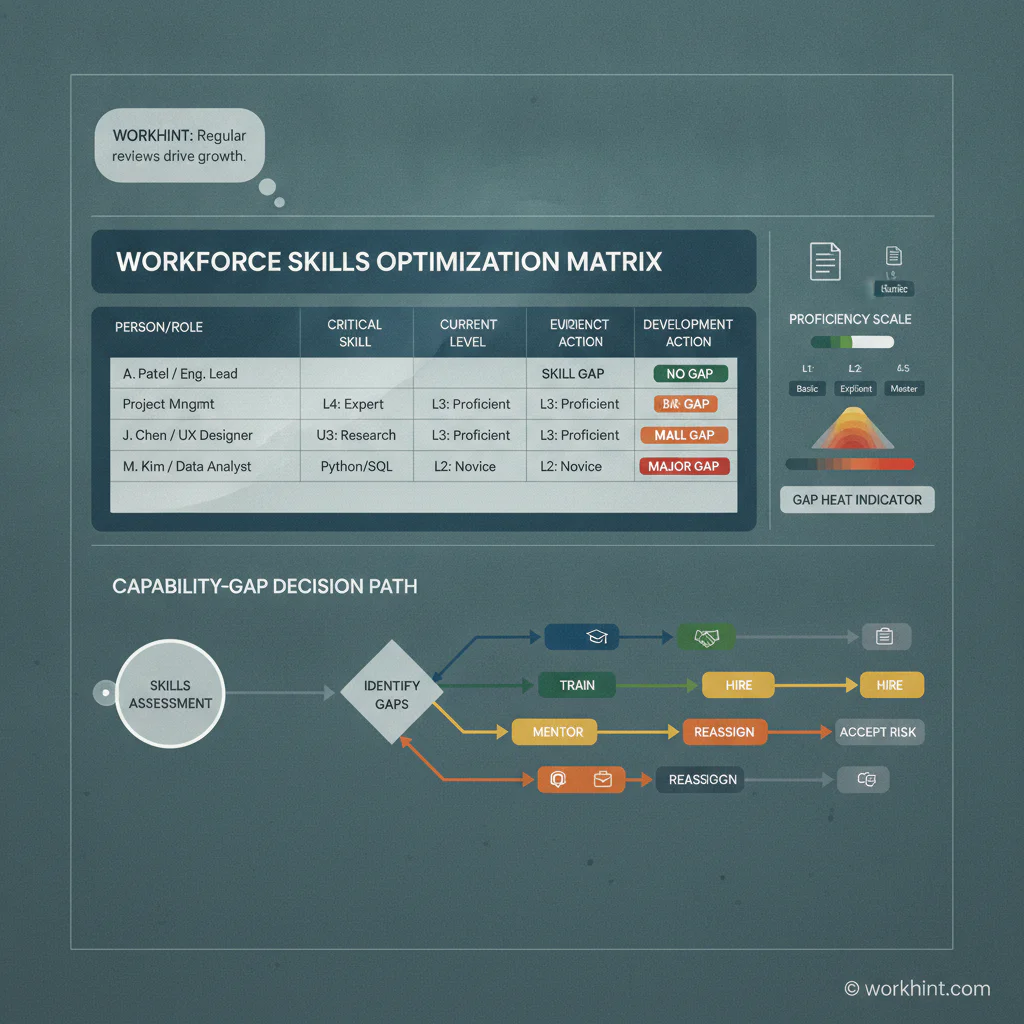
Use the table below as the core worksheet. Replace the example skills with the capabilities that matter for your team.
| Person or role | Critical skill | Required level | Current level | Gap | Evidence | Action | Owner | Review date |
|---|---|---|---|---|---|---|---|---|
| [Employee or role] | [Skill name] | [1-5] | [1-5] | [Required minus current] | [Assessment, work sample, certification, manager review] | [Train, mentor, hire, reassign, accept risk] | [Manager or HR owner] | [Date] |
| Customer Ops Associate | Escalation handling | 4 | 2 | 2 | QA review and manager observation | Shadow senior rep and complete scenario practice | Support manager | Aug. 15 |
Proficiency scale
The rating scale matters more than the color coding. If every manager interprets a 3 differently, the matrix becomes opinion data. Use a shared scale like this:
| Level | Meaning | Use in planning |
|---|---|---|
| 1 | Aware of the skill but needs close guidance | Training needed before independent work |
| 2 | Can perform simple tasks with support | Assign lower-risk work with review |
| 3 | Can perform routine work independently | Ready for standard assignments |
| 4 | Can handle complex cases and coach others | Good mentor, reviewer, or backup owner |
| 5 | Sets standards and improves the practice | Strategic owner or expert reviewer |
How to calculate the gap
For each person and skill, subtract the current level from the required level. A gap of 0 means the person appears ready for that skill at the required standard. A gap of 1 may need coaching, practice, or manager review. A gap of 2 or more should trigger a concrete action because the risk is large enough to affect delivery, quality, safety, coverage, or customer experience.
Some skills should be tied to formal training or certification, especially in safety, compliance, equipment, privacy, or regulated work. OSHA notes that employers must provide training to workers who face job hazards, and its training resources help employers identify safety-related training obligations. If a skill is compliance-sensitive, track the credential, expiration date, and evidence instead of relying only on a manager rating.
Example skills matrix for customer operations
A customer operations team might track product knowledge, ticket triage, escalation handling, refund rules, customer communication, data privacy, queue management, and quality review. Required levels should vary by role. A new associate may need level 2 in escalation handling, while a team lead may need level 4.
Once the matrix is filled in, the manager can see where coverage is thin. If only one person has level 4 product knowledge, that person is a single point of failure. If most associates are level 2 in queue management but the role requires level 3, the issue is not an individual performance problem. It is a team capability gap that needs training, better job aids, revised workflows, or hiring.
Decision checklist
- Train: Use when the gap is common, teachable, and tied to current roles.
- Mentor: Use when a few people need practice and experts already exist on the team.
- Hire: Use when the capability is missing, urgent, or too deep to build quickly.
- Reassign: Use when skills exist but are sitting in the wrong place.
- Accept risk: Use only when the skill is low priority or the work is not currently planned.
Common mistakes
The biggest mistake is rating people without evidence. A manager impression is useful, but the matrix should point to work samples, completed training, quality reviews, assessments, certifications, or observed performance. Otherwise the tool can amplify bias or outdated assumptions.
Another mistake is listing too many skills. A matrix with 60 columns looks complete but rarely drives decisions. Focus on the skills that affect staffing, quality, compliance, customer delivery, project success, or role readiness.
Teams also let the matrix go stale. Skills change when people complete training, move roles, take on new work, or stop using a capability. Set a review cadence, usually quarterly or after major team changes, and assign a named owner.
Where Workhint fits
Workhint helps organizations turn a skills matrix from a static spreadsheet into a live operating workflow. A team can define roles, required skills, self-assessments, manager reviews, training tasks, evidence uploads, approvals, reminders, staffing decisions, and reporting views in one connected work system. For broader workforce planning resources, workforce scheduling software can coordinate capacity, roles, locations, availability, assignments, and coverage risk.
That matters when capability data needs to drive action. The matrix can trigger onboarding paths, training assignments, mentor matches, project staffing reviews, compliance refreshes, or hiring requests. Workhint does not decide who is skilled enough. It helps the business collect the right inputs, route reviews, keep evidence current, and turn skill gaps into managed work.
FAQ
What should a skills matrix include?
A skills matrix should include people or roles, critical skills, required proficiency, current proficiency, the gap, supporting evidence, action plan, owner, and review date.
What is the difference between a skills matrix and a training matrix?
A skills matrix shows what people can currently do compared with what the role or team needs. A training matrix tracks assigned learning, completion status, due dates, and renewals. The two should connect, but they are not the same tool.
How often should a skills matrix be updated?
Review it at least quarterly for active teams. Update it sooner after role changes, new hires, completed training, major project changes, audits, or performance reviews.
Who should own the skills matrix?
The team manager should usually own the accuracy of ratings, while HR, operations, or learning leaders may own the template, scale, reporting, and review cadence.
Conclusion
A good skills matrix template gives a team a practical view of capability, coverage, and risk. Keep it focused, define the scale, require evidence, calculate gaps, and connect every meaningful gap to an action. The value is not the spreadsheet. The value is better staffing, sharper training, clearer hiring priorities, and fewer surprises when critical work depends on skills no one has mapped.
Leave a Reply