


A usable marketing budget turns spending guesses into a plan your team can approve, track, and adjust.
A marketing budget template helps a business decide where money will go before campaigns start, then compare planned spend with actual spend as work moves. The goal is not to create a perfect spreadsheet. The goal is to make budget ownership, channel decisions, expected outcomes, and approval rules clear enough that marketing, finance, and leadership can manage spend without constant back-and-forth.
What’s included
- A practical marketing budget template structure you can copy into a spreadsheet, planning tool, or operating system.
- The core categories most teams should track across campaigns, channels, tools, vendors, and labor.
- A simple example for turning the template into a monthly budget review.
- Common mistakes that make marketing budgets hard to manage.
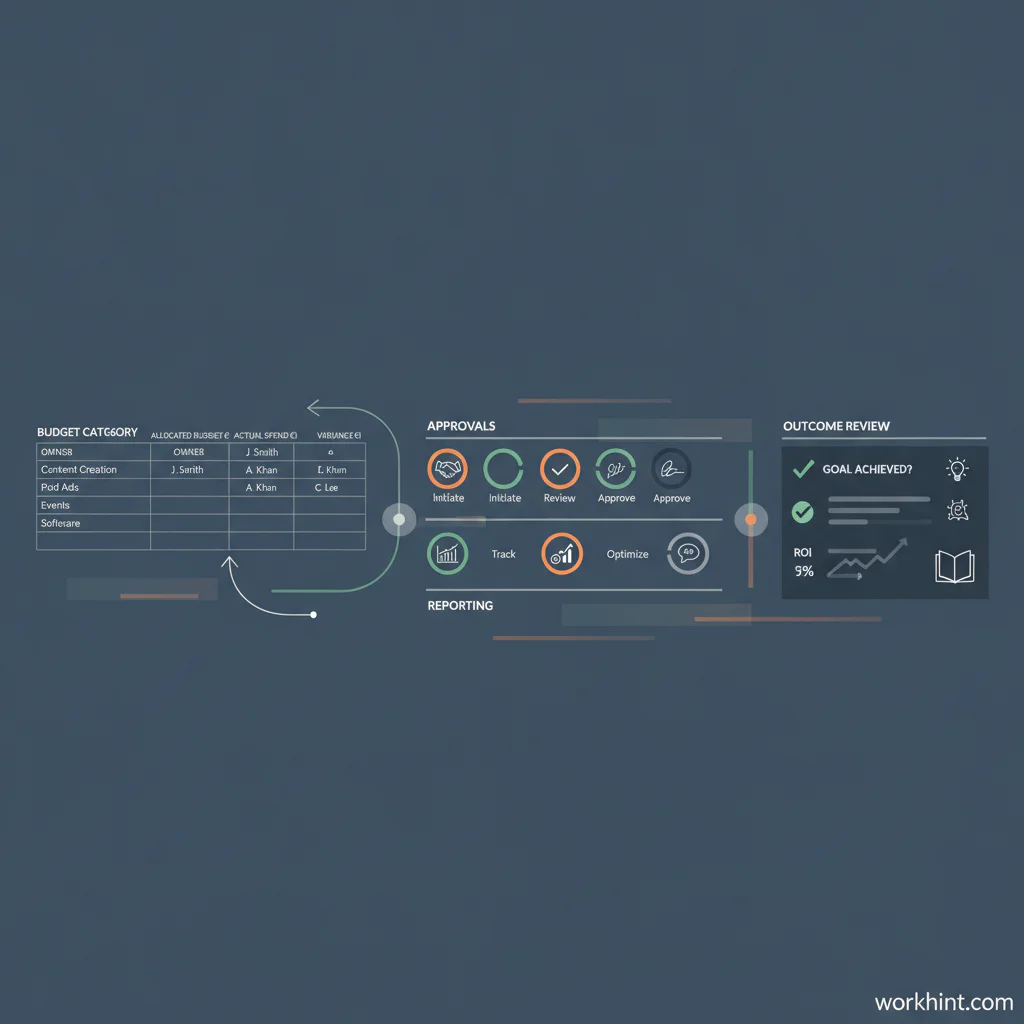
Marketing budget template
Use this template as a starting point. Add or remove rows based on your business model, but keep the same operating logic: planned spend, approved spend, actual spend, owner, timing, and outcome. SCORE’s annual marketing budget template is a useful reference for common expense categories, while Smartsheet’s marketing budget templates show how teams often split budgets by campaign, quarter, channel, and content type.
| Category | What to track | Owner | Budget control |
|---|---|---|---|
| Paid media | Search, social, sponsorships, retargeting, marketplace ads | Growth or marketing lead | Cap spend by channel and review weekly |
| Content and creative | Design, copywriting, video, photography, editing, landing pages | Content or brand lead | Approve by project brief before production |
| Events and field marketing | Booths, travel, printed material, event tools, local activations | Marketing operations | Require total event cost and expected pipeline goal |
| Software and data | CRM, email, analytics, enrichment, scheduling, automation, reporting | Marketing operations or revenue operations | Review renewals and usage every quarter |
| Agencies and freelancers | Consultants, contractors, production partners, campaign specialists | Marketing lead | Tie spend to scope, deliverables, approvals, and payment milestones |
| Testing reserve | Small experiments, new channels, creative variants, landing page tests | Growth lead | Limit by percentage of total budget and document decisions |
How to use the template
Start with the business objective, not the channel list. A marketing budget for customer acquisition should look different from a budget for retention, partner marketing, hiring demand, or a product launch. Write the objective at the top of the sheet so every line item can be judged against it.
Next, choose the planning period. Small teams usually need a monthly operating view and a quarterly leadership view. The monthly view is where actual spend, invoices, contractor work, and campaign pacing live. The quarterly view is where you decide whether the mix is still right.
Then assign an owner to every category. A budget with no owner becomes a list of wishes. The owner does not need to control every task, but they should be accountable for explaining why spend changed, what results came from it, and what should happen next.
Finally, add a review rhythm. For active paid campaigns, weekly review is usually practical. For content, events, software, and contractors, monthly review may be enough. The U.S. Small Business Administration frames marketing budget decisions around goals, audience, measurement, and adjustment, which is the right operating mindset for this template.
Copy-ready budget fields
If you want the simplest possible spreadsheet, use these columns:
- Budget period: Month, quarter, campaign, or fiscal year.
- Category: Paid media, content, events, software, agency, freelancer, or testing.
- Line item: The specific spend, such as LinkedIn ads, landing page design, or webinar production.
- Business goal: Pipeline, traffic, trials, demos, retention, hiring, or brand awareness.
- Owner: The person accountable for spend and reporting.
- Planned amount: What you expect to spend.
- Approved amount: What finance or leadership approved.
- Actual amount: What was spent or invoiced.
- Variance: Actual minus planned.
- Result: The outcome measure, such as leads, meetings, qualified pipeline, signups, or retained accounts.
- Decision: Continue, pause, reduce, increase, or review.
Example monthly budget review
Imagine a small B2B company has a monthly marketing budget of $20,000. The team plans $8,000 for paid search and social, $4,000 for content, $3,000 for freelance design, $2,000 for webinar production, $2,000 for software, and $1,000 for testing. At month end, paid media spent $9,200, content spent $3,600, freelance design spent $4,500, webinar production spent $1,700, software stayed flat, and testing did not run.
The review should not stop at “over budget.” It should ask why. Did paid media overspend because conversion rates were strong, or because pacing alerts were missed? Did freelance design increase because scope changed, or because the original estimate was weak? Did the unused testing reserve signal discipline, or did the team fail to run planned experiments?
This is why a budget template needs decision fields. Numbers alone do not improve execution. Decisions do.
Common mistakes
- Tracking spend without approvals: Actual costs matter, but so does knowing who approved the change.
- Mixing fixed and variable costs: Software renewals, agency retainers, and ad spend behave differently and should not be managed the same way.
- Ignoring people costs: Campaigns often depend on contractors, agencies, designers, writers, developers, and internal reviewers.
- Using one annual number: Annual budgets are useful for planning, but monthly and quarterly views are better for operating.
- Leaving outcomes blank: A budget line without a result field becomes hard to defend later.
Where Workhint fits
Workhint fits when a marketing budget needs to become a managed workflow instead of a spreadsheet that someone updates after the fact. A team can use Workhint to turn budget categories into intake forms, approval routes, owner assignments, vendor or freelancer scopes, campaign tasks, payment milestones, and reporting views. That matters when spend decisions involve multiple roles: marketing, finance, leadership, agencies, freelancers, and channel owners.
The template still does the thinking. Workhint helps make the thinking operational by connecting requests, approvals, work delivery, invoices, and status updates in one system.
FAQ
What should a marketing budget template include?
It should include budget period, category, line item, owner, planned amount, approved amount, actual amount, variance, business goal, result, and next decision. For larger teams, add approval status, vendor, purchase order, campaign ID, and invoice status.
How often should a marketing budget be reviewed?
Review active campaigns weekly and the full budget monthly. Quarterly reviews are useful for reallocating spend across channels, vendors, and strategic priorities.
Should a marketing budget track ROI?
Yes, but use the right level of precision. Paid campaigns may need direct cost per lead, cost per acquisition, or pipeline reporting. Brand, content, and partner activity may need leading indicators such as qualified traffic, meetings created, conversion lift, or influenced opportunities.
What is the best format for a marketing budget template?
A spreadsheet works for small teams because it is flexible and familiar. As approvals, vendors, contractors, invoices, and reporting become more complex, the budget should move into a workflow system so decisions and records stay connected.
Conclusion
A good marketing budget template gives teams a practical way to plan, approve, track, and adjust spend. Keep the structure simple, connect every line to an owner and outcome, and review the budget often enough to change course while there is still time. The best template is not the most detailed one. It is the one your team actually uses to make better decisions.
Leave a Reply